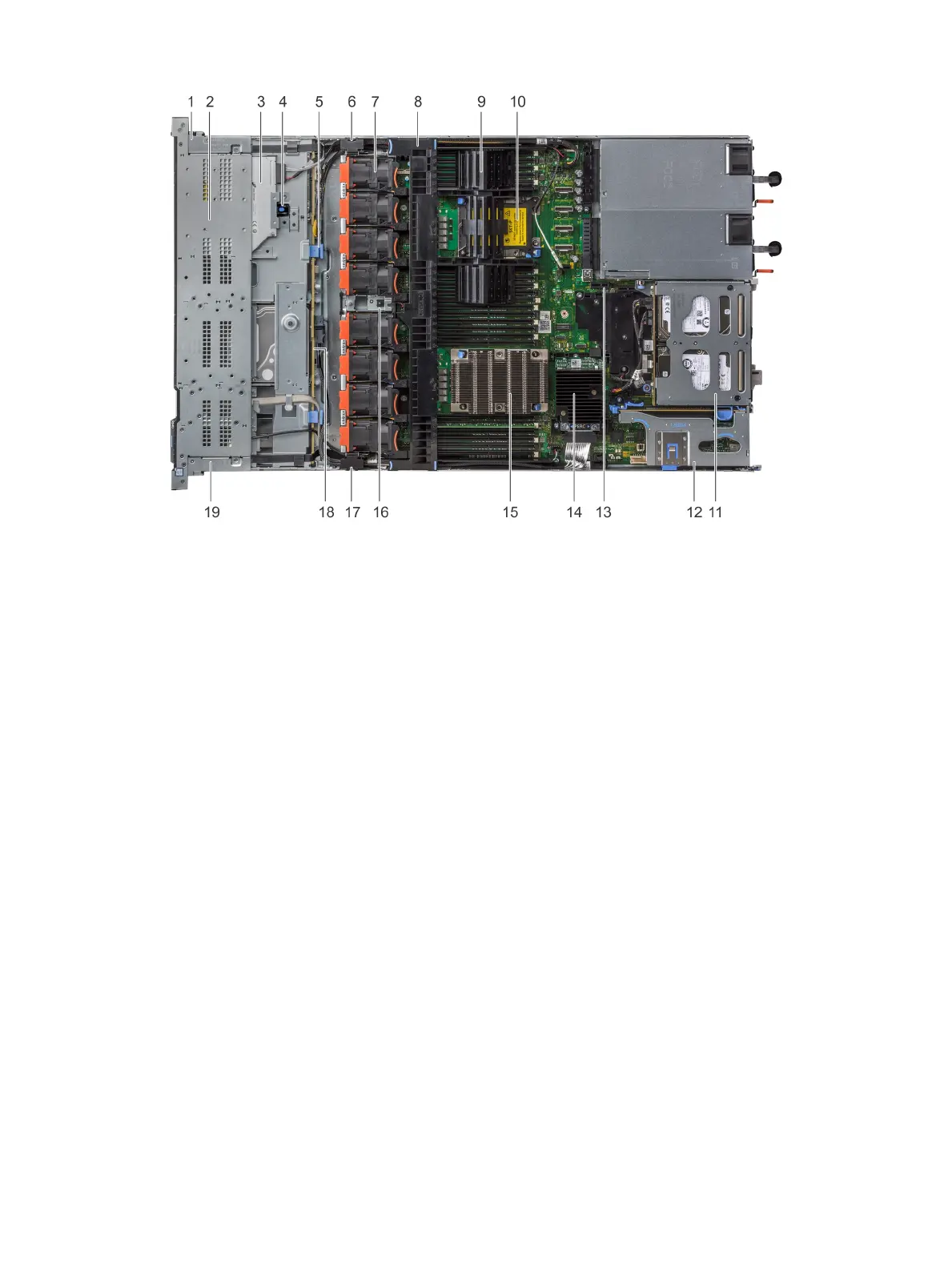
Figure 26. Inside the system - 1 PCIe expansion riser
1
right control panel cable cover 2 hard drive cage
3 optical drive 4 optical drive release latch
5 backplane release latch 6 cabling latch
7 cooling fan (8) 8 air shroud
9 processor and DIMM blank 10 processor 2 slot
11 rear hard drive module 12 expansion riser 1
13 IDSDM/vFlash module slot 14 integrated storage controller card
15 processor 1 16 intrusion switch
17 cabling latch 18 hard drive backplane
19 left control panel cable cover
Installing and removing system components 77















 To Next Page