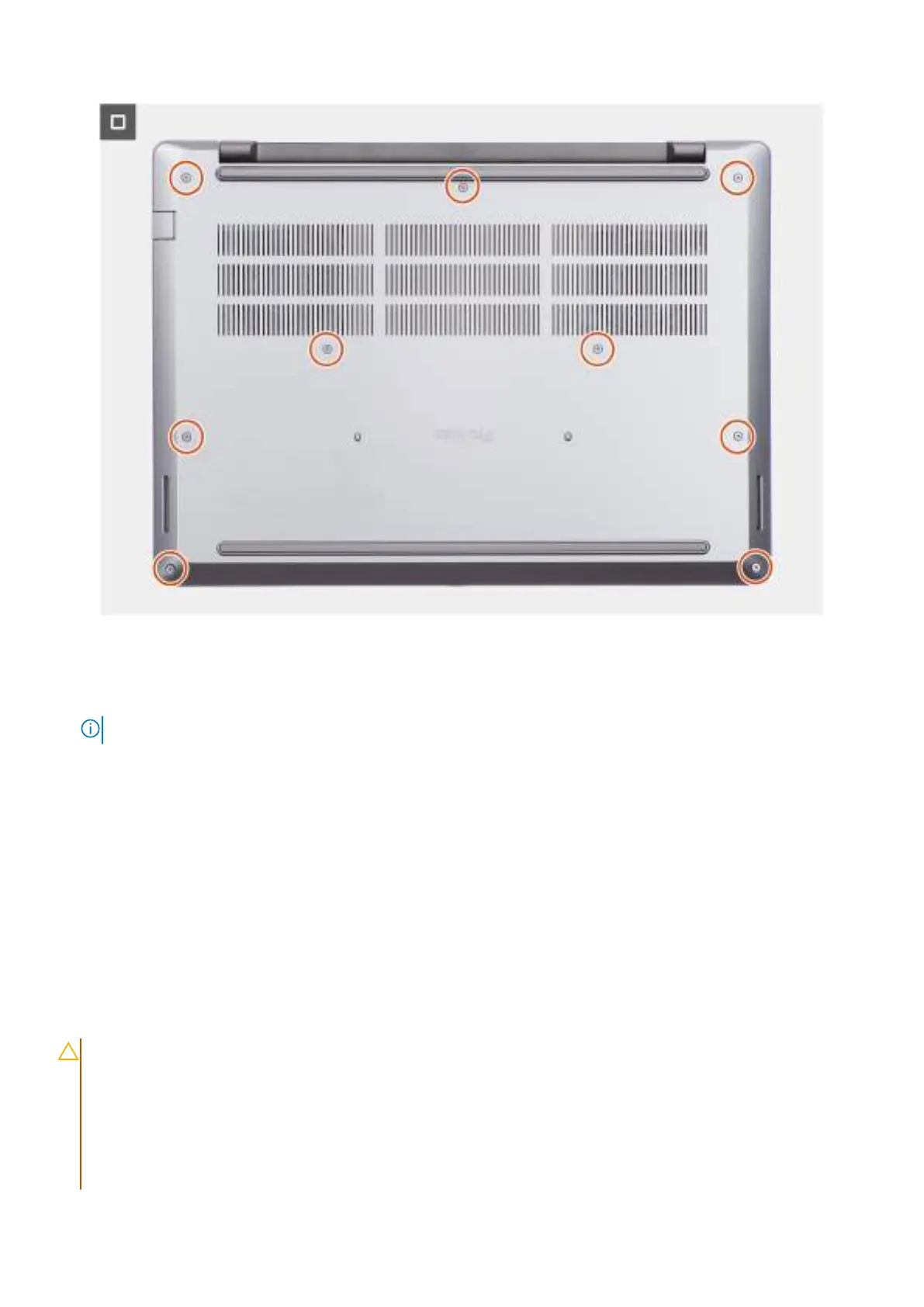
Figure 16. Installing the base cover
Steps
1. Connect the battery cable to the connector (BATT1) on the system board.
NOTE: This step applies only to computers that are not in Service Mode.
2. Place the base cover on the palm-rest assembly.
3. Align the screw holes on the base cover with the screw holes on the palm-rest assembly, and then snap the base cover into
place.
4. Tighten the nine captive screws to secure the base cover to the palm-rest assembly.
Next steps
1. Follow the procedure in After working inside your computer.
Battery
Rechargeable Li-ion battery precautions
CAUTION:
● Exercise caution when handling rechargeable Li-ion batteries.
● Discharge the battery completely before removing it. Disconnect the AC power adapter from the computer
and operate the computer solely on battery power—the battery is fully discharged when the computer no
longer turns on when the power button is pressed.
● Do not crush, drop, mutilate, or penetrate the battery with foreign objects.
● Do not expose the battery to high temperatures, or disassemble battery packs and cells.
Removing and installing Customer Replaceable Units (CRUs) 49



 To Next Page