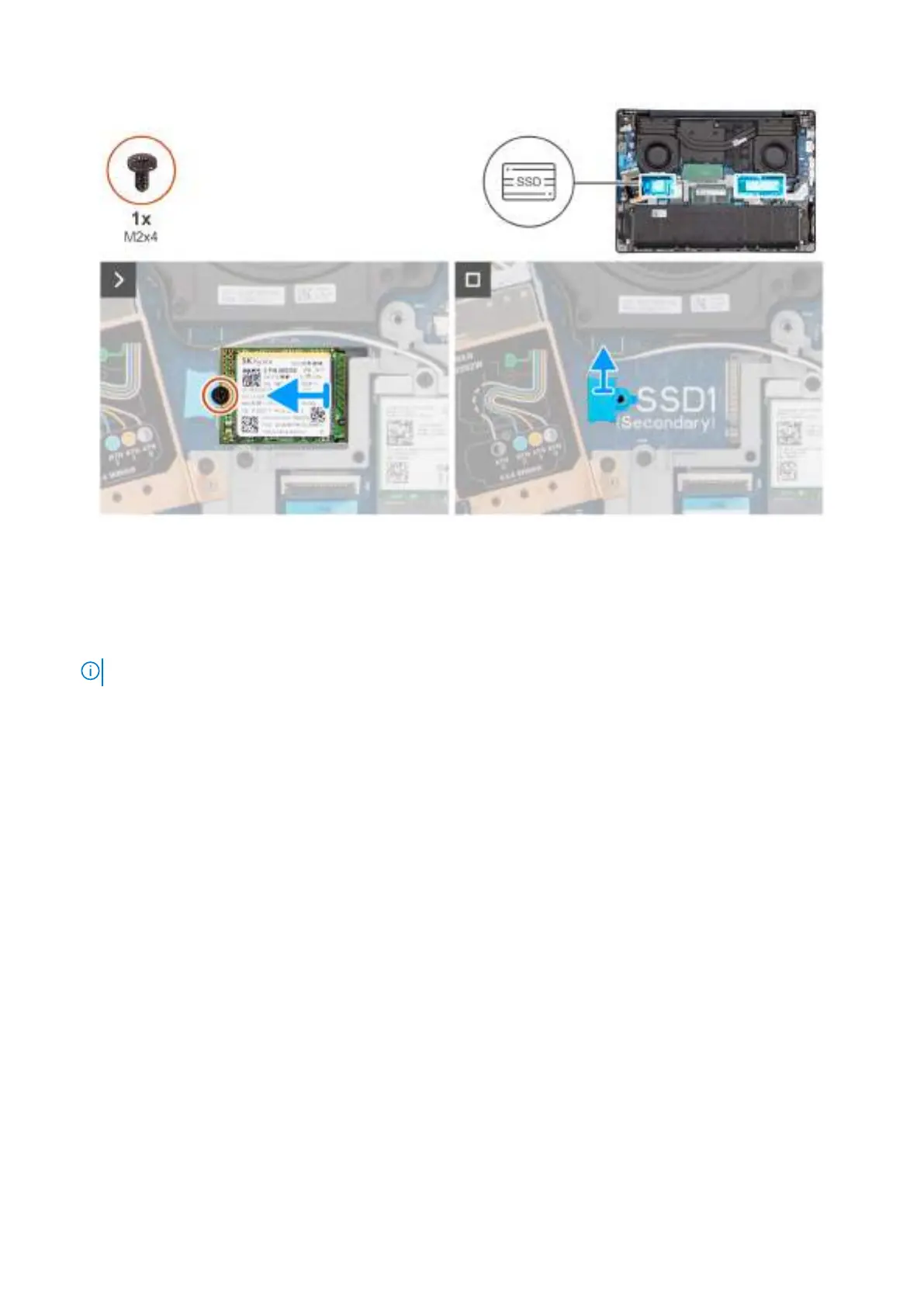
Figure 21. Removing the M.2 2230 solid state drive
Steps
1. Remove the screw (M2x4) that secures the M.2 2230 solid state drive to the palm-rest assembly.
2. Remove the M.2 2230 solid state drive from the M.2 card slot (SSD1 or SSD2, whichever is applicable) on the system board.
3. Remove the M.2230 SSD holder from the system board.
NOTE: This step applies only if you are replacing a M.2 2230 solid state drive with a M.2 2280 solid state drive.
Installing the M.2 2230 solid state drive
Prerequisites
If you are replacing a component, remove the existing component before performing the installation procedure.
About this task
The following images indicate the location of the M.2 2230 solid state drive (SSD) and provide a visual representation of the
installation procedure.
54
Removing and installing Customer Replaceable Units (CRUs)



 To Next Page