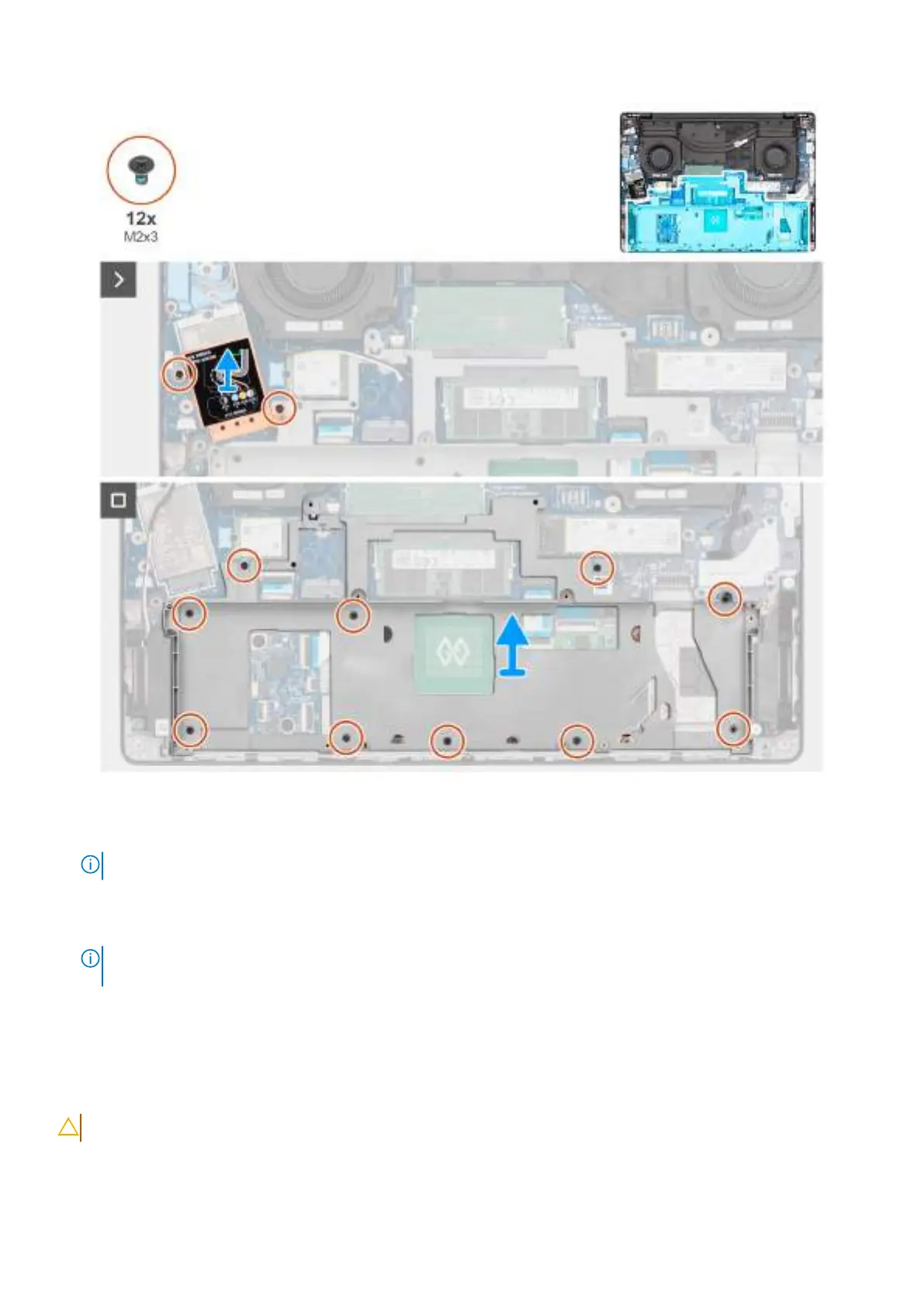
Figure 44. Removing the battery frame
Steps
1.
NOTE: Steps 1 and 2 apply only to computers shipped with a WWAN module installed.
Remove the two screws (M2x3) that secure the WWAN-module shield to the system board.
2. Lift the WWAN-module shield off the system board.
NOTE:
Only the WWAN-module shield is to be removed. The WWAN module is not required to be removed for the
removal of the battery frame.
3. Remove the ten screws (M2x3) that secure the battery frame to the palm-rest assembly.
4. Lift the battery frame off the palm-rest assembly.
Installing the battery frame
CAUTION: The information in this installation section is intended for authorized service technicians only.
78 Removing and installing Field Replaceable Units (FRUs)



 To Next Page