Left
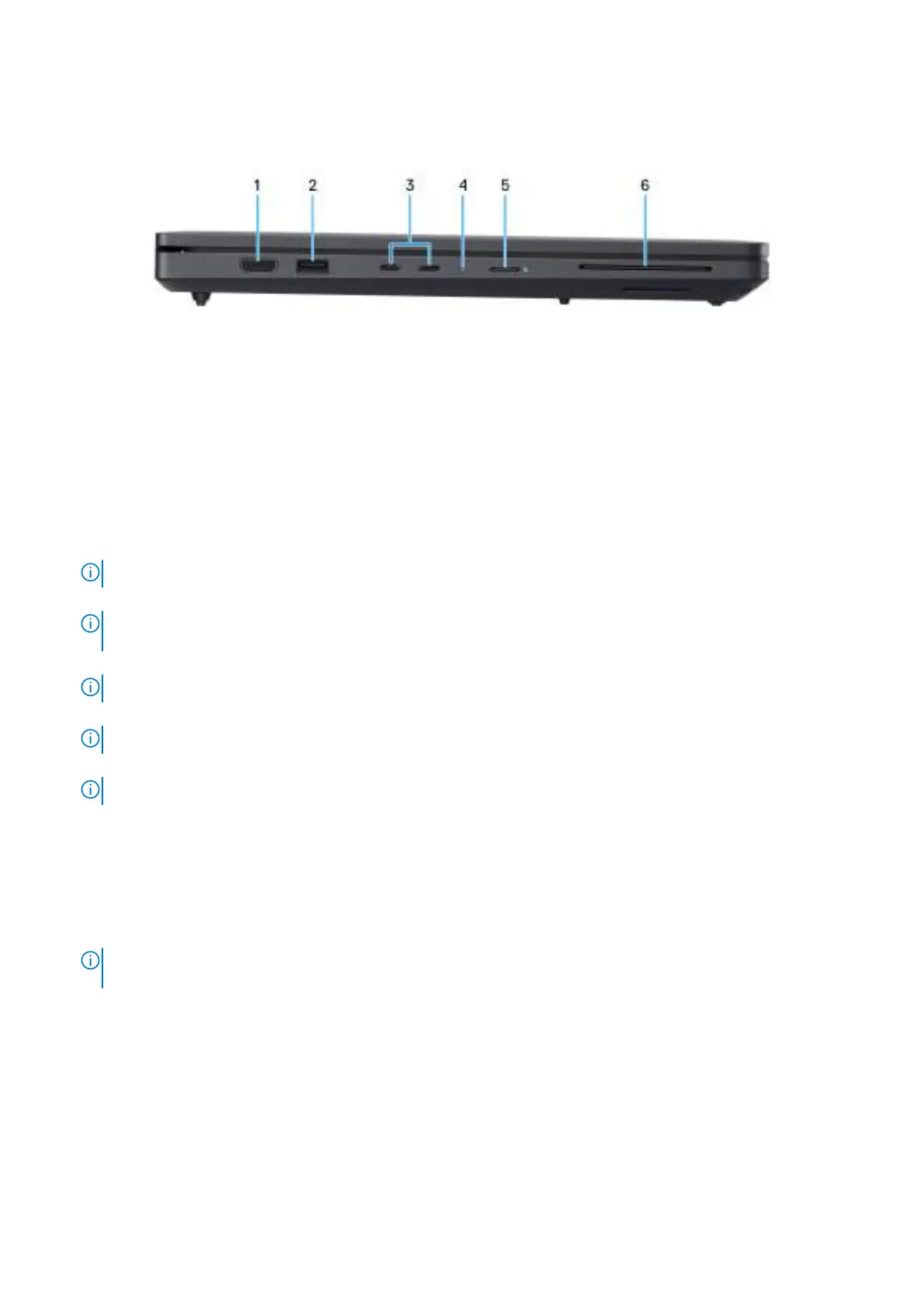
Figure 2. Left view
1. HDMI 2.1 port
Connect to a TV, external display, or another HDMI-in enabled device. Provides video and audio output.
2. USB 3.2 Gen 1 (5 Gbps) port
Connect devices such as external storage devices and printers. Provides data transfer speeds up to 5 Gbps.
3. Two Thunderbolt 4 (40 Gbps) ports with Power Delivery and DisplayPort
Supports USB4, DisplayPort 2.1, Thunderbolt 4 and also enables you to connect to an external display using a display adapter.
Provides data transfer rates of up to 40 Gbps for USB4 and Thunderbolt 4.
NOTE: The power adapter is to be connected to one of these Thunderbolt 4 ports.
NOTE: You can connect a Dell Docking Station to the Thunderbolt 4 ports. For more information, search in the
Knowledge Base Resource at Dell Support Site.
NOTE: A USB Type-C to DisplayPort adapter (sold separately) is required to connect a DisplayPort device.
NOTE: USB4 is backward compatible with USB 3.2, USB 2.0, and Thunderbolt 3.
NOTE: Thunderbolt 4 supports two 4K displays or one 8K display.
4. Power and battery-status light
Indicates the power state and battery state of the computer.
Solid white—Power adapter is connected and the battery is charging.
Solid amber—Computer is running on battery and the battery charge is low or critical.
Off—Power adapter is disconnected or the battery is fully charged.
NOTE:
On certain computer models, the power and battery-status light are also used for diagnostics. For more
information, see the Troubleshooting section in this document.
5. microSD-card slot
Reads from and writes to the microSD-card.
6. Smart-card reader slot (optional)
Reads information from a smart card with a built-in-chip.
8
Views of Dell Pro Max 16 MC16250



 To Next Page