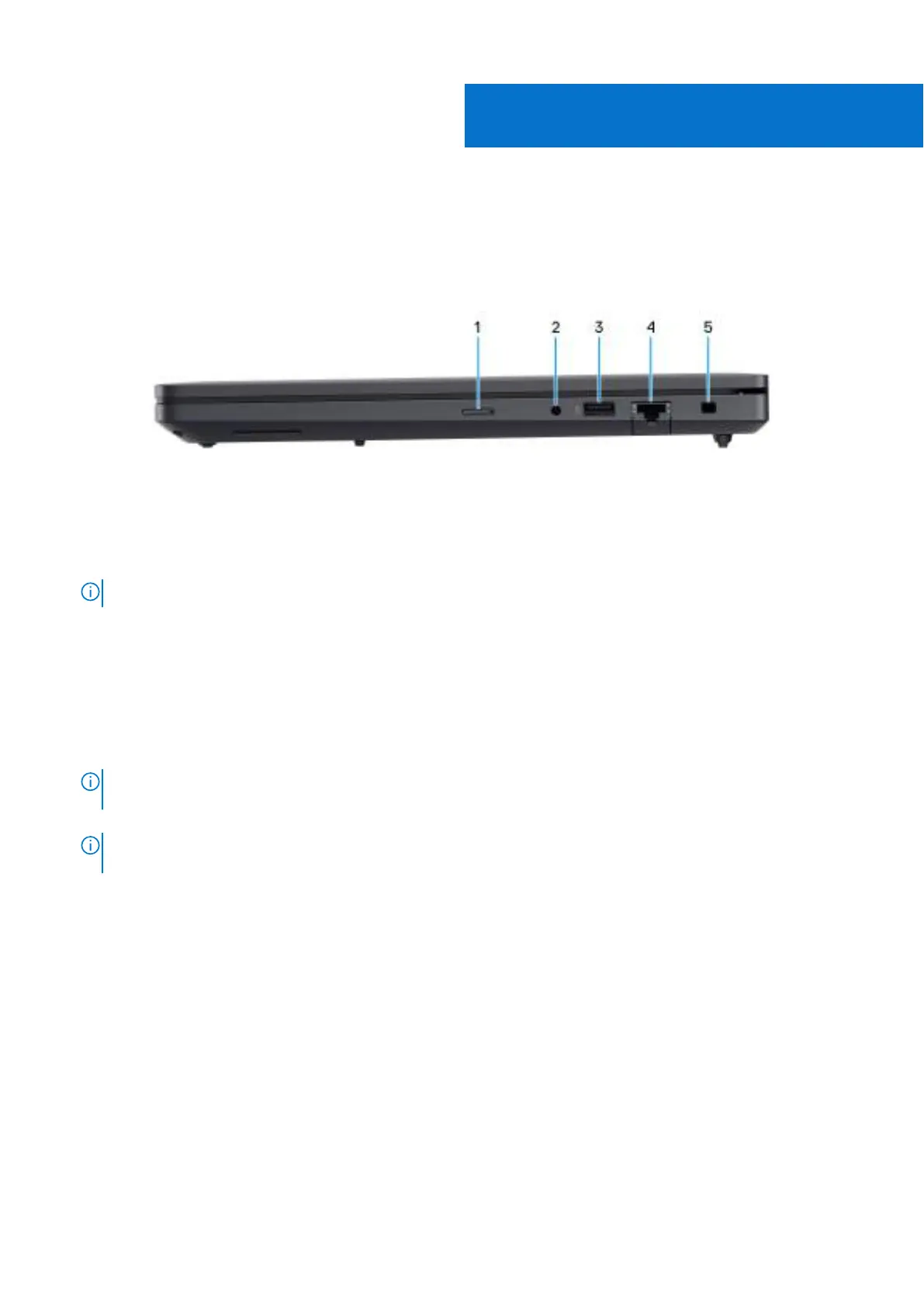
Views of Dell Pro Max 16 MC16250
Right
Figure 1. Right view
1. nano-SIM card slot (optional)
Insert a nano-SIM card to connect to a mobile broadband network.
NOTE: Availability of the nano-SIM card slot depends on the region and configuration ordered.
2. Global headset port
Connect headphones or a headset (headphone and microphone combo).
3. USB 3.2 Gen 1 (5 Gbps) port with PowerShare
Connect devices such as external storage devices and printers.
Provides data transfer speeds up to 5 Gbps. PowerShare enables you to charge your USB devices even when your computer
is turned off.
NOTE:
If your computer is turned off or in a hibernation state, you must connect the power adapter to charge your
devices using the PowerShare port. You must enable this feature in the BIOS setup program.
NOTE: Certain USB devices may not charge when the computer is turned off or in a sleep state. In such cases, turn on
the computer to charge the device.
4. RJ45 ethernet port (1 Gbps)
Connect an RJ45 ethernet cable from a router or a broadband modem for network or Internet access, with a transfer rate of
10/100/1000 Mbps (maximum 1 Gbps).
5. Security-cable slot (wedge-shaped)
Connect a security cable to prevent unauthorized movement of your computer.
1
Views of Dell Pro Max 16 MC16250 7



 To Next Page