Steps
1. Remove the four screws (M2x3) that secure the display-panel brackets to the display back-cover and antenna assembly.
2. Holding the display-panel brackets at the top, gently flip the display panel assembly forward. Then, peel back the tape that
secures the display cable to the connector on the rear of the display panel.
NOTE: To prevent damage, ensure that the display panel has a clean and smooth surface to rest on.
3. Disconnect the display cable from the connector on the display panel and remove the display panel.
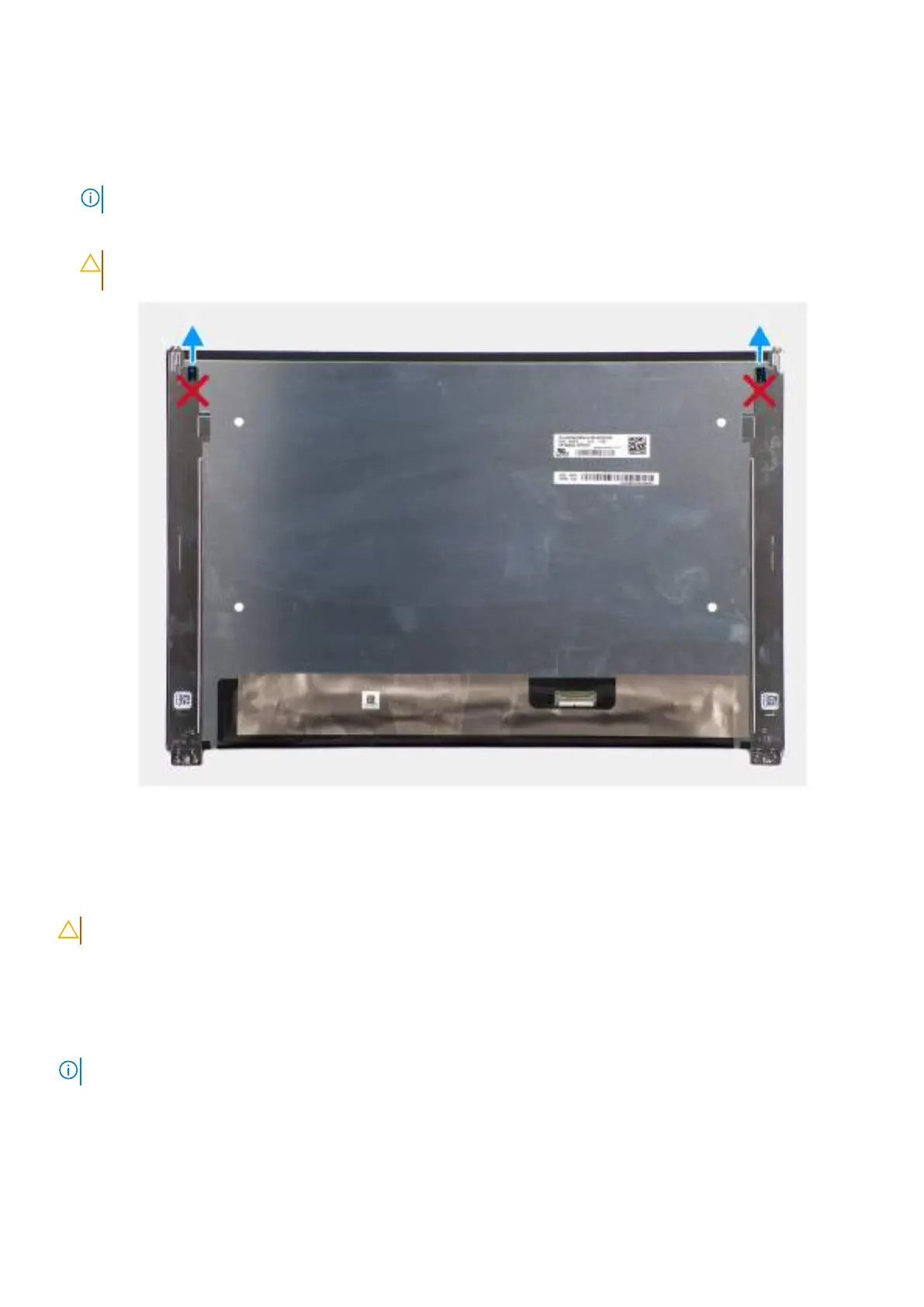
CAUTION: The display panel is assembled with the display-panel brackets as a single service part. Do not pull
the two pieces of elastic tape and separate the brackets from the panel.
Figure 67. Display panel
Installing the display panel
CAUTION: The information in this installation section is intended for authorized service technicians only.
Prerequisites
If you are replacing a component, remove the existing component before performing the installation procedure.
About this task
NOTE: The display panel is assembled with the display-panel brackets as a single service part.
The following images indicate the location of the display panel and provide a visual representation of the installation procedure.
Removing and installing Field Replaceable Units (FRUs)
99



 To Next Page