Chapter 6 Arm 3D View Window
91
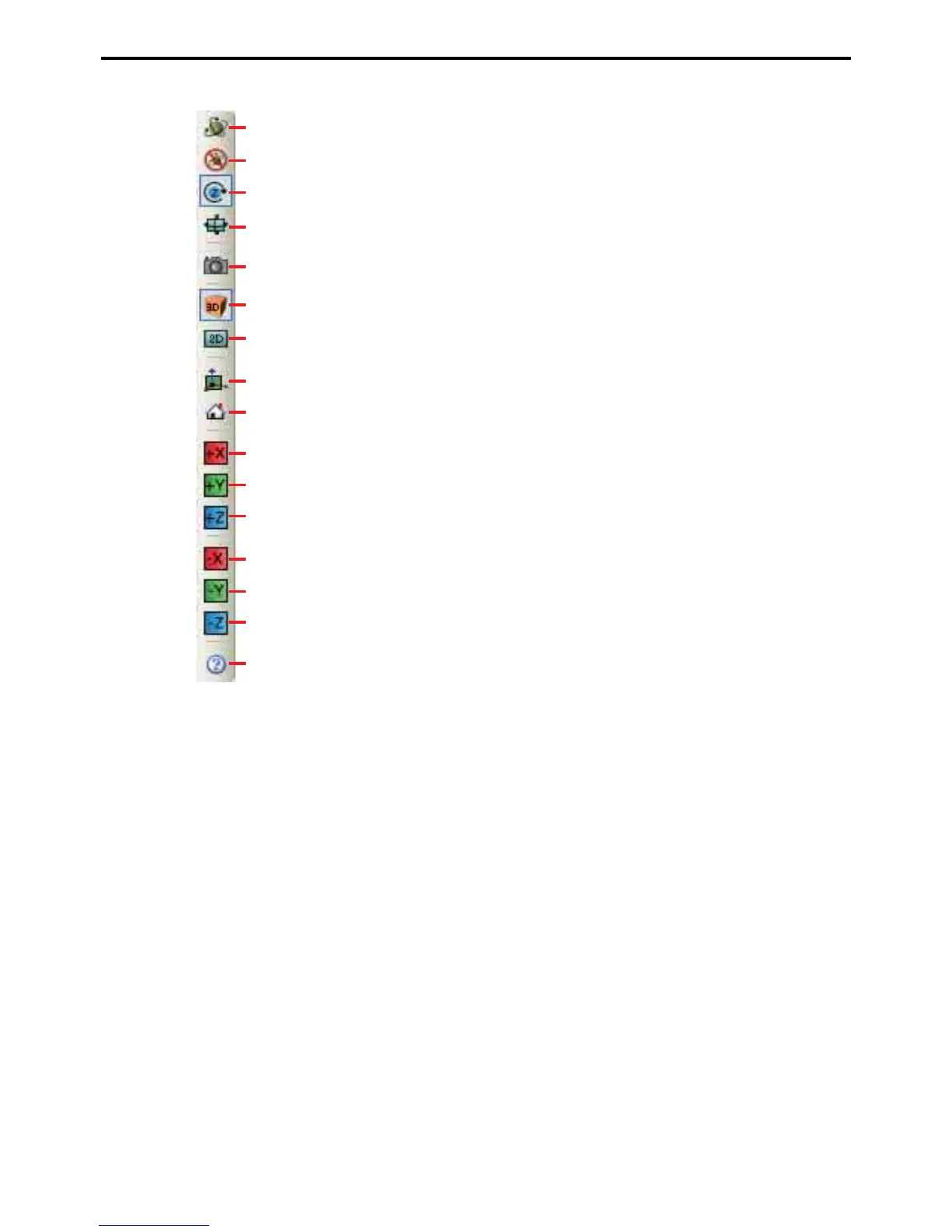
D: Arm 3D view tool bar
Moused-based viewing operations
• Rotate: Left button + drag
• Pan: Left / right button hold + drag
• Zoom: Right button + drag
Moused-based robot / object operations
• Select: Left-click
• Move object view to the center of the screen: Shift + left-click
• Object full screen display: Alt + left-click
• Move: Ctrl + Left-click
• Move in a straight line: Coordinate axis Left button + drag
• Rotate: Ctrl + coordinate axis Left button + drag
D-1: Rotate
This rotates the view on the screen using a mouse.
D-2: Fixed view
This fixes the current view on the current position.
D-3: Rotation on Z-axis
This rotates the view on Z-axis using a mouse. (Default)
D-4: Rotate: screen bisection
This rotates the view on the horizontal/vertical axis.
D-5: Screen shot
This captures the current screen image and saves it as a file.
D-6: 3D screen
This switches the screen to the 3D (perspective projection) mode.
D-7: 2D screen
This switches the screen to the 2D (parallel projection) mode.
D-8: Move origin
This moves the origin of the base coordinates to the center of the screen.
D-9: Whole object
This resizes the display to show the whole object.
D-10: Change view (+X)
This shows the display viewed from the +X direction.
D-11: Change view (+Y)
This shows the display viewed from the +Y direction.
D-12: Change view (+Z)
This shows the display viewed from the +Z direction.
D-13: Change view (-X)
This shows the display viewed from the -X direction.
D-14: Change view (-Y)
This shows the display viewed from the -Y direction.
D-15: Change view (-Z)
This shows the display viewed from the -Z direction.
D-16: Help
This shows the operating procedure in the right corner of the screen.
D-1
D-2
D-3
D-4
D-5
D-6
D-7
D-8
D-9
D-10
D-11
D-12
D-13
D-14
D-15
D-16



 To Next Page