94
Chapter 6 Arm 3D View Window
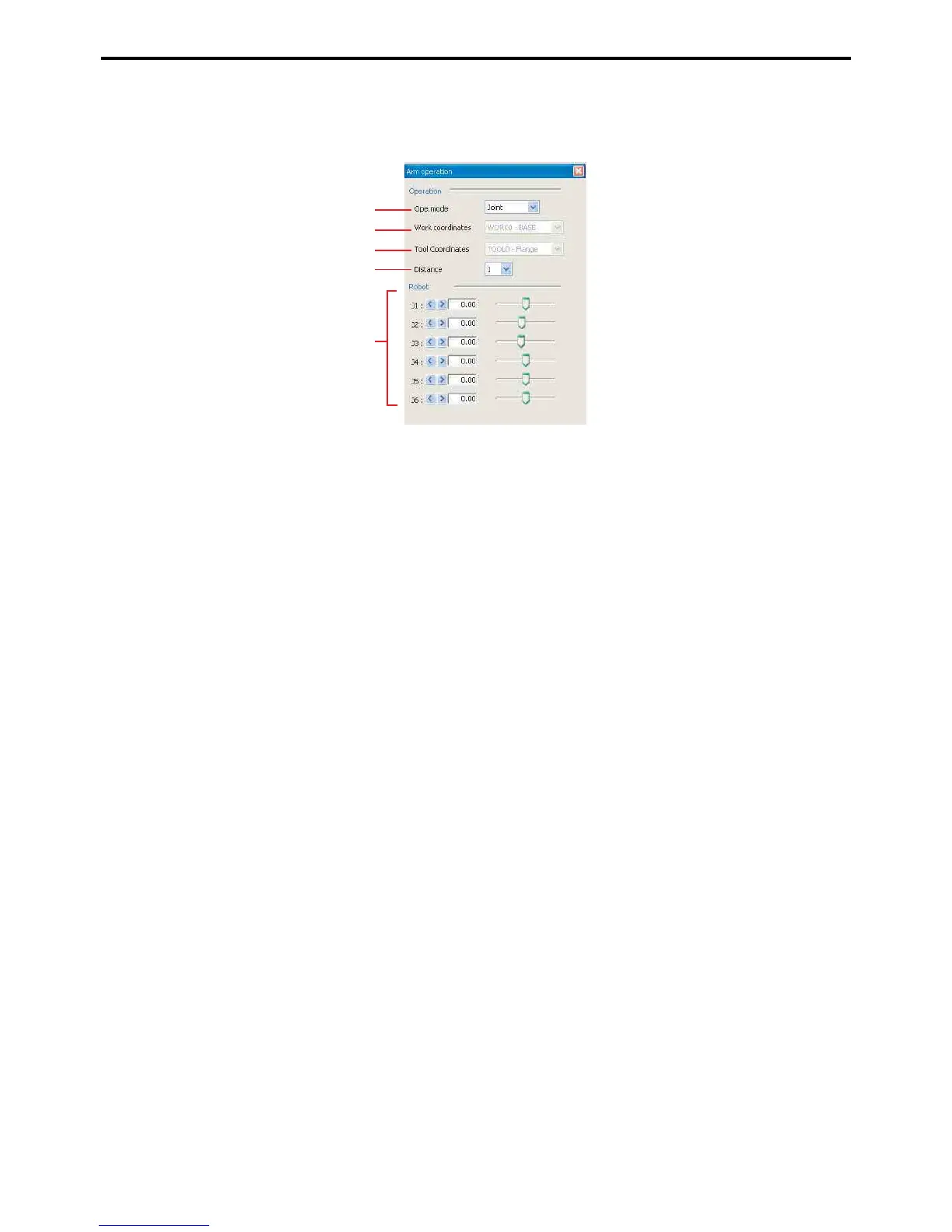
6.1.3 Arm operation
This window is for moving the simulated robot in the Arm 3D view window.
A: Ope. mode
Select movement mode.
• Axes: operates all axes.
• XY-bisection: moves according to the selected work coordinates. RX/RY/RZ rotate around the work co-
ordinates centered on the tool origin point.
• Tool: moves according to the selected tool coordinates. RX/RY/RZ rotate around the work coordinates
centered on the tool origin point.
B: Work coordinates
Select work coordinates.
C: Tool coordinates
Select tool coordinates.
D: Distance
Select the movement quantity unit with the Move position buttons.
E: Move position buttons
Moves the robot displayed in Arm 3D view in accordance with the selected movement mode.
A
E
B
C
D



 To Next Page