EasyManua.ls Logo

Denso WINCAPS III - Toolbars

Denso WINCAPS III
198 pages
Print Icon
To Next Page IconTo Next Page
To Previous Page IconTo Previous Page
Loading...
30
Chapter 3 Starting Up/Shutting Down
3.2.3 Toolbars
The toolbars provide user alternate access to most menu items with button icons.
Alternatively, you can save screen real estate by turning them off, all or individually.
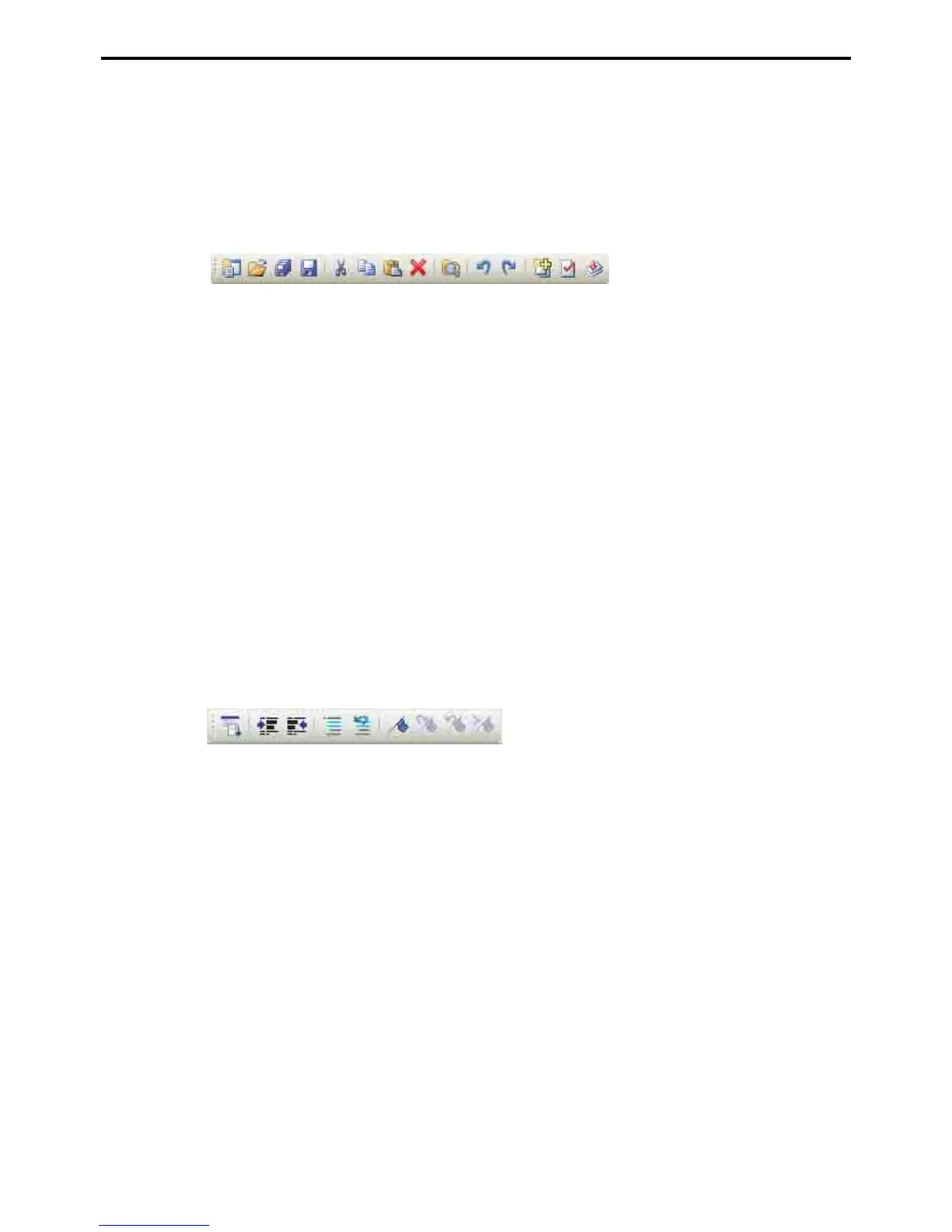
There are six of these toolbars. The following lists map their buttons to the corresponding menu items.
Standard toolbar
Edit toolbar
A: New Project
B: Open Project...
C: Save Project
D: Save
E: Cut
F: Copy
G: Paste
H: Delete
I: Find...
J: Undo
K: Redo
L: Create Programs...
M: Check Syntax
N: Make Executable
A: Command List
B: Indent
C: Unindent
D: Encomment
E: Decomment
F: Set/Clear Bookmark
G: Next Bookmark
H: Previous Bookmark
I: Clear Bookmarks
ABCD EFGH I JK LMN
ABCDEFGHI

Table of Contents