Chapter 9 Vision Manager
141
9.2 Configuring Vision Manager
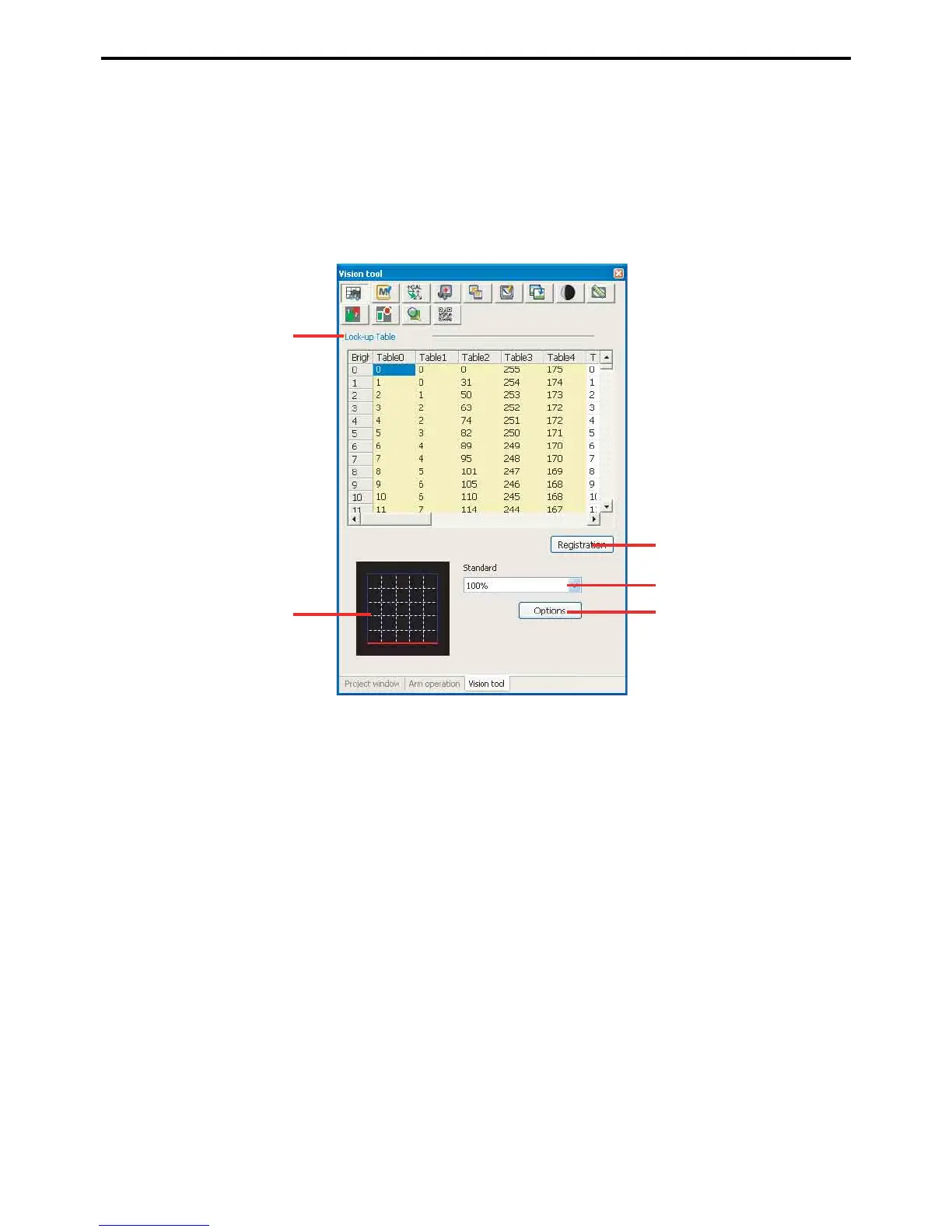
9.2.1 Configuring lookup tables
Lookup tables specify the camera's input characteristics as well as the display characteristics for the camera image
and processing screens. Tables 0 to 4 are reserved for system use; 5 to 15 are user modifiable.
Lookup table screen
A: Lookup table
This area contains the tables specifying characteristics. (The user-modifiable ones start at number 5.)
B: Graph
This graphs the characteristics for the currently selected column in the Lookup table area.
C: Save button
This button saves search model modifications.
D: Standard table
This field is for choosing a standard table from a pull-down list.
E: Apply
This copies the specified standard table to the selected column in the Lookup table area.
1) Select a column in the Lookup table area.
2) Choose a standard table from the pull-down list.
3) Press the Apply button



 To Next Page