128
Chapter 8 Logging
8.3.3 Control log
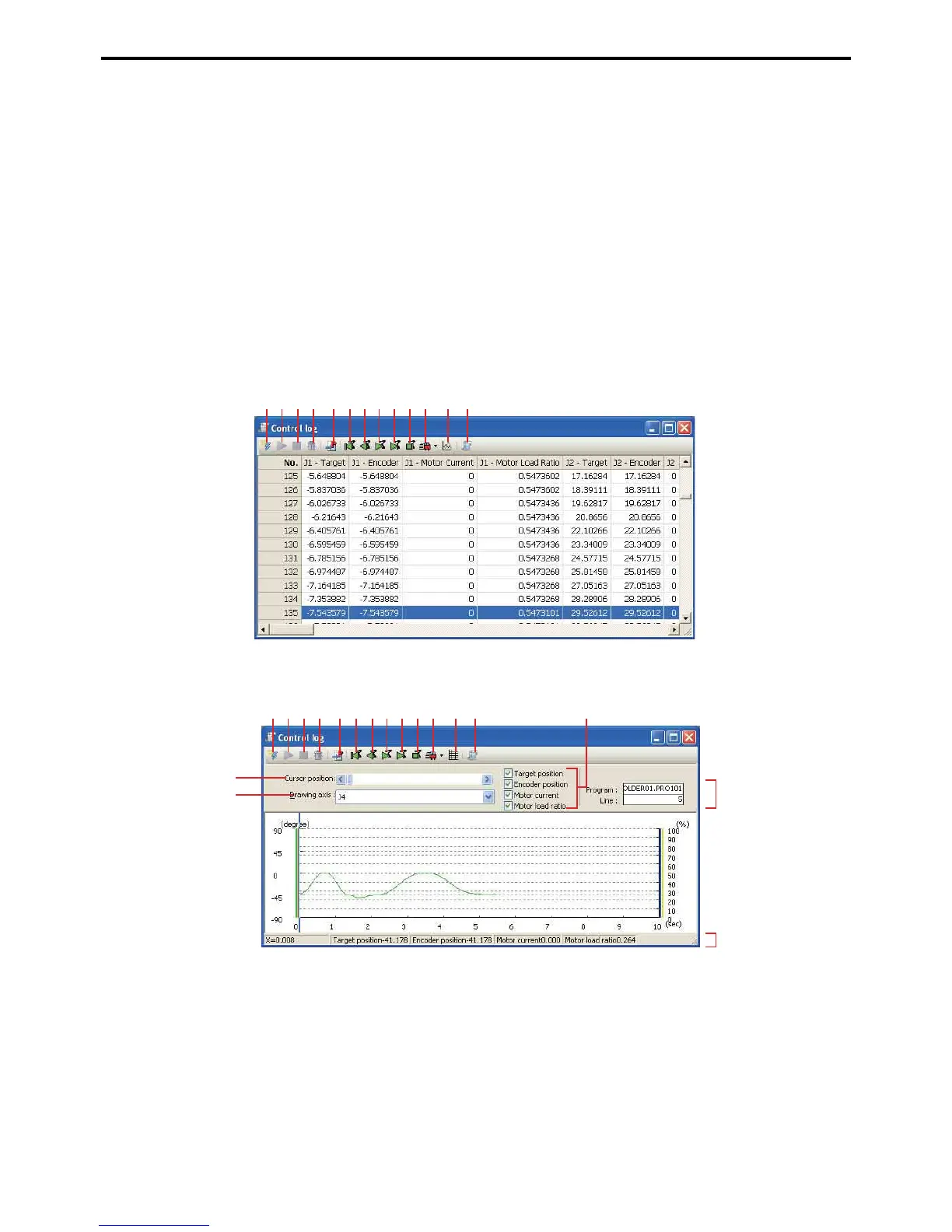
A record of the robot's control, including movement of axes, current values, load ratios, etc.
This is useful in the following cases.
• Checking robot behavior within a specified range.
• Checking the age deterioration of the robot.
• Approximating the minimal load on the motor by predicting load ratios.
The control log recording time can be set by specifying the recording interval and number of records.
Recording can be made manually from the teach pendant or WINCAPS III or through program operations and error
triggers.
The recording timing of the program is controlled using the STARTLOG, STOPLOG and CLEARLOG com-
mands. For further details, refer to Programming Manual 1.
Grid display
Graph display
A: Receive button
This receives control log data from the robot controller and displays it.
B: Start control log button
This starts or resumes the control log. STARTLOG is executed.
C: Stop control log button
This stops the control log. STOPLOG is executed.
A BCD EFGHI JK L M
A BCD EFGHI JK L M P
Q
N
O
R



 To Next Page