14
Chapter 3 Starting Up/Shutting Down
3.1.1 WINCAPS III basic settings
Operating procedure
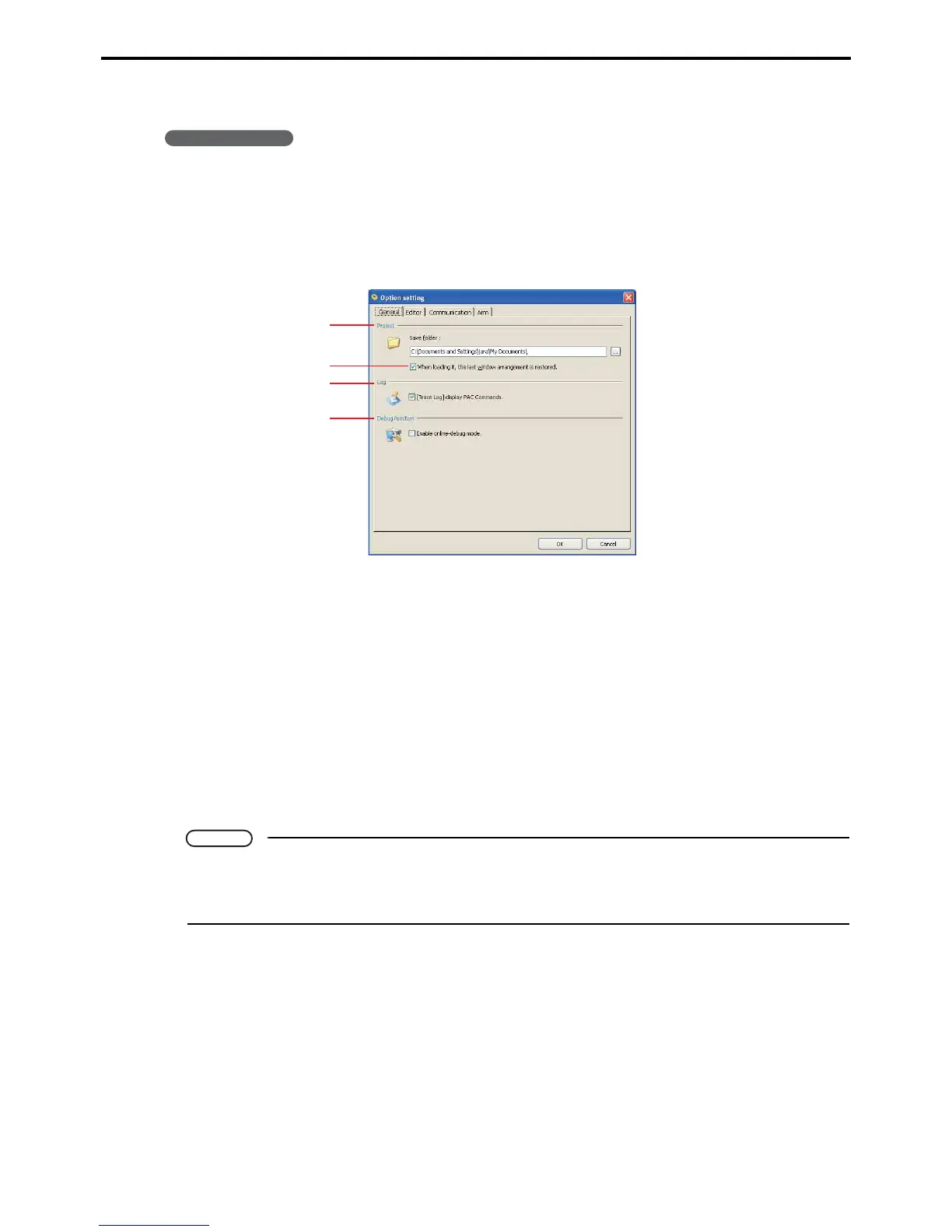
1. Choose Tool|Option to display the dialog box for configuring such software options.
2. Click the tab containing the desired configuration option.
The dialog box has the following three tabs.
General tab
A: Project
This field specifies a folder for saving projects. This becomes the default folder for saving new
projects.
B: When loading it, the last window arrangement is restored.
Opens project with the program window and 3D view window in the same place as when last closed.
C: Log
Selecting this check box adds a Code column displaying souce code to the Trace log window.
* Note that large logs can take considerable time to display.
D: Debug function
Selecting this check box enables debugging.
Note
• Leaving it deselected disables all debugging functions, so selecting one during online operation
triggers an error message.
• WINCAPS III always starts with debugging disabled.
A
C
B
D



 To Next Page