136
Chapter 8 Logging
• PRO name, line number
The name of the altered program and line number
• Time since log record start [ms]
• Time since controller boot [ms]
8.3.6 I/O log
This records the I/O status at the start of logging and subsequent I/O changes.
It is mostly used for checking the I/O status / safety circuits / drive preparations when activating equipment.
Operating the recording timing can be performed manually (using WINCAPS III start buttons, etc.) and records
taken from controller power on.
Note
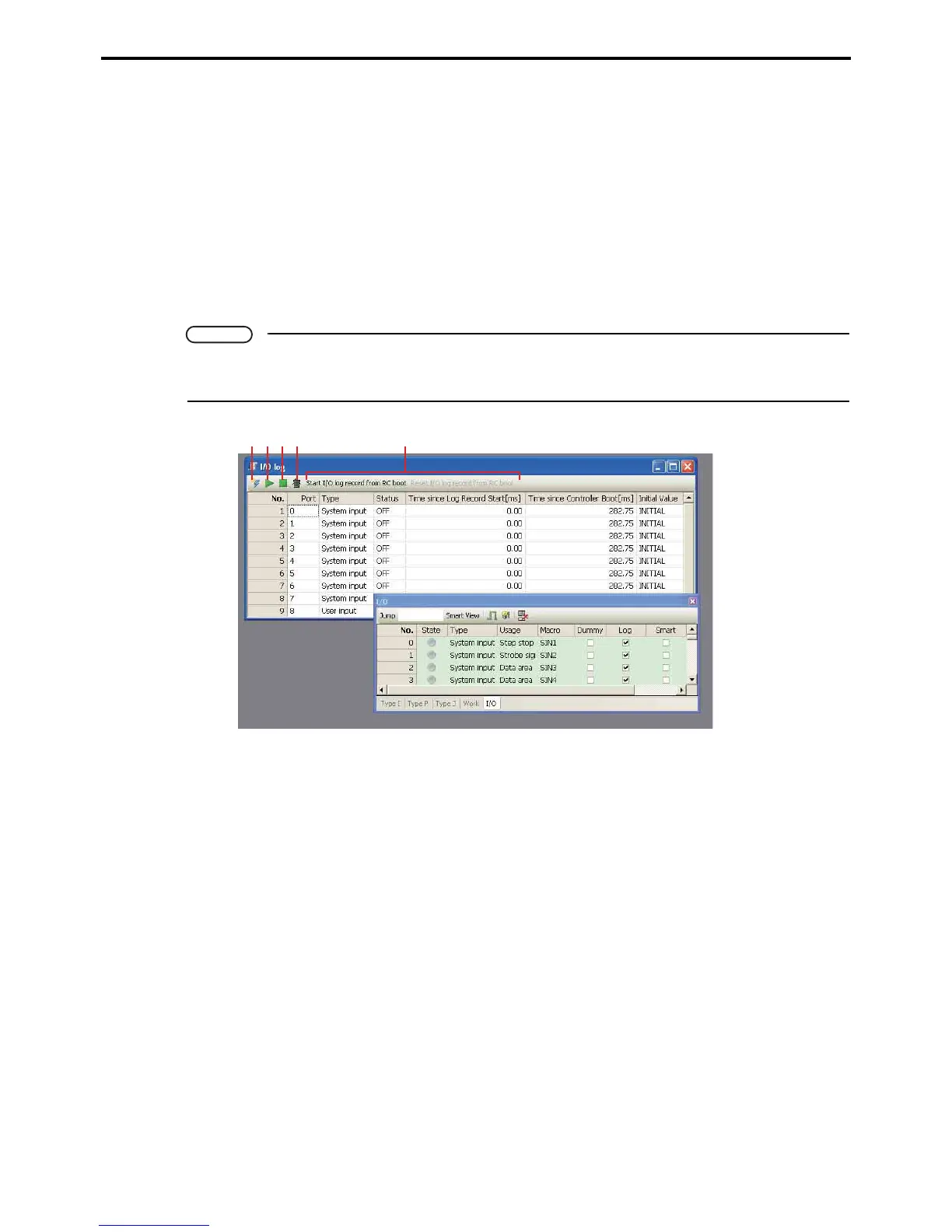
Only I/O with checks in the Log column of the WINCAPS III I/O screen are logged.
Log acquisition in programs is not possible.
A: Receive button
This receives I/O log data.
B: Start I/O log button
This begins the I/O log.
C: Stop I/O log button
This suspends logging.
D: Clear I/O log button
This clears saved I/O log data.
E: Start / stop I/O logging from power on button
This starts or stops I/O logging from power on.
The data recorded in the log is as follows.
• Port
I/O port number.
• Type
Exclusive input, universal output, etc.
A BCD E



 To Next Page