70
Chapter 5 Writing Programs
5.1 Creating a New Program
Operating procedure
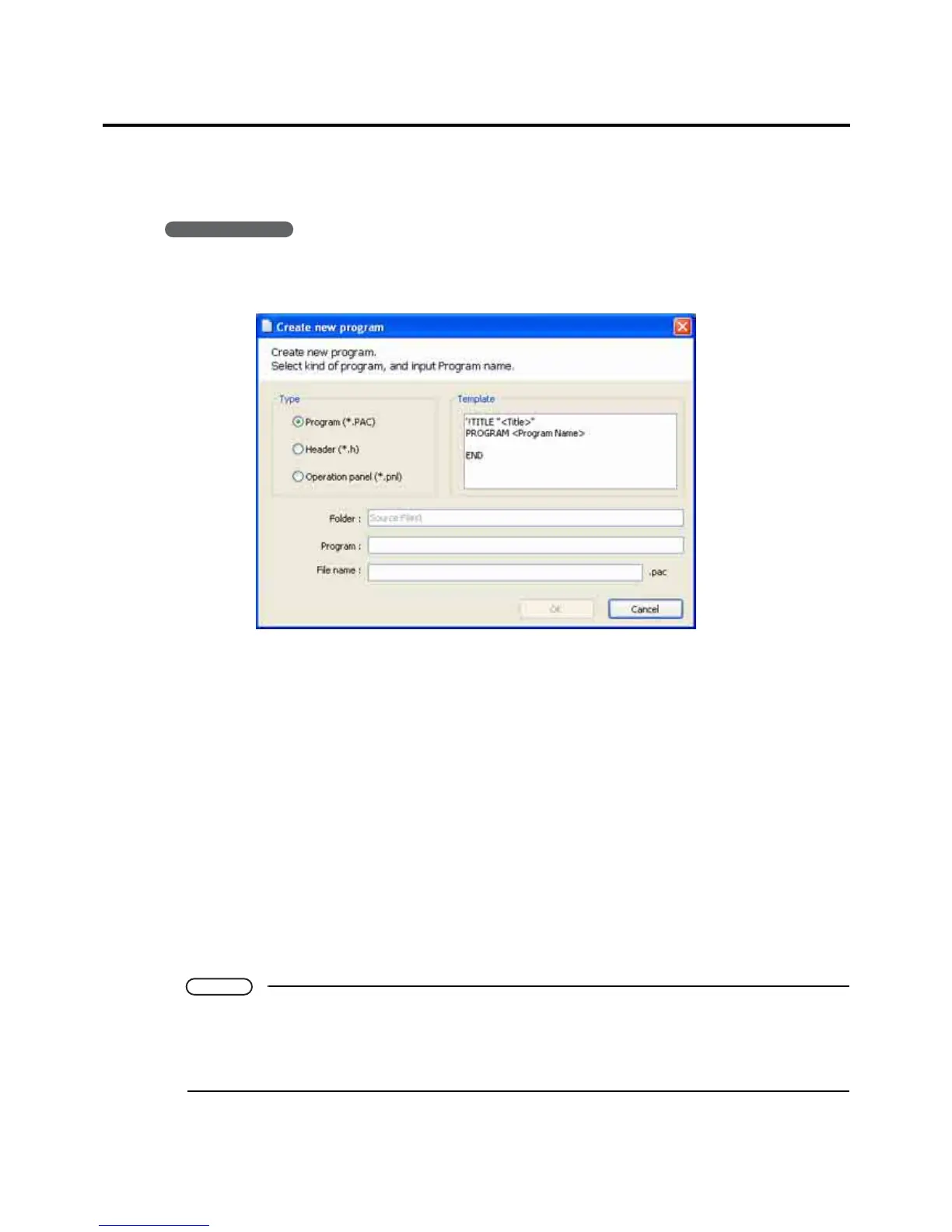
1. Choose Project|Add Program... to display the dialog box for creating a new program, head-
er file, or teach pendant (TP) panel.
2. Specify the type.
There are three choices.
• Program (*.pac)
• Header (*.h)
• Panel designer (*.pnl)
The box to the right automatically displays the corresponding template.
3. Specify a name (title) for the program.
The default is to use this program name as the file name.
To use a different file name, enter it in the File name field.
4. Press the OK button to open a new file based on the template in the corresponding win-
dow: a Program edit window in the Program view area for a program or header file or the
Panel Designer window for a TP panel.
Panel Designer procedures appear in the Panel Designer User's Manual separately issued.
Note
• The folder for the new file is the default (shown in gray) currently selected in the Project window.
If the target folder already contains a file with the name specified, pressing the OK button displays
an error message and returns to the dialog box.
• The limit is one TP panel per folder.



 To Next Page