Chapter 8 Logging
135
8.3.5 Variable log
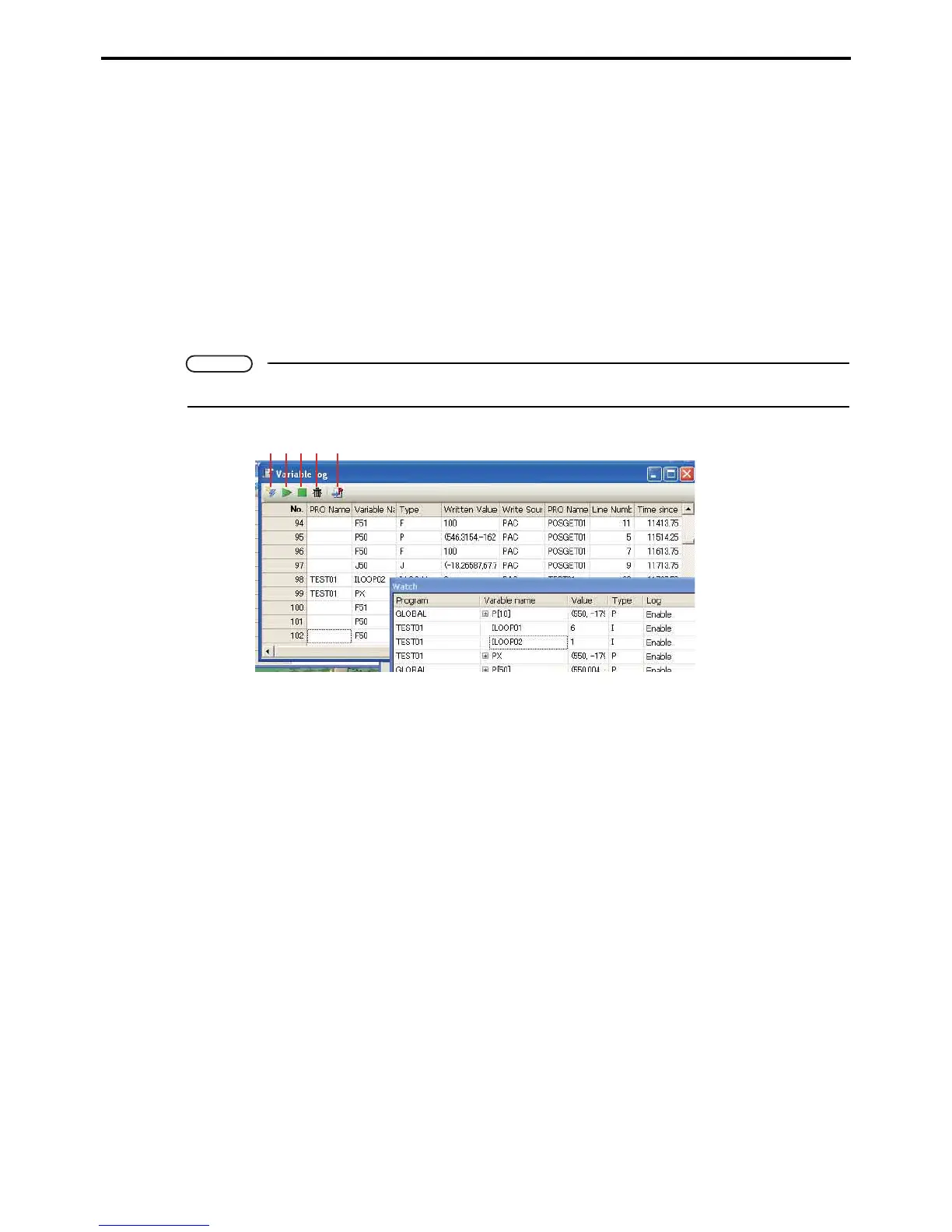
This records changes (overwriting) of variables.
Variables registered in Watch are recorded. You can set whether to record variable log in the Log column of the
WINCAPS III Watch screen.
Recording of variable logs can be operated through setting the log recording range in the WINCAPS III program
screen.
Command statements can also be used.
The following three commands are used for these operations.
• STARTVARLOG
•STOPVARLOG
• CLEARVARLOG
Note
For further details on commands, please refer to the Programming Manual.
A: Receive button
This receives variable log data.
B: Start variable log button
This begins logging the variables.
C: Stop variable log button
This suspends logging.
D: Clear variable log button
This clears saved variable log data.
E: Jump to source code button
This displays the relevant program code for the selected log.
The data recorded in the log is as follows.
• PRO name, variable name
The name of the program defining the variables and their names
• Type
The types of variables
• Written values
• Writing source
The device which altered the variables
A BCD E



 To Next Page