Chapter 9 Vision Manager
165
Note
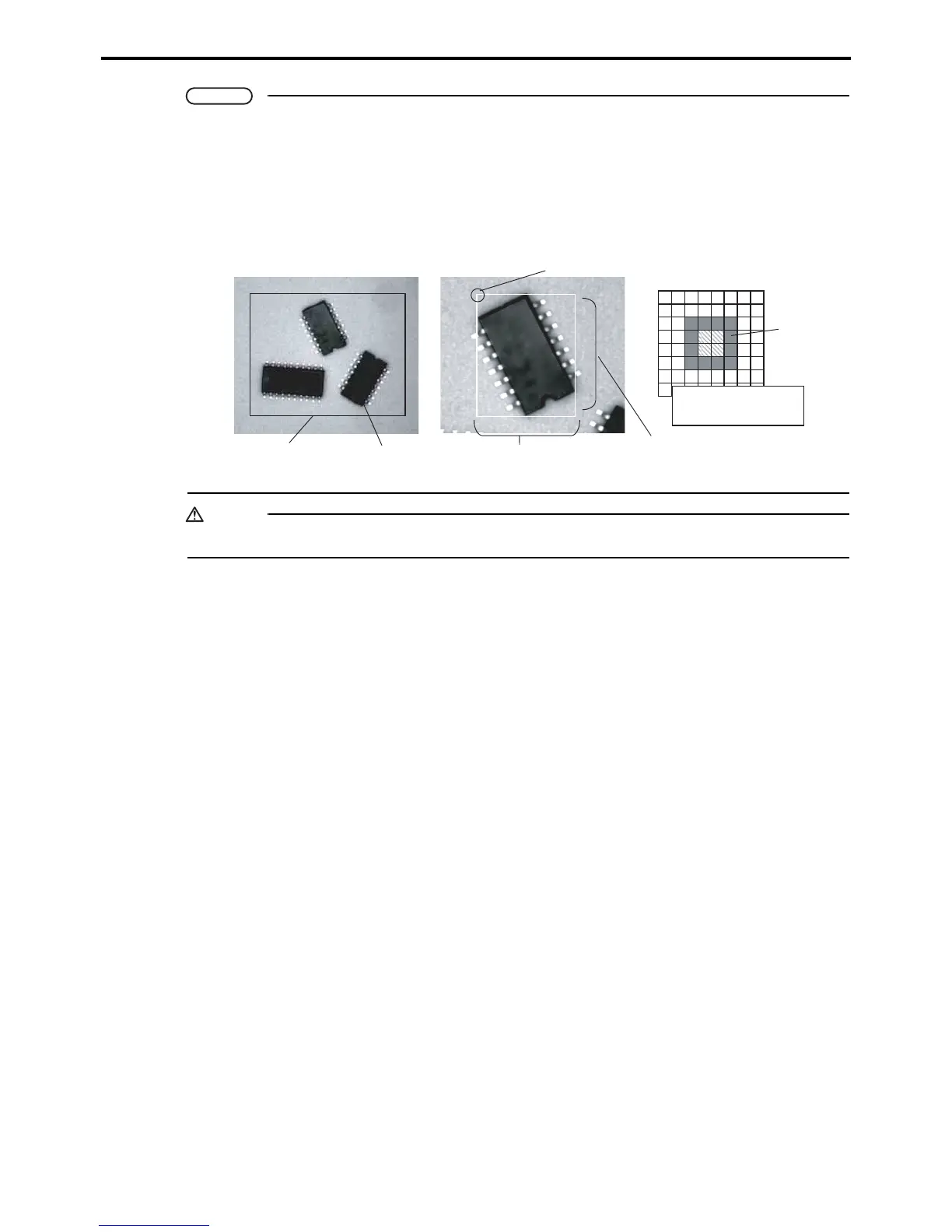
What is labeling?
Caution
Only rectangular processing windows (angle = 0) can be selected for image processing.
Labeling digitizes the camera image and then sequentially numbers contiguous areas of black (0)
or white (1) pixels. (See Figure 1.) The result is a list of individual objects within the specified range
in the window. This list includes the following object features: area, center of gravity, principal axis
angle, fillet, and circumference. Here fillet means the bounding rectangle, the minimum rectangle
enclosing an object. (See Figure 2.) The circumference is the number of pixels just inside this
boundary. (See Figure 3.)
9KPFQY
1DLGEV
*GKIJV
9KFVJ
%KTEWOHGTGPEG
RKZGNU
1TKIKPQHHKNNGV
$QWPFCT[
(KIWTG (KIWTG (KIWTG



 To Next Page