User Manual DEV 1951
48 Copyright DEV Systemtechnik GmbH 2004-2017
Note:
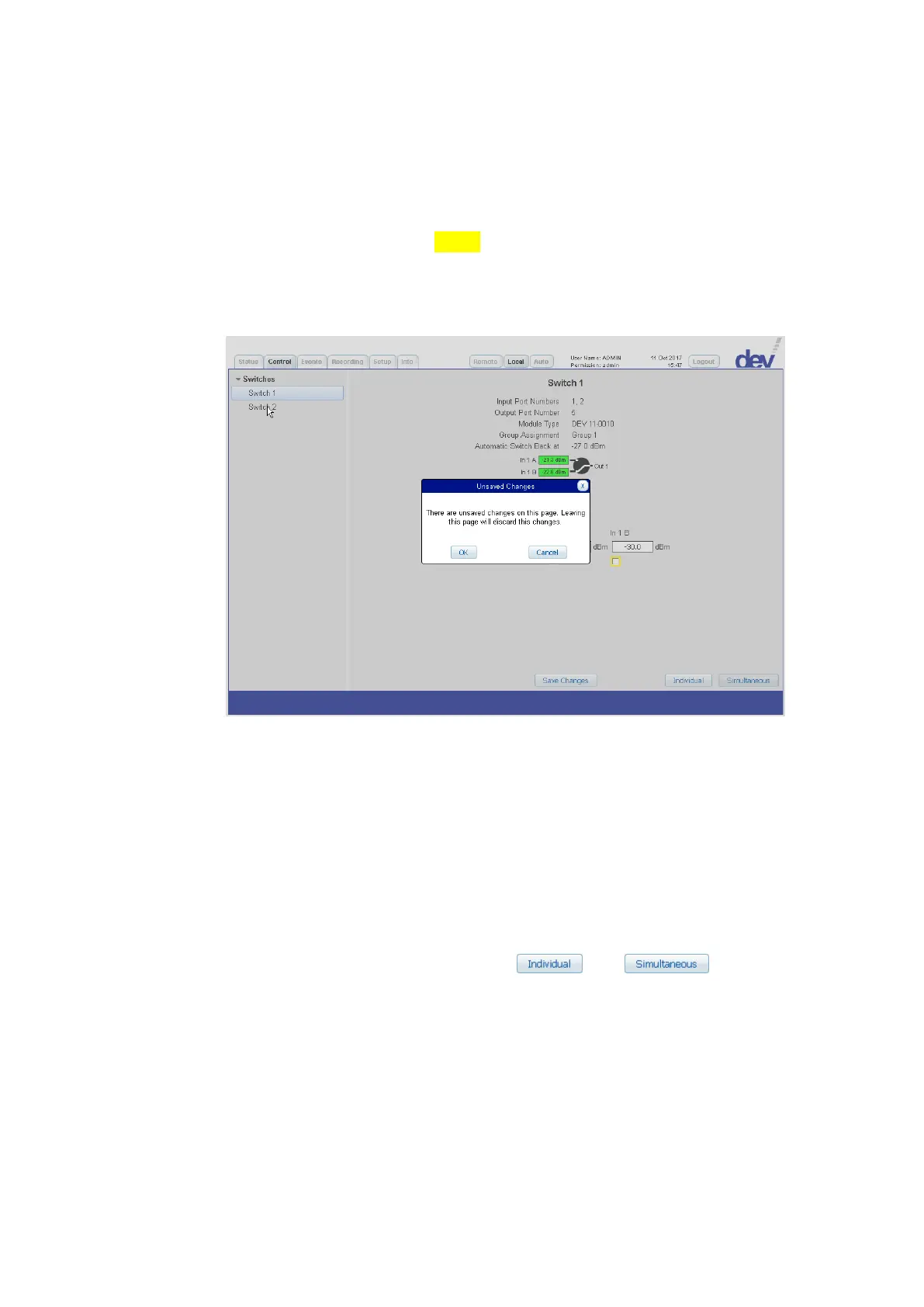
If changes of settings (which are to be saved explicitly) are applied in a panel of
the Control Tab (or within an entry of the Setup Tab, please refer to chapter
5.5.7), they are highlighted in yellow. If a different panel within the Control Tab
(or a different entry within the Setup Tab) is selected without saving the
change(s) in the current panel or entry, a corresponding warning message pops
up. The following figure shows this situation for selecting the "Switch 2" panel af-
ter "Surveillance Enable" check box of "In 1 B" in the "Switch 1" panel:
The number of entries within the structuring entry "Switches" corresponds to the
number of detected switch modules.
If a distribution amplifier module is installed, it can be selected in the same
manner on the left side of the Control Tab within the appearing structuring
entry "Distribution Amplifier" (as shown in the screenshot of chapter 5.5.4.2).
Switching and the change of settings within the Control Tab of the Web Inter-
face can be performed by operators with "read/write" or "admin" permission
only, and if the device is in Local Mode.
If a module functionality within a functionality item is selected on the left side of
the Control Tab, the corresponding panel appears on the right side. The different
panels are explained in the following. Note that in the lower right corner of each
panel two buttons are provided for selecting and
switching mode.



 To Next Page