User Manual DEV 1951
Copyright DEV Systemtechnik GmbH 2004-2017 47
Note:
Here, the symbolic representation of the DEV 1951 shows the two applied
modules DEV 11-0010. Other product configurations are presented in a similar
manner. Note that passive modules like the available passive splitter modules
are not shown in the Web Interface, since these modules do not contribute to
additional surveillance information.
The module specific panel in the Control Tab (please refer to chapter 5.5.4 and
sub-chapters) can be accessed directly from the Status Tab by clicking on the
module representation.
5.5.4 Control Tab
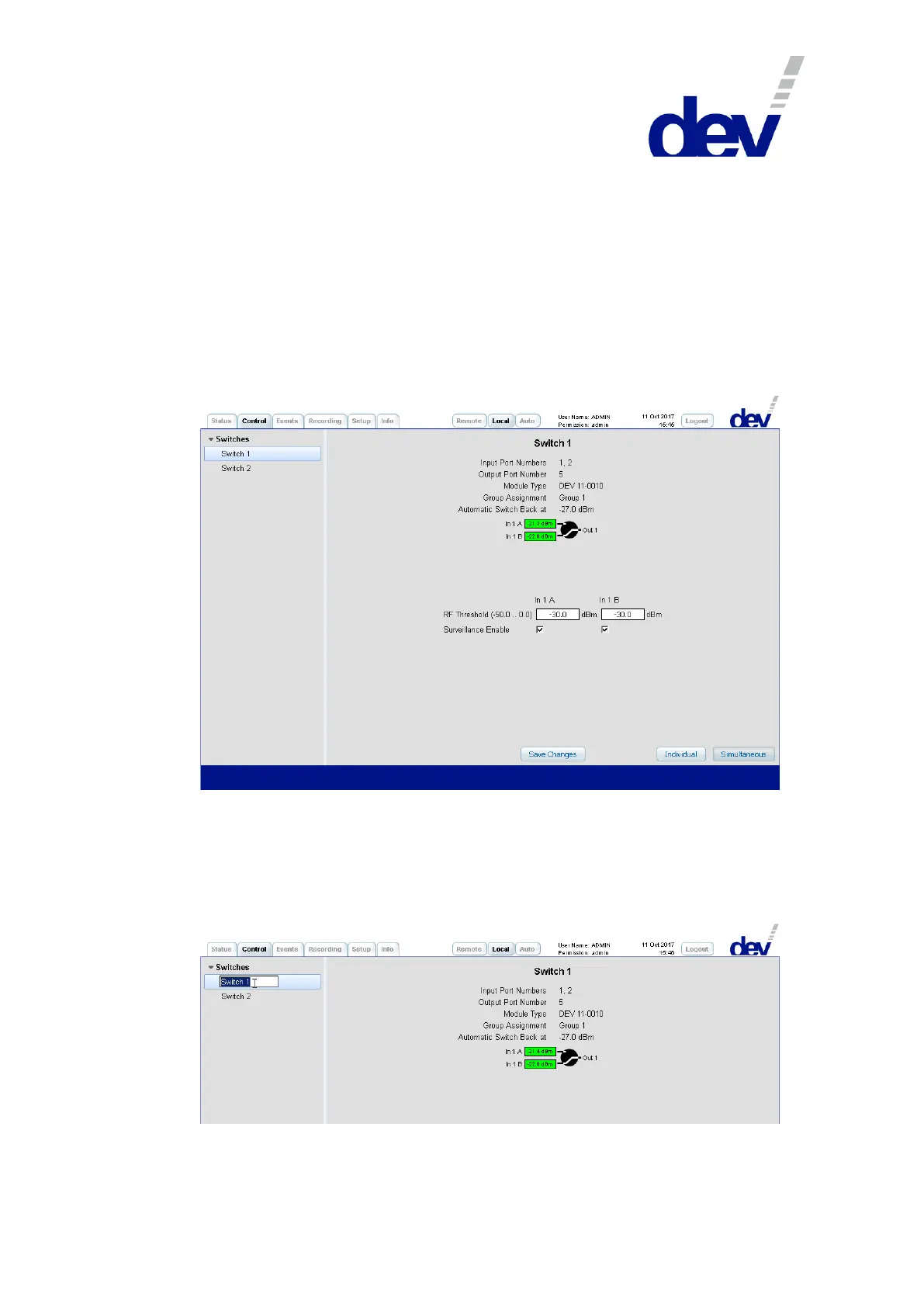
The main purpose of the Control Tab is the switching of the device. Additionally, it
provides means for changing module specific settings.
On the left side, the structuring entry "Switches" contains one or two entries in order
to select a specific module of the device.
The name of each entry ("Switch X") is the descriptive designator, which can be edited
by double-clicking the specific item:
Note that on the right side in a switch (!) panel the port names (here "In 1 A", "In 1 B",
and "Out 1") can be edited in the same manner.



 To Next Page