User Manual DEV 1951
Copyright DEV Systemtechnik GmbH 2004-2017 61
A click on the button applies the changes made.
If the IP address has been changed, a confirmation window pops up informing
about the redirection of the browser to the new address, e.g.:
Note:
The LED symbols right to the fields for the gateway, for the nameservers, and
for the timeservers indicate whether the saved (!) entry is an available network
resource (green) or not (red).
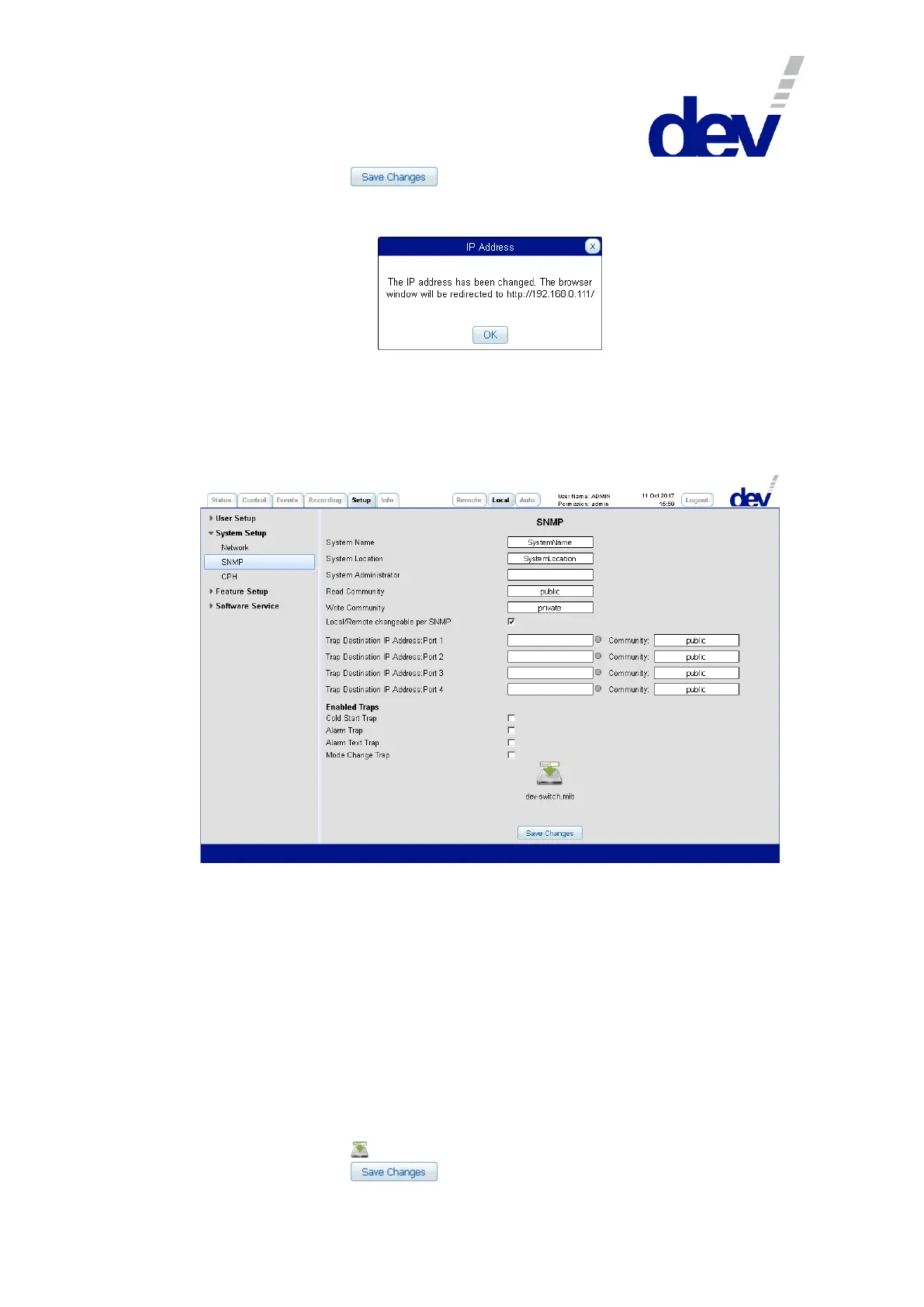
5.5.7.2.2 SNMP
With the SNMP setup, the settings for "System Name" and "System Location" can
be modified. A "System Administrator" can be defined and the passwords for the
"Read Community" and for the "Write Community" can be set. The check box
below these entries is used to enable the switching between Local Mode, Remote
Mode, and Auto Mode via SNMP, please refer to chapter 5.9.4.3.1.
Additionally, up to four Trap Destination IP Addresses can be defined via the IP ad-
dress and the port in the format <ip-address>{:<port>}, e.g. 192.168.0.148:121. If <port> is not
specified, the standard SNMP trap port 162 is assumed. The LED symbols right to
the IP addresses fields indicate (after the entries have been saved) whether the ad-
dresses are available network resources (green) or not (red). The community for
each of the four entries can be altered from the default "public" as well.
The check boxes below the header "Enabled Traps" provide access to the SNMP
.trapEnableMask (chapter 5.9.4.4.1) via Web Interface.
Finally, a click on the icon initiates the download of the MIB of the device.
A click on the button applies the changes made.



 To Next Page