User Manual DEV 1951
Copyright DEV Systemtechnik GmbH 2004-2017 51
• The input ports of many switch modules appear as gray rectangles. Only
enabled (!) input ports of sensing switch modules (or of digital signal switch
modules) which are capable of judging the (digital) signal quality are
displayed as rectangles with a green or a red background.
• If the device is in Remote Mode or in Auto Mode, the and the
switching mode buttons are disabled (grayed out).
3) For sensing switch modules and for digital signal switch modules a third section
appears below the switching section permitting the modification of module
specific parameters. Note that after settings have been altered within this
section in Local Mode (!), a click on the button is necessary to
apply the changes:
• For both input ports of a sensing switch module, the "RF Threshold" can be
adjusted individually within a certain range.
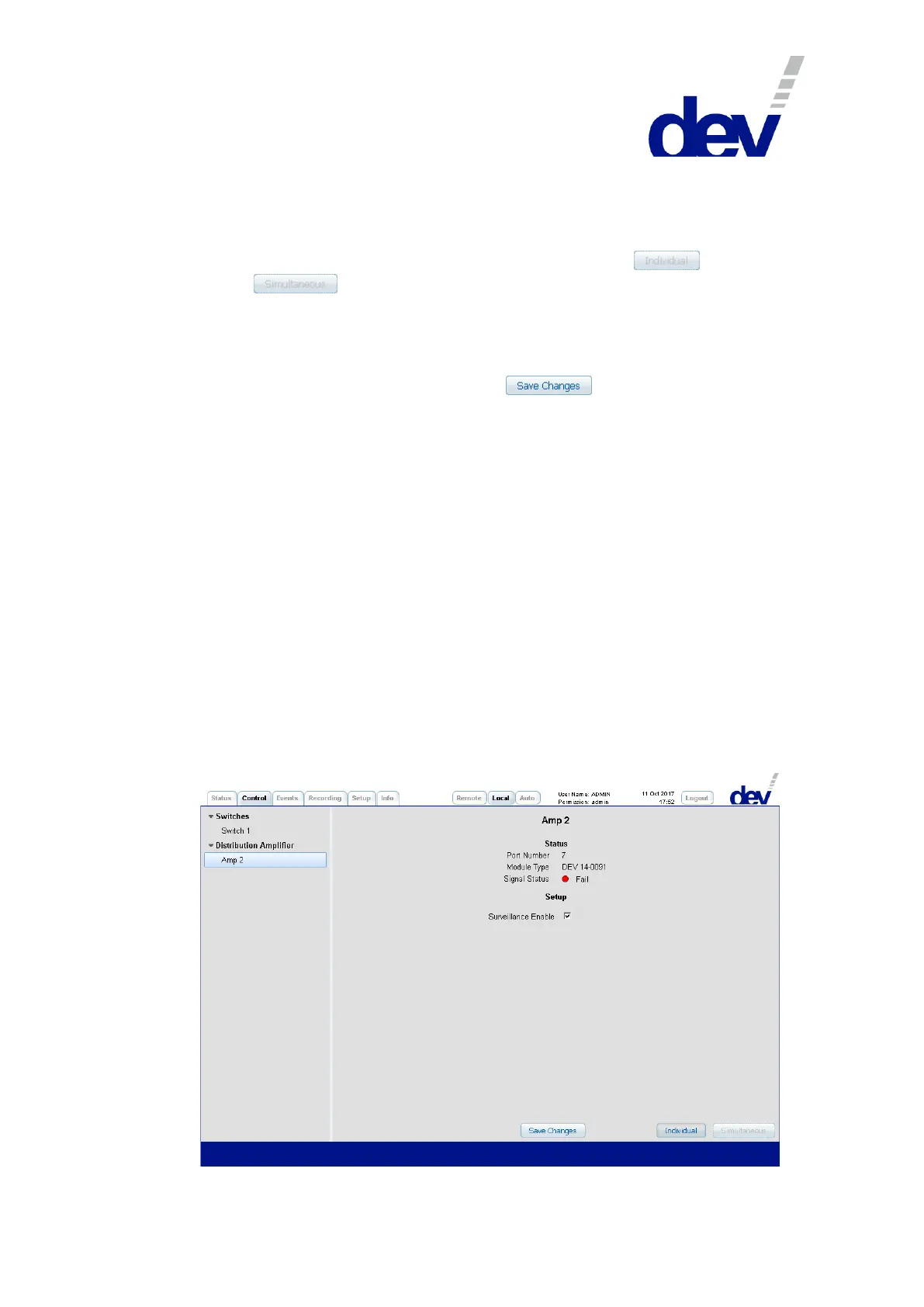
• The "Surveillance Enable" check boxes are used to enable (default) or to disable
events possibly caused by the input ports of sensing switch modules and of
digital signal switch modules.
Note:
Older sensing switch modules are still working in the DEV 1951 with the current
firmware version but with the following restrictions: First, the RF threshold
level for each input port cannot be adjusted via Web Interface or via SNMP, but
through a potentiometer with a threshold level scale on the sensing switch
module. Thus, the line "RF Threshold" is not displayed for these modules in the
third section. Second, these modules are not capable to deliver the measured
RF level value, only an assessment "OK" (with green background) or "Fail" (with
red background) is shown. Naturally, these modules are not capable to support
Option 22 (main backup swap) and Option 28 (automatic switch back).
5.5.4.2 Distribution Amplifier



 To Next Page