User Manual DEV 1951
50 Copyright DEV Systemtechnik GmbH 2004-2017
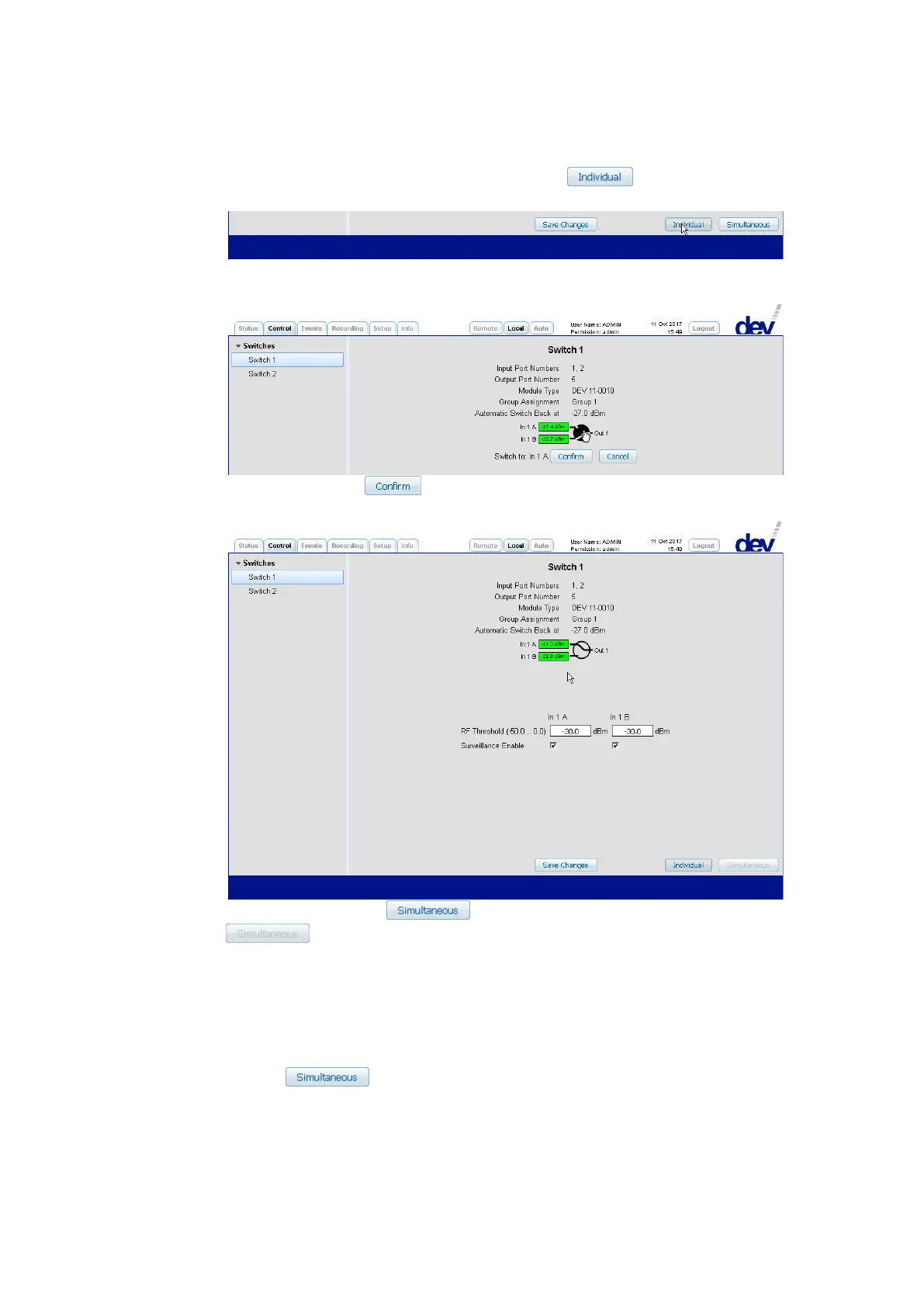
mode is to be activated; i.e. in this scenario, the button in the lower
right corner is to be operated:
Next, click on the circle between the representation of inputs and output,
which causes two additional buttons to appear:
After a click on the button, the actual switching is performed and the
new status (the module is switched to the primary input) is shown:
Please notice that the button becomes disabled (grayed out:
), indicating that the device cannot be switched back to Simulta-
neous switching mode, since the two installed switch modules are not in the
same switching position now.
Note:
• If the device is equipped with two switch modules, if Local Mode is
activated, and if both switch modules are in the same switching position,
the button can be operated (independently which switch is
selected on the left side of the Control Tab) to activate the Simultaneous
switching mode. If activated, both switch modules will now switch
synchronously if the switching of any module is performed as described
above.



 To Next Page