User Manual DEV 1951
Copyright DEV Systemtechnik GmbH 2004-2017 65
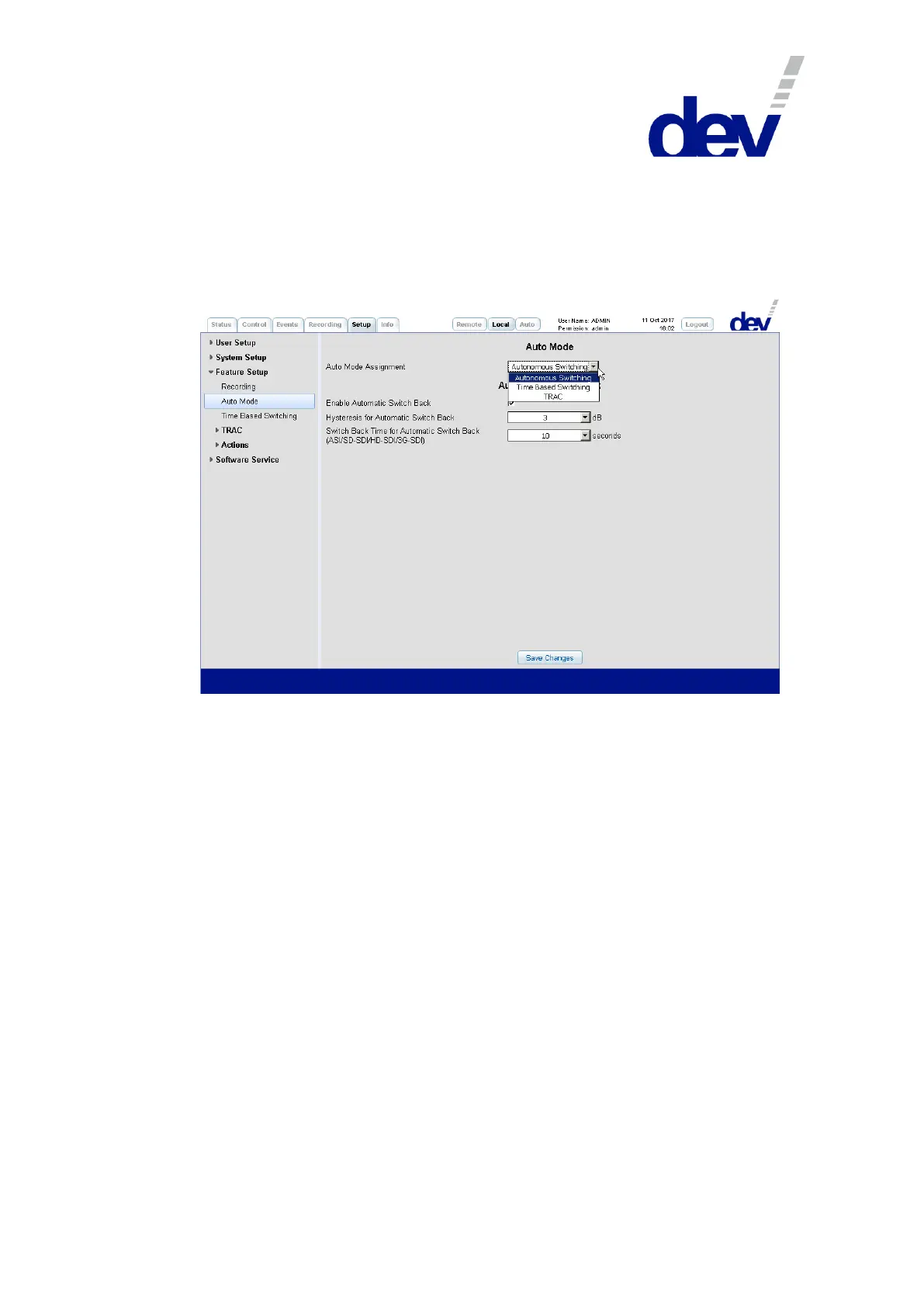
5.5.7.3.2 Auto Mode
The Auto Mode entry is required for selecting the functionality that the device is
supposed to perform if Auto Mode is activated.
Additionally and only if Option 28 is installed, the "Automatic Switch Back" section
appears in which the automatic switch back functionality (please refer to chapters
3.1.3 & 5.1.3) can be activated and configured.
The drop down list "Auto Mode Assignment" provides up to three entries:
1) Autonomous Switching
Only if the device is equipped with sensing switch modules and/or with digital
signal switch modules this entry is available and can be selected.
If "Autonomous Switching" is activated, the autonomous switching functionali-
ty of the device based on the RF level information (and on the digital signal
quality, respectively) is enabled in Auto Mode.
2) Time Based Switching
The Time Based Switching functionality (chapter 5.5.7.3.3) is enabled in Auto
Mode if this entry is activated.
3) TRAC
This entry is available and can be selected only if the device is equipped with
the TRAC option. The TRAC functionality (chapter 5.5.7.3.4) is enabled in Auto
Mode if "TRAC" is activated.
If Option 28 is installed, the automatic switch back functionality can be activated
and configured in the section "Automatic Switch Back". With this functionality acti-
vated -and the Auto Mode Assignment set to "Autonomous Switching"-, the auto-
nomous switching functionality can be extended in a way that the device in Auto
Mode can switch single (if Individual switching mode is active) or both (if Simulta-
neous switching mode is active) signal paths back to the primary input port(s).
The check box labeled "Enable Automatic Switch Back" is used for the activation/
deactivation of the automatic switch back functionality.



 To Next Page