User Manual DEV 1951
66 Copyright DEV Systemtechnik GmbH 2004-2017
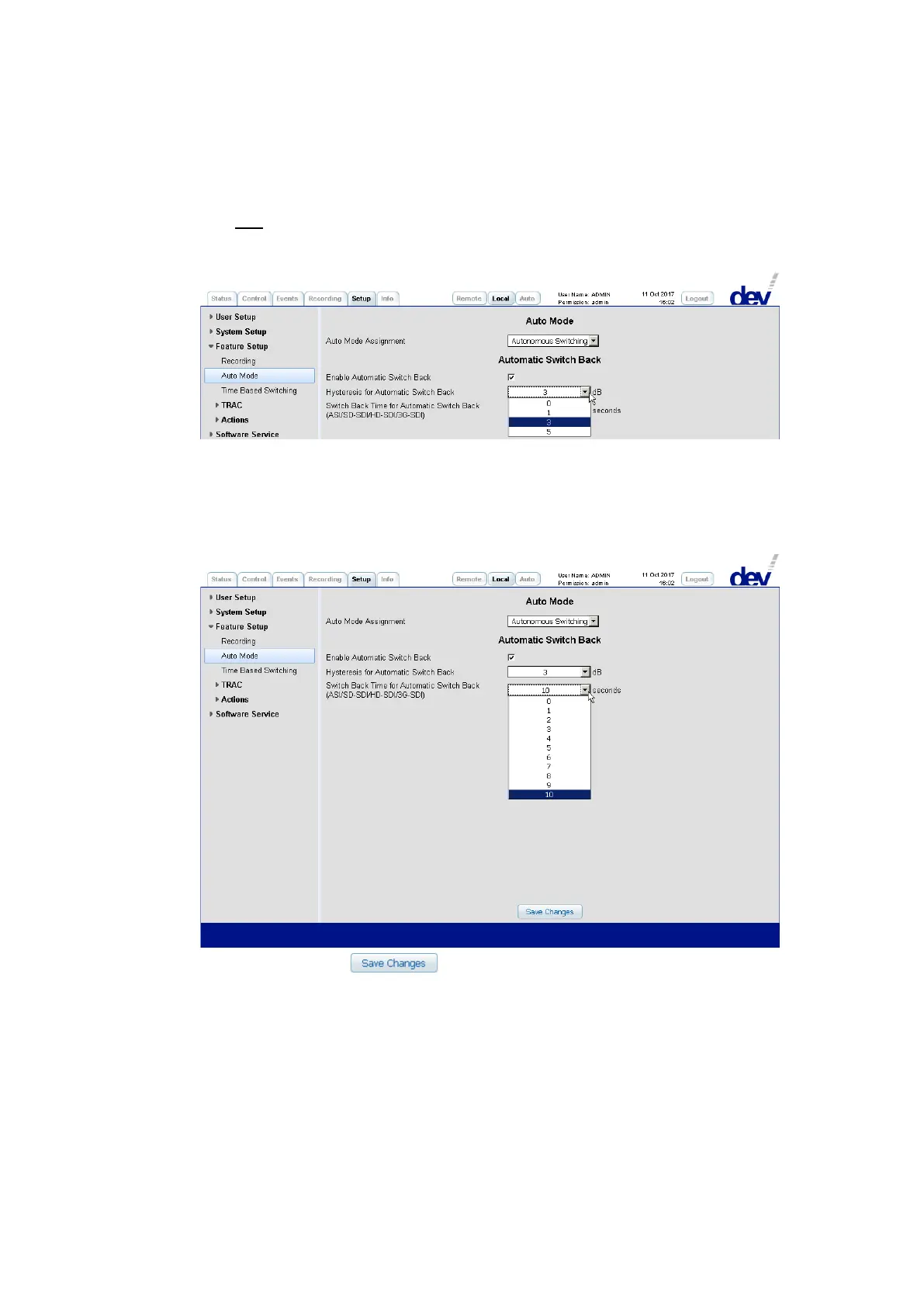
If an installed sensing switch module is switched to the secondary input port and if
on the primary input port the RF level rises above the corresponding RF threshold
level plus an offset value, the device switches back to the primary input port. This
offset value (0 dB, 1 dB, 3 dB, or 5 dB) can be selected via the drop down list
labeled "Hysteresis for Automatic Switch Back":
If an installed digital signal switch module is switched to the secondary input port
and if on the primary input port the signal quality becomes "OK" again for a
selected time, the device switches back to the primary input port. This time (0…10
seconds) can be selected via the drop down list labeled "Switch Back Time for
Automatic Switch Back (ASI/SD-SDI/HD-SDI/3G-SDI)":
A click on the button applies the changes made.
Note:
If Option 22 is installed, the main backup swap functionality is activated perma-
nently if the Auto Mode Assignment set to "Autonomous Switching". No ex-
plicit adjustments need to be performed.
By default the Auto Mode Assignment set to "Autonomous Switching" (if appli-
cable) and –if Option 28 is installed- the automatic switch back functionality is
activated; is set to "0" dB for sensing switch modules and is set to "10" seconds
for digital signal switch modules; these settings are applied as well after a
Restore Factory Defaults (chapter 5.5.7.4.1).



 To Next Page