User Manual DEV 1951
Copyright DEV Systemtechnik GmbH 2004-2017 67
5.5.7.3.3 Time Based Switching
Time Based Switching is a functionality to enable the time controlled switching of
the device. The following prerequisites are to be considered:
Time Based Switching is to be configured via the Web Interface, only.
The device needs to obtain the present time from a timeserver, i.e. the net-
work setup of the device may have to be supplemented with the entry for a
valid timeserver, and the local timezone may have to be adjusted, please refer
to chapter 5.5.7.2.1.
Again, the present device time is displayed in the top of the window left to the
button. Note that if there was no timeserver detected at power-up, the
device sets the date and time to "01-Jan-2000 00:00".
For setting up Time Based Switching within the Web Interface, activate Local Mode
(in order to suppress unwanted Switching Actions during the setup).
As the first step select "Time Based Switching" in the drop down list
"Auto Mode Assignment" of the Auto Mode entry (chapter 5.5.7.3.2) and save
the change.
Next, within the Switching Actions entry (chapter 5.5.7.3.5.1) at least one
Switching Action needs to be defined.
After that, at least one trigger of the Time Based Switching entry (see below)
needs to be defined and to be enabled.
For arming the device for Time Based Switching, activate the Auto Mode.
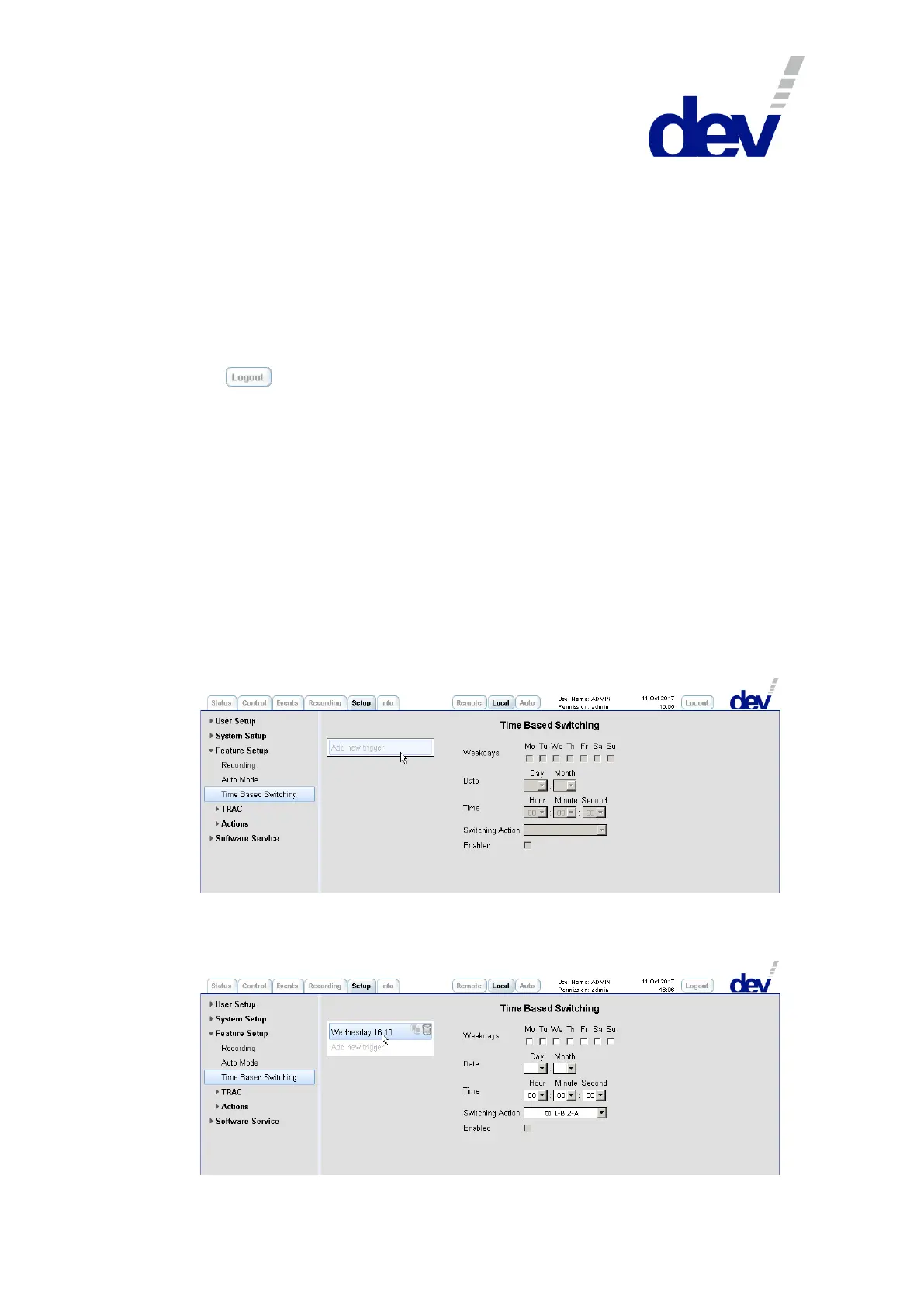
After selecting the entry Time Based Switching on the left side of the Setup Tab,
click on "Add new trigger"…
…and enter a name in the appearing text field (here: "Wednesday 16:10").
Next, select the name to enable the definition of the trigger (alternatively and if
applicable, click on an existing trigger in the list to modify it):



 To Next Page