User Manual DEV 1951
70 Copyright DEV Systemtechnik GmbH 2004-2017
Actions (chapter 5.5.7.3.5.1) before the definition of trap triggers or of
IP Monitoring triggers and before switching the device to Auto Mode.
The definition of trap triggers is explained within the description of the TRAC Setup
entry (chapter 5.5.7.3.4.1); here the usage of the Trap Log (chapter 5.5.7.3.4.3) as
definition support for trap triggers is explained as well. The definition of
IP Monitoring triggers is subject of chapter 5.5.7.3.4.2.
5.5.7.3.4.1 TRAC Setup
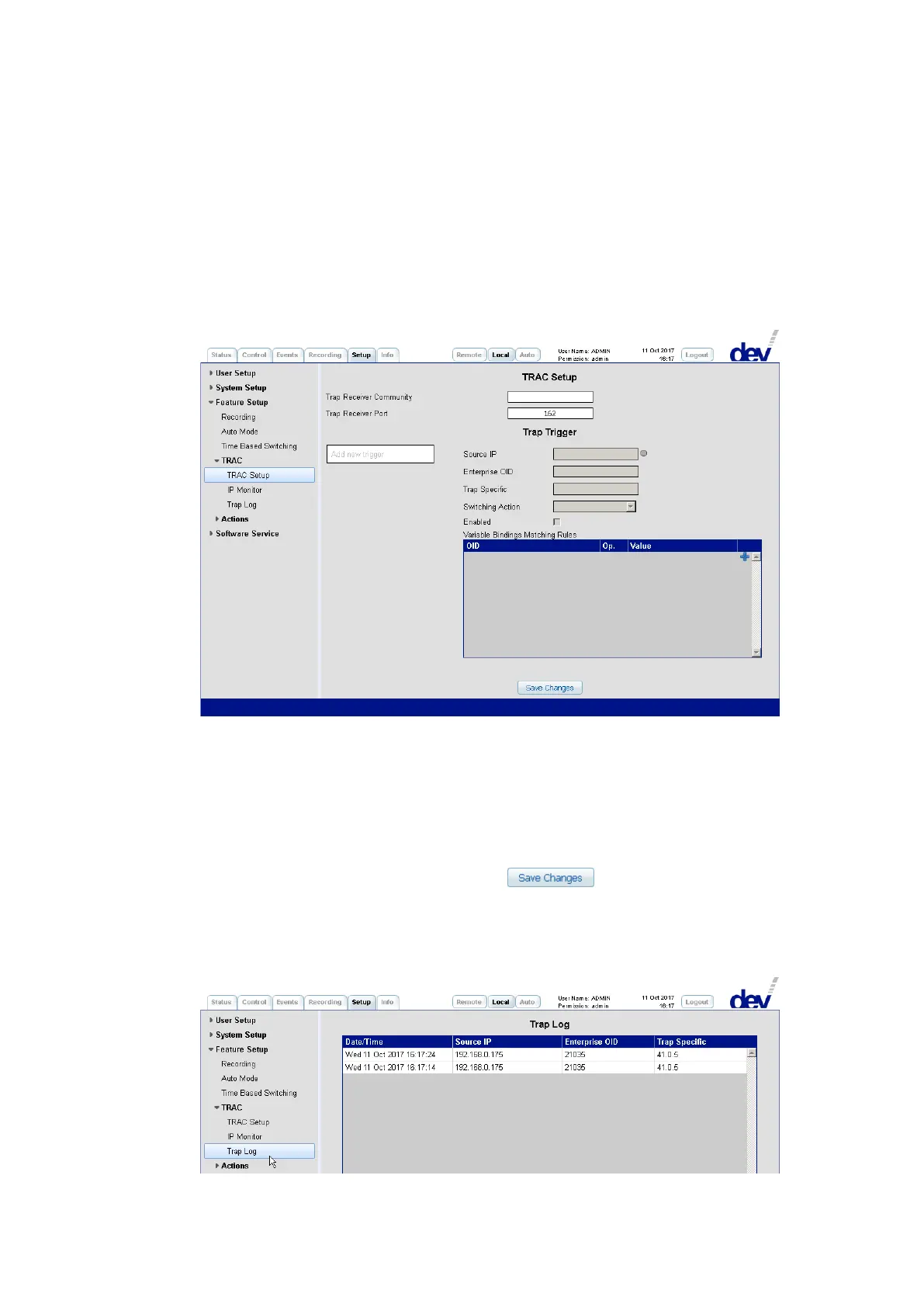
In the upper section, the TRAC Setup entry is used for the trap receiver settings and
for the definition of trap triggers in the lower section.
The TRAC Setup section comprises the fields "Trap Receiver Community" and "Trap
Receiver Port". By default, the "Trap Receiver Community" contains no entry, thus
not any restriction in the reception of traps. When entering e.g. "public" the recep-
tion of traps is restricted to traps of the "public" community, only. The standard
SNMP trap port 162 is the default "Trap Receiver Port". This value can be changed if
required. It is recommended to click on the button to store the
settings made before continuing with the definition of trap triggers.
To define a trap trigger the entries in the section "Trap Trigger" can be defined
manually but an assisted procedure is recommended and described next.
As the first step, activate the Trap Log entry on the left of the Setup Tab:



 To Next Page