User Manual DEV 1951
Copyright DEV Systemtechnik GmbH 2004-2017 71
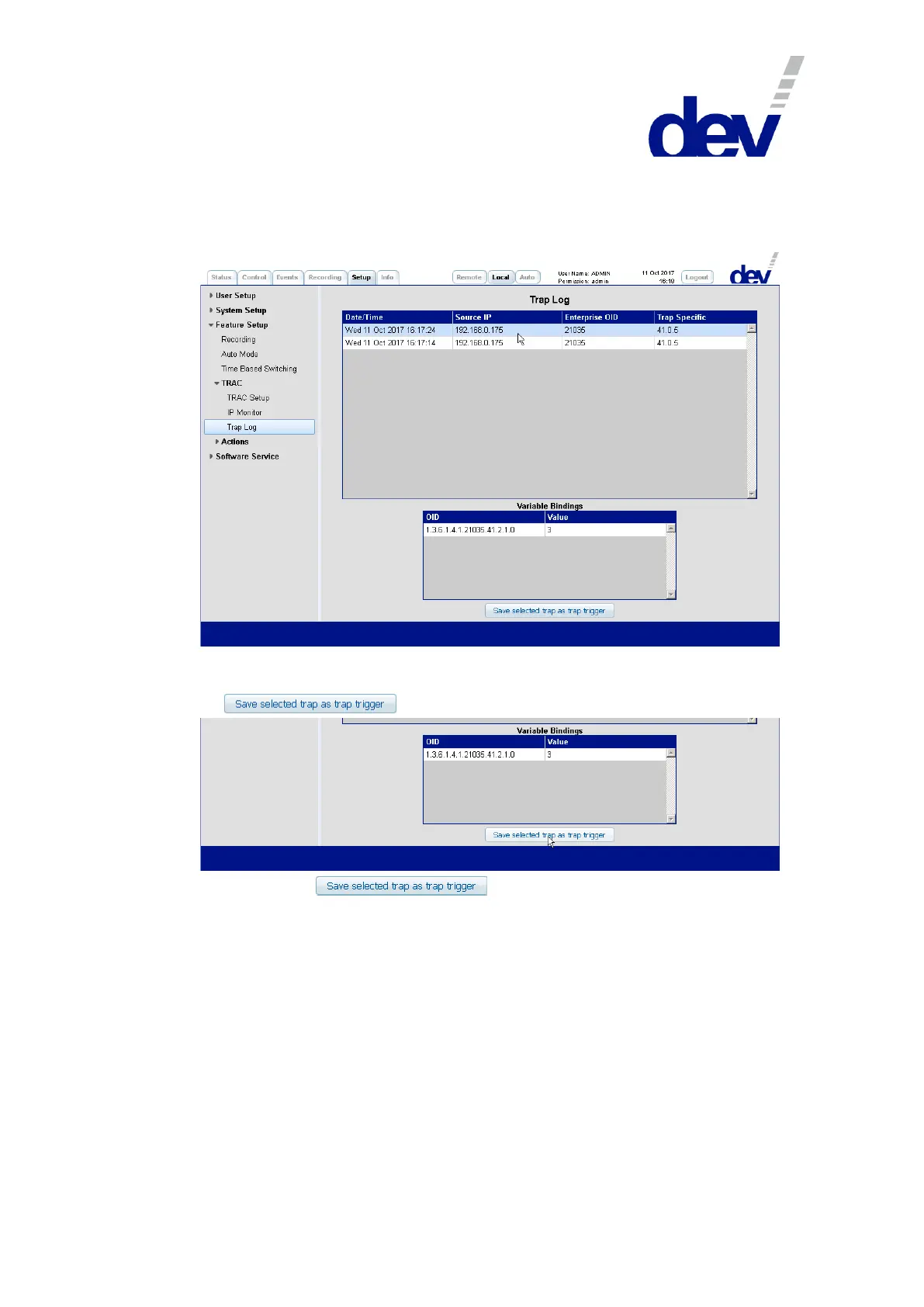
The traps received by the device are listed here (for details, please refer to chapter
5.5.7.3.4.3). Select a trap by clicking on the corresponding line in the upper table.
After activation, the details of the selected trap are listed in the lower table named
"Variable Bindings":
After the verification, that the highlighted trap contains the desired information it
can be transferred to the section "Trap Trigger" of the TRAC Setup entry by clicking
on :
The click on the button automatically activates the
TRAC Setup entry comprising a new entry in the Trap Trigger section named
"Added from Trap Log" and the settings for "Source IP", "Enterprise OID",
"Trap Specific", and the "Variable Bindings" as obtained from the Trap Log:



 To Next Page