User Manual DEV 1951
72 Copyright DEV Systemtechnik GmbH 2004-2017
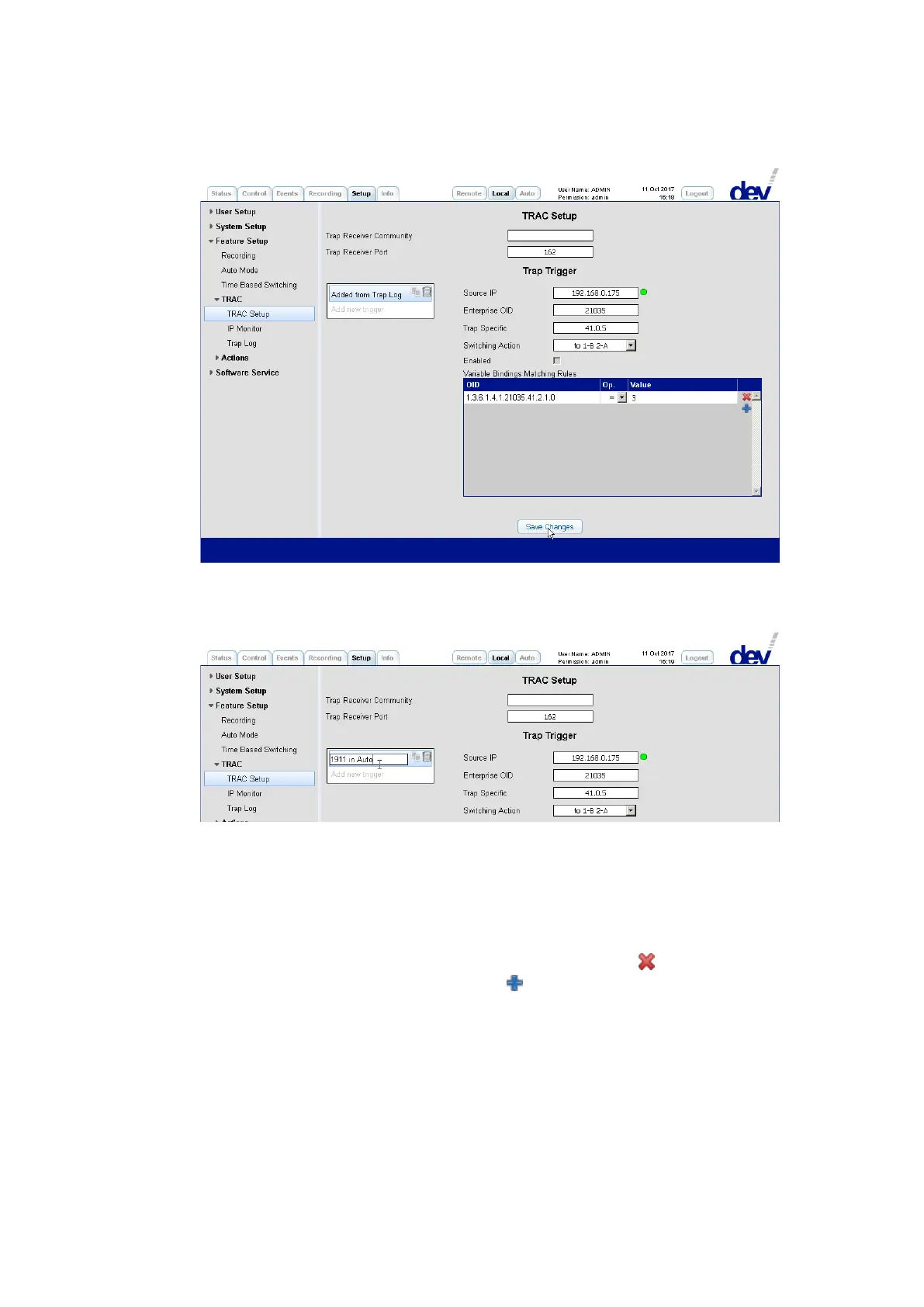
As the next step, it is recommended to alter the name of the trap trigger to avoid
confusion when importing another trap entry in the same manner. This is done in
the usual way by double-clicking the entry:
After the renaming at least the "Switching Action" is to be selected via the related
drop down list (again, the appropriate Switching Actions (chapter 5.5.7.3.5.1)
should have been defined already) and the trap trigger needs to be enabled via the
"Enabled" check box.
If required, changes to the "Variable Bindings Matching Rules" table can be applied
in addition:
Existing lines in the table can be deleted by clicking on the on the right side.
Additional lines can be added using the on the right side after the last line.
Each line listed can be edited in the three columns "OID", "Op." (stands for "Op-
erator"), and "Value". For "OID" and "Value" manual entries are required, the
wildcard character ("*") can be used in the "OID" column and substitutes a
single OID specifier item. For the "Op." entry, a drop down list is provided as
shown in the next screenshot. The provided operators are self-explanatory;
"RE" stands for "Regular Expression", i.e. the "Value" is expected to be in Perl
syntax, please refer for instance to http://perldoc.perl.org/perlre.html



 To Next Page