User Manual DEV 1951
Copyright DEV Systemtechnik GmbH 2004-2017 73
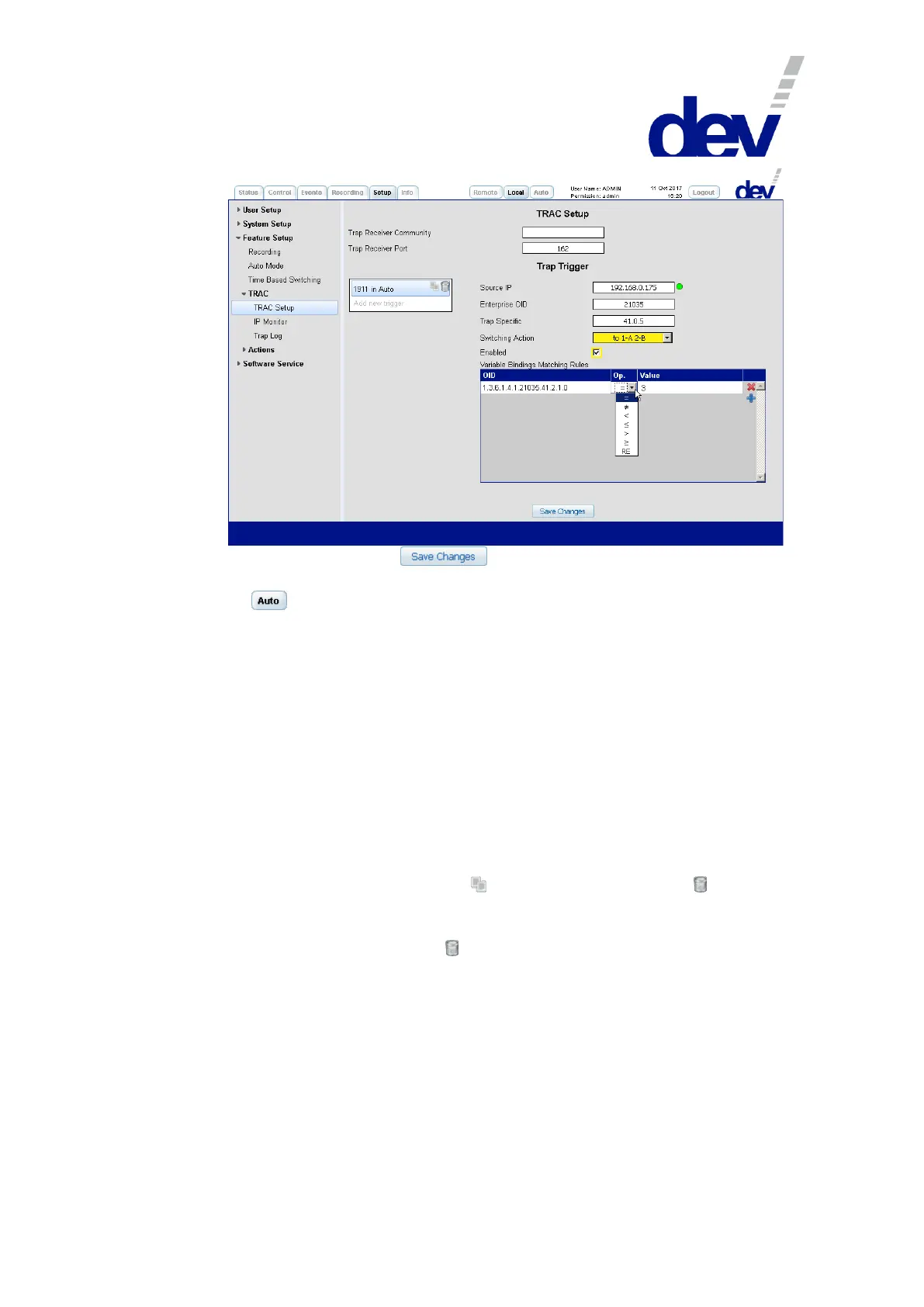
As the last step, click on the button to store the settings made. All
enabled triggers (trap triggers and IP monitoring triggers) are activated by clicking
on the button.
Note:
If either entry "Source IP", or "Enterprise OID", or "Trap Specific" is left blank
means the acceptance of any corresponding incoming data.
Again, the wildcard character "*" (as a placeholder for any character) can be
used in the "Variable Bindings Matching Rules" table within the OID only, e.g.:
.1.3.6.1.4.1.21035.41.*.1.0 instead of .1.3.6.1.4.1.21035.41.2.1.0.
The check box labeled "Enabled" is grayed out and the message "Not enabled in
Auto Mode Assignment" appears if "TRAC" is not activated in the drop down
list "Auto Mode Assignment" of the Auto Mode entry (chapter 5.5.7.3.2).
Neither the activated trap triggers nor the activated Switching Actions are
checked for ambiguity or contradictions. The behavior of the device is not
predictable in such a case.
To copy a trap trigger, click on the (copy entry) icon left to the (trash
bin) icon of the trigger entry. The copy that is appearing has the same name but
with a leading "Copy of" (which can be renamed by double clicking the name).
To delete a trigger click on the (trash bin) icon right to the trigger entry.
A window pops up for confirmation.



 To Next Page