User Manual DEV 1951
78 Copyright DEV Systemtechnik GmbH 2004-2017
To copy a Switching Action click on the (copy entry) icon left to the
(trash bin) icon of the action entry. The copy that is appearing has the same
name but with a leading "Copy of" (that naturally can be renamed).
To delete a Switching Action click on the (trash bin) icon right to the action
entry. A window pops up for confirmation. Note that a Switching Action cannot
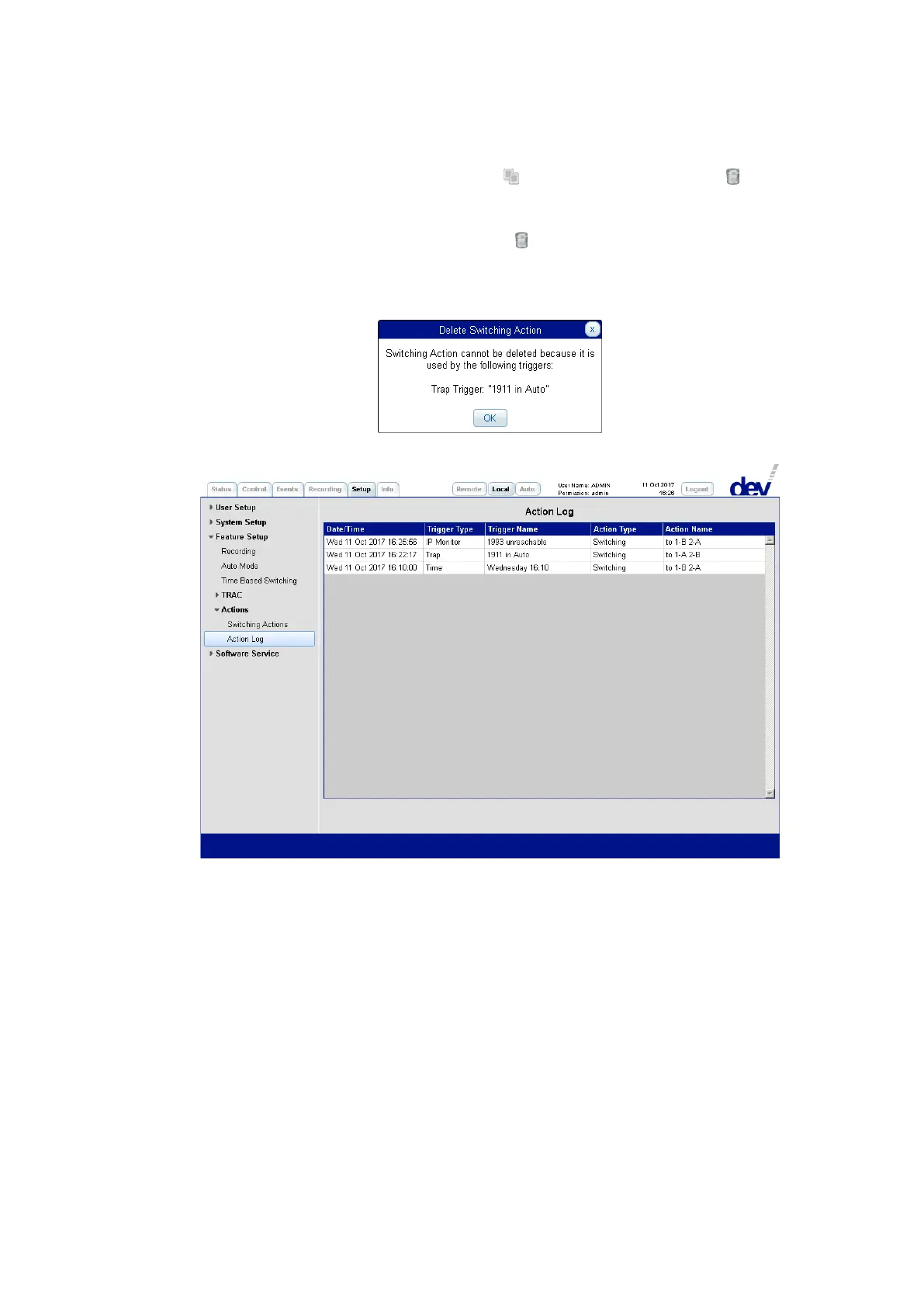
be deleted if it is used in a trigger definition; a corresponding message pops up
when trying to delete the Switching Action:
5.5.7.3.5.2 Action Log
The Action Log captures the Switching Actions performed by the device in Auto
Mode. Per entry, it comprises a "Date/Time" stamp, the "Trigger Type" and the
"Trigger Name" causing the action, and the "Action Type" and the "Action Name" of
the performed action.
The screenshot above shows three entries, one for each trigger type that can cause
a Switching Action:
IP Monitor
the Switching Action "to 1-B 2-A" was caused by the IP monitor trigger named
"1993 unreachable" (please refer to chapter 5.5.7.3.4.2).
Trap
the Switching Action "to 1-A 2-B" was caused by the trap trigger named
"1911 in Auto" (chapter 5.5.7.3.4.1).
Time
the Switching Action "to 1-B 2-A"was caused by a trigger of the Time Based
Switching named "Wednesday 16:10" (chapter 5.5.7.3.3).



 To Next Page