User Manual DEV 1951
Copyright DEV Systemtechnik GmbH 2004-2017 77
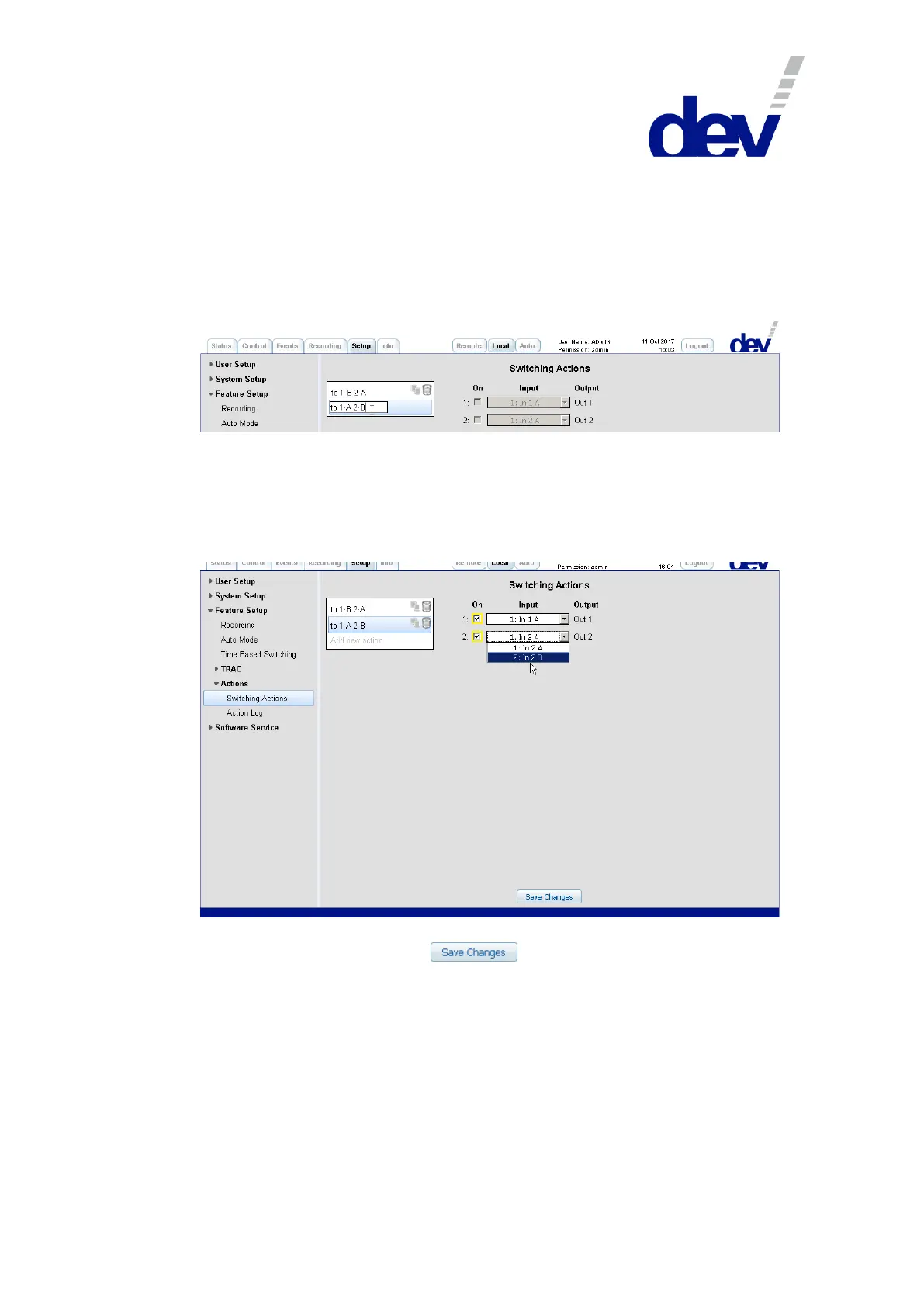
After selecting the Switching Actions entry on the left side of the Setup Tab in the
submenu "Actions", click on "Add new action" and enter a name in the appearing
text field. When defining Switching Actions it is recommended to enter a meaning-
ful short name (here: existing "to 1-B 2-A" and new "to 1-A 2-B"). This enables a
better distinction when selecting the appropriate Switching Action in the setup of
the Time Based Switching functionality or in the setup of the TRAC functionality
later.
Then select the name in the list to enable the definition of the Switching Action
(alternatively and if applicable, click on an existing action to modify it).
The Switching Action is defined by selecting the module outputs (via the check
boxes below the "On" label) and then the input port (via the drop down list below
the "Input" label) to be switched. Depending on the application, one or more
Switching Actions need to be defined.
Note:
Do not forget to click on the button to store the settings made
before selecting (or adding) another Switching Action or before proceeding e.g.
with the Time Based Switching setup (chapter 5.5.7.3.3) or with setting up the
TRAC functionality (chapter 5.5.7.3.4).
If the device is equipped with a single switch module, naturally only this
module is available for Switching Action definitions.
Again, it is recommended to perform Time Based Switching (and TRAC as well)
with the device set to Individual switching mode. If it is intended to switch both
switch modules synchronously, rather the definition of a Switching Action is
recommended which defines the desired target switch positions for the single
switch modules.



 To Next Page