EasyManua.ls Logo

Digital Dream DDCS-Expert - Software and Operation; Main Page Interface

Digital Dream DDCS-Expert
82 pages
Print Icon
To Next Page IconTo Next Page
To Previous Page IconTo Previous Page
Loading...
Digital Dream Standalone Motion Controller DDCS-Expert Users ManualPage-33
5 Software and Operation
1. Simulation
2. Probe
1. Floating Probe
3. Fixed Probe
4. Mult Probe
5. XY Teach
1. X Go Zero
2. Y Go Zero
3. Z Go Zero
4. 4th Go Zero
5. 5th Go Zero
6. Z Teach
3. Go Work Zero
1. X Go Home
2. Y Go Home
3. Z Go Home
4. 4th Go Home
5. 5th Go Home
6. All Go Zero
1. Clear X
2. Clear Y
3. Clear Z
4. Clear 4th
5. Clear 5th
6. All Go Home
4. Go Home
6. Break Run
5. Clear
1. Start Line
2. Power Resume
3. Pause Resume
6. Clear All
1. Set X
2. Middle X
3. Set Y
4. Middle Y
7. Manual
1. Select Coord
2. Clear X
3. Clear Y
4. Clear Z
5. Z step
6. Deeper
1. Move up
2. Clear 4th
... ...
8. Coord Set
1. Execute(1)
6. Execute(6)
3. Clear 5th
9. MDI
1. Clear Record
6. 3Pts
10. Middle
12. Sort Process
11. Work Record
1. Up
2. Down
3. New
4. Del
5. Times
6. Load List
1. Export List
2. Del List
2. To U Disk
Monitor
Program Page
1. Switch Disks
2. Del
3. Rename
4. Copy to U Disk
6. Simulate
1. Copy
2. Paste
3. Edit
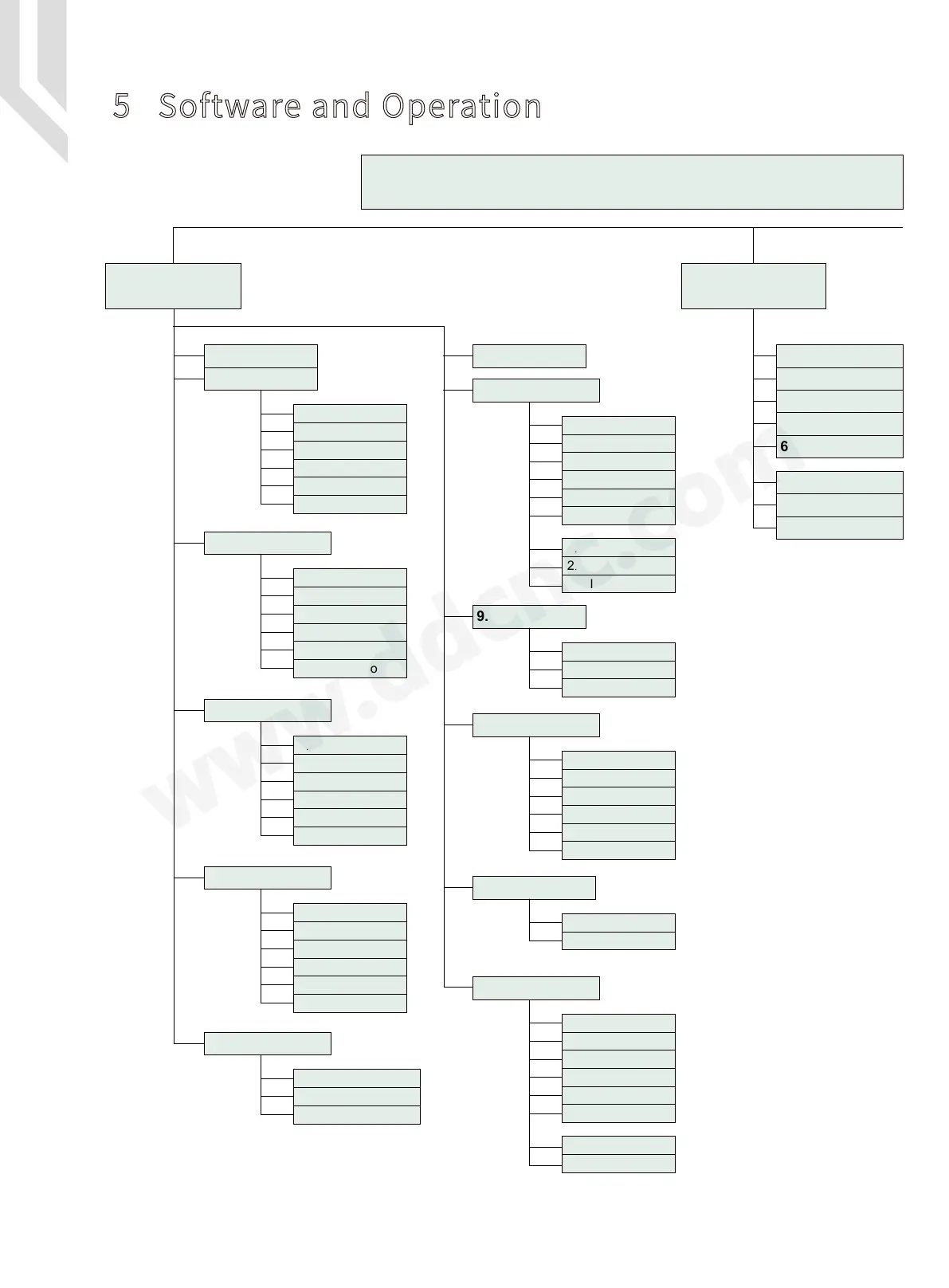
Software Structure Part 1
Figure 5-1 Software Struction Part 1

Table of Contents

Related product manuals