Digital Dream Standalone Motion Controller DDCS-Expert Users ManualPage-49
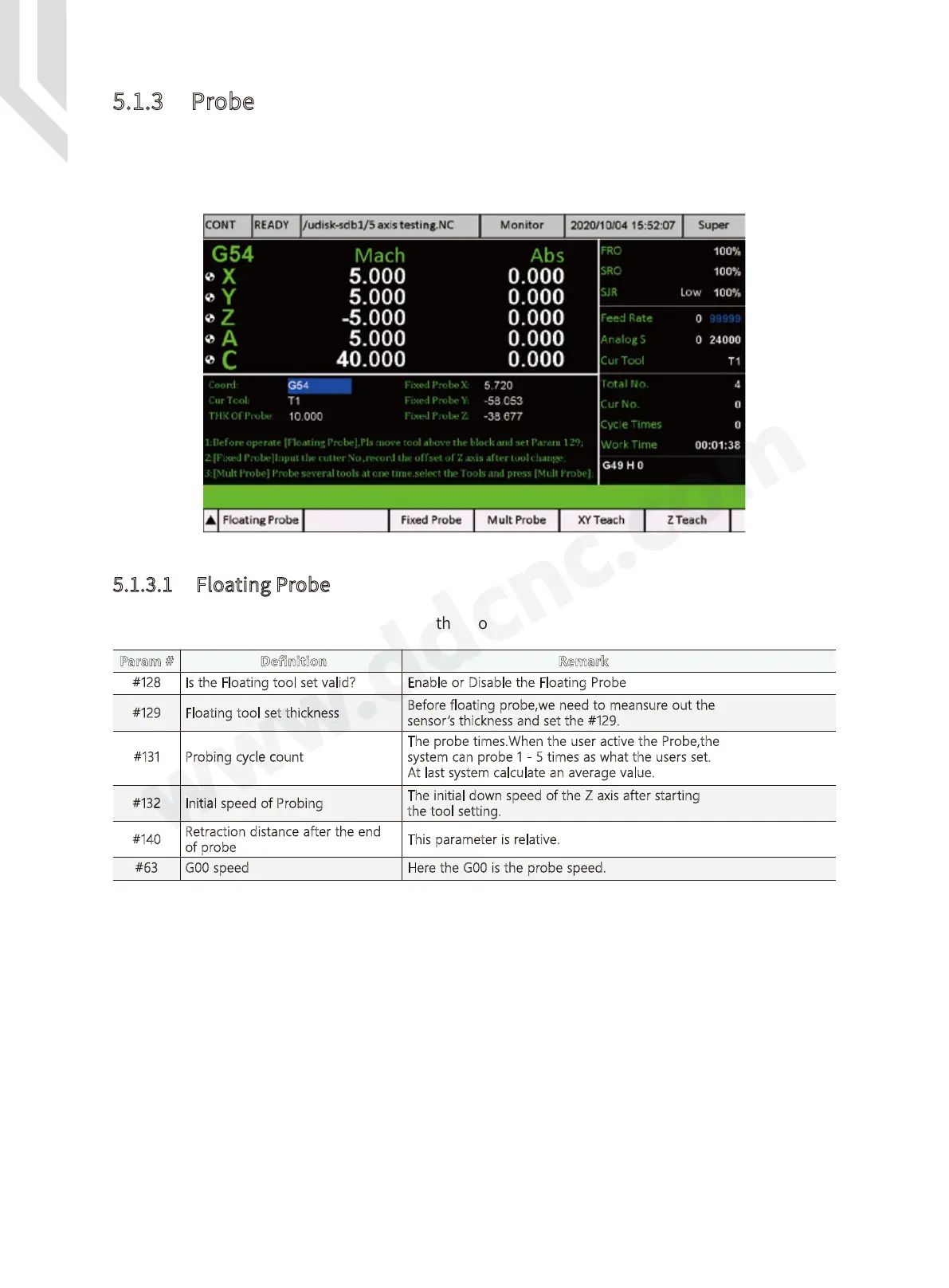
Figure 5-49 Probe Page
5.1.3 Probe
The DDCS Expert has two kinds of the Probe mode: Floating Probe and Fix Probe. Firstly we
must configurate right input ports to Fllating probe and fix probe in IO page, wire the ports
correctly, as the Chapter 4.5 introducted.
There are many Parameters related to the Floating Probe:
Step 1: Firstly we must configurate the IO port,and wire the cables properly;
Step 2: We set the #128 to Yes,and we meansure out the Tool sensor’s thickness and set
#129, and other parameters above;
Now we start to floating probe.
Firstly we must move the tool above the sensor manually.
We press F1 Key to active the floating probe, the system pops up a window to ask if the tool
is just above the sensor,we press Enter the cutter start to probe down. It will probe the times we
set, and calculate an average value, then the cutter retract a distance.Then the Floating probe
finished.
5.1.3.1 Floating Probe
Param # Definition Remark
#129 Floating tool set thickness
Is the Floating tool set valid?#128
Before floating probe,we need to meansure out the
sensor’s thickness and set the #129.
Enable or Disable the Floating Probe
The probe times.When the user active the Probe,the
system can probe 1 - 5 times as what the users set.
At last system calculate an average value.
#131
Probing cycle count
The initial down speed of the Z axis after starting
the tool setting.
#132 Initial speed of Probing
This parameter is relative.#140
Retraction distance after the end
of probe
Here the G00 is the probe speed.#63 G00 speed



 To Next Page