Digital Dream Standalone Motion Controller DDCS-Expert Users Manual
Page-65
Figure 5-87 Sub-page of CLEAR
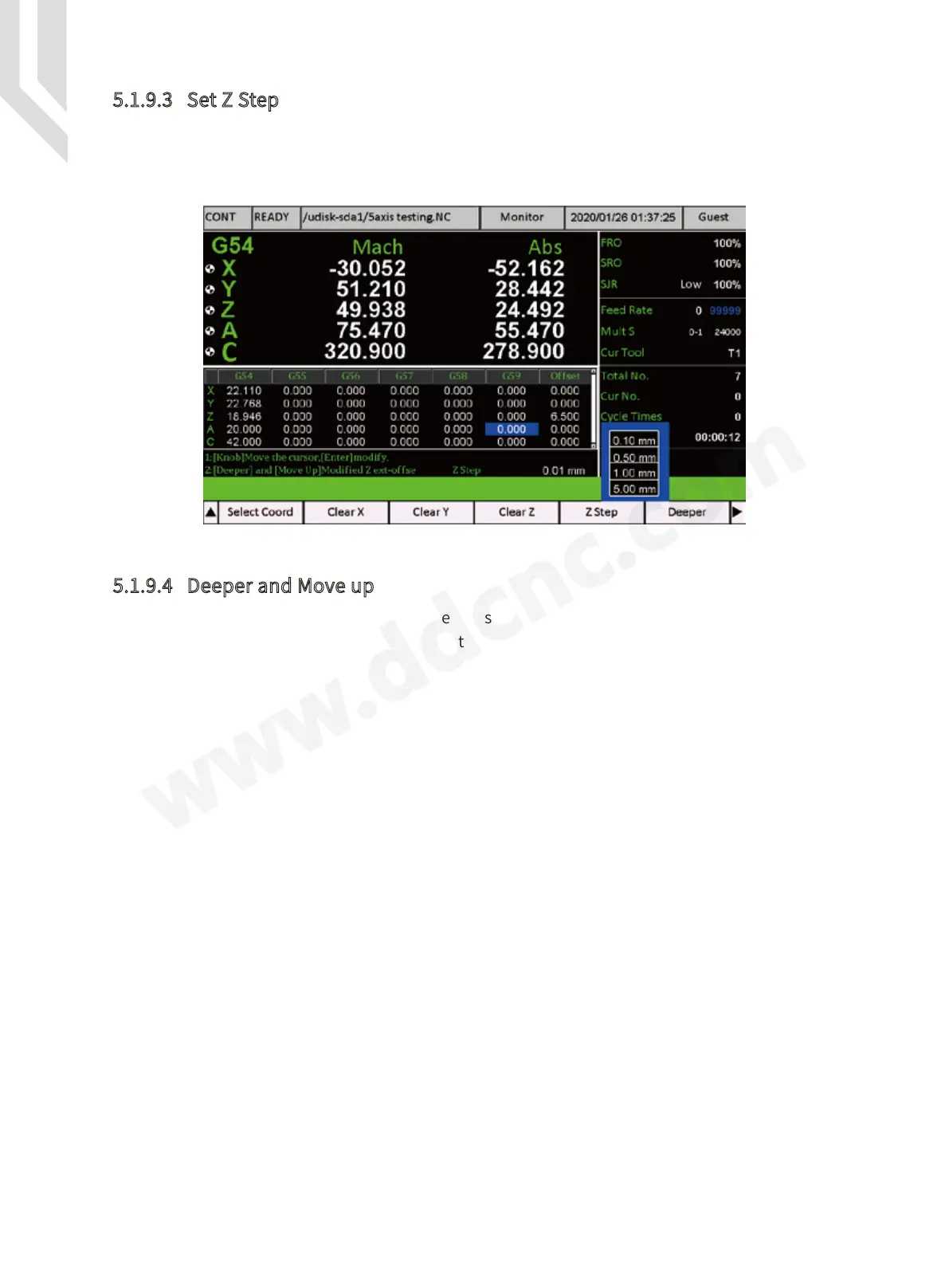
5.1.9.3 Set Z Step
5.1.9.4 Deeper and Move up
We can set Z step by pressing the “ Z step ” Key (F5). The one step number can be shift
among 0.01mm, 0.1mm, 1.00mm, 5.00mm. It’s good both for big distance and small distance
setting.
By the “ Deeper ” and “ Move up ” key we can set the Z axis offset very convenient and easily.
Each pressing the Z axis offset will change by the value of “ Z step ” Setting.



 To Next Page