Digital Dream Standalone Motion Controller DDCS-Expert Users Manual
Page-66
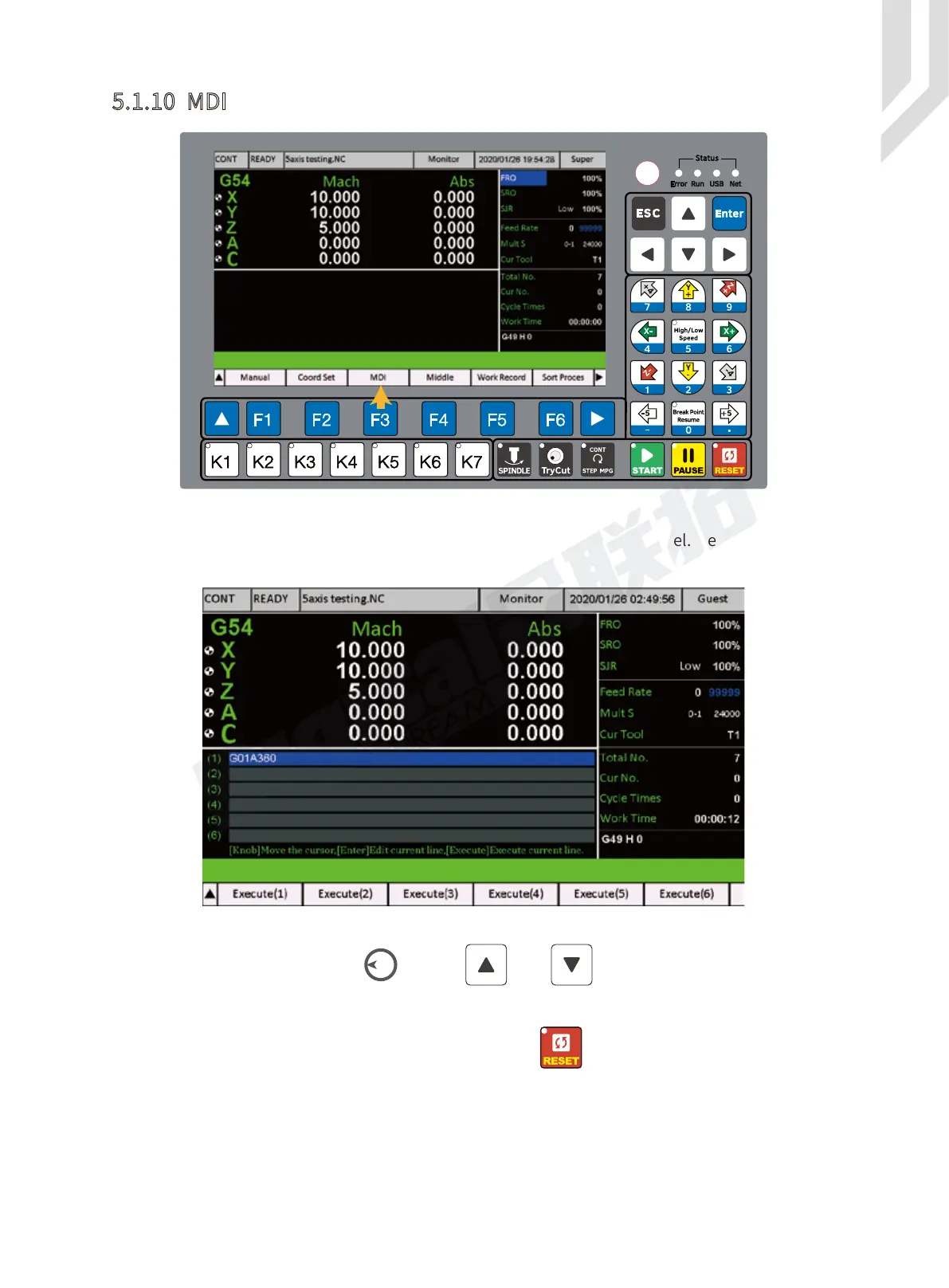
In the MDI Page,we can edit the G-code ourself with the controller panel. Here we can edit 6
lines G-code by vitual keyboard.
Figure 5-89 MDI Page
5.1.10 MDI
Figure 5-88 Press F3 key to MDI Page
By the Rotary button(Knob) or the and keys, we can shift among the
different Lines. We move the cursor, select a line and Enter, then the Virtual keyboard is active.
There are 3 pages Vitual keyboard, by the panel Key we can shift the 3 vitual
keyboards.



 To Next Page