Digital Dream Standalone Motion Controller DDCS-Expert Users ManualPage-51
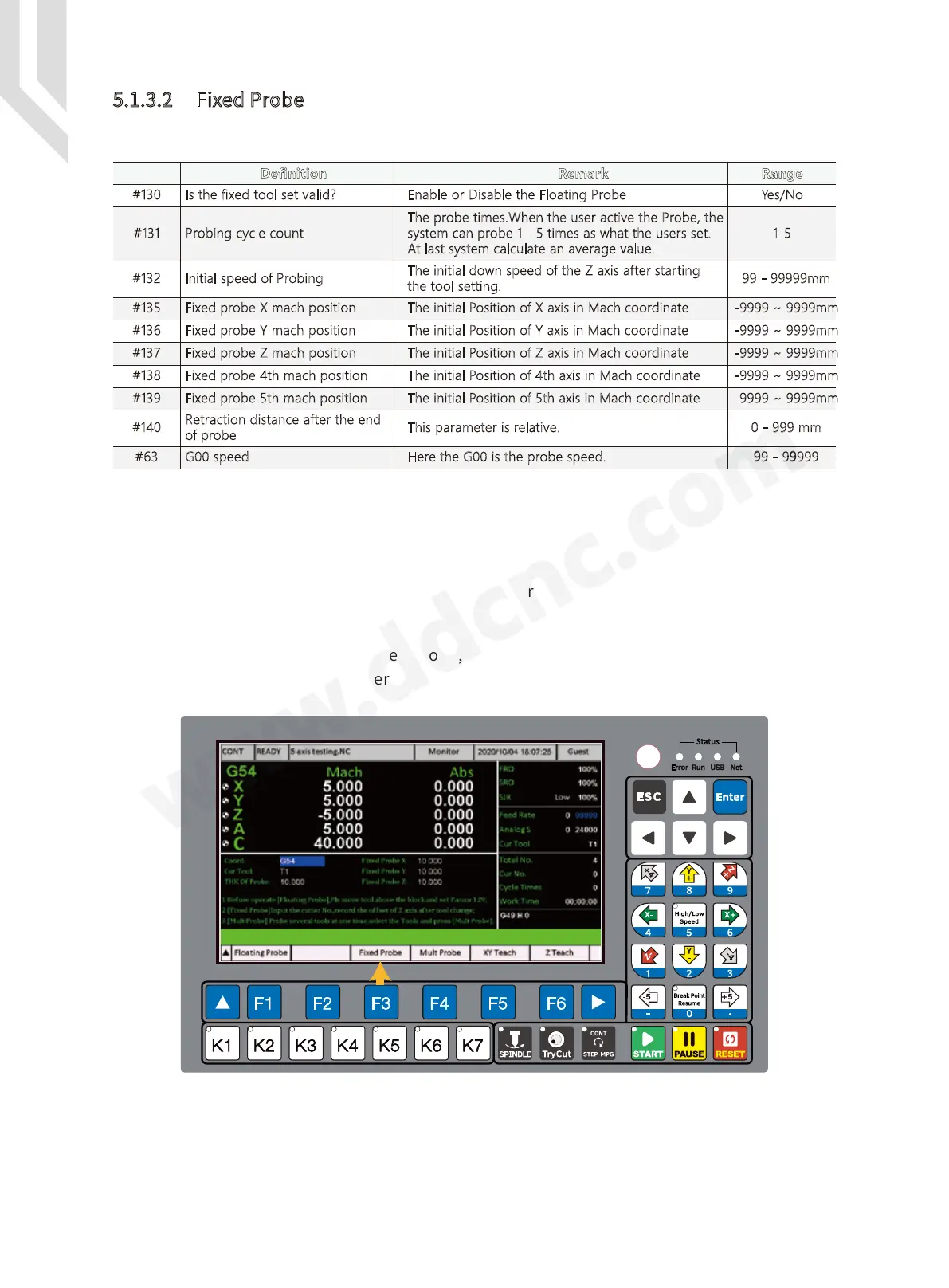
Figure 5-53 Fixed Probe
Param #
1-5
#130
#131
#132
#135
#136
#137
#138
#139
#140
#63 G00 speed
There are many Parameters related to the Fixed Probe:
Step 1: Firstly we must configurate the IO port, and wire the cables properly;
Step 2: We set the #130 to Yes;
Step 3: Set the parameter #135 / 136 / 137 / 138 / 139 to find an inital position of probe tool;
Step 4: And set other parameters according to your request above;
Now we start to Fixed probe.
We press F3 Key to active the fixed probe, the system pops up a window to ask you to type
in right Tool Number, we press Enter,the system start to Fix probe.
5.1.3.2 Fixed Probe
Definition Remark Range
Yes/NoIs the fixed tool set valid? Enable or Disable the Floating Probe
The probe times.When the user active the Probe, the
system can probe 1 - 5 times as what the users set.
At last system calculate an average value.
Probing cycle count
99 - 99999mm
The initial down speed of the Z axis after starting
the tool setting.
Initial speed of Probing
-9999 ~ 9999mm
The initial Position of X axis in Mach coordinateFixed probe X mach position
-9999 ~ 9999mmThe initial Position of Y axis in Mach coordinateFixed probe Y mach position
-9999 ~ 9999mmThe initial Position of Z axis in Mach coordinateFixed probe Z mach position
-9999 ~ 9999mmThe initial Position of 4th axis in Mach coordinateFixed probe 4th mach position
-9999 ~ 9999mm
The initial Position of 5th axis in Mach coordinateFixed probe 5th mach position
0 - 999 mmThis parameter is relative.
Retraction distance after the end
of probe
99 - 99999Here the G00 is the probe speed.



 To Next Page