Digital Dream Standalone Motion Controller DDCS-Expert Users Manual
Page-64
5.1.9.2 Clear X / Y / Z / 4th / 5th Axis
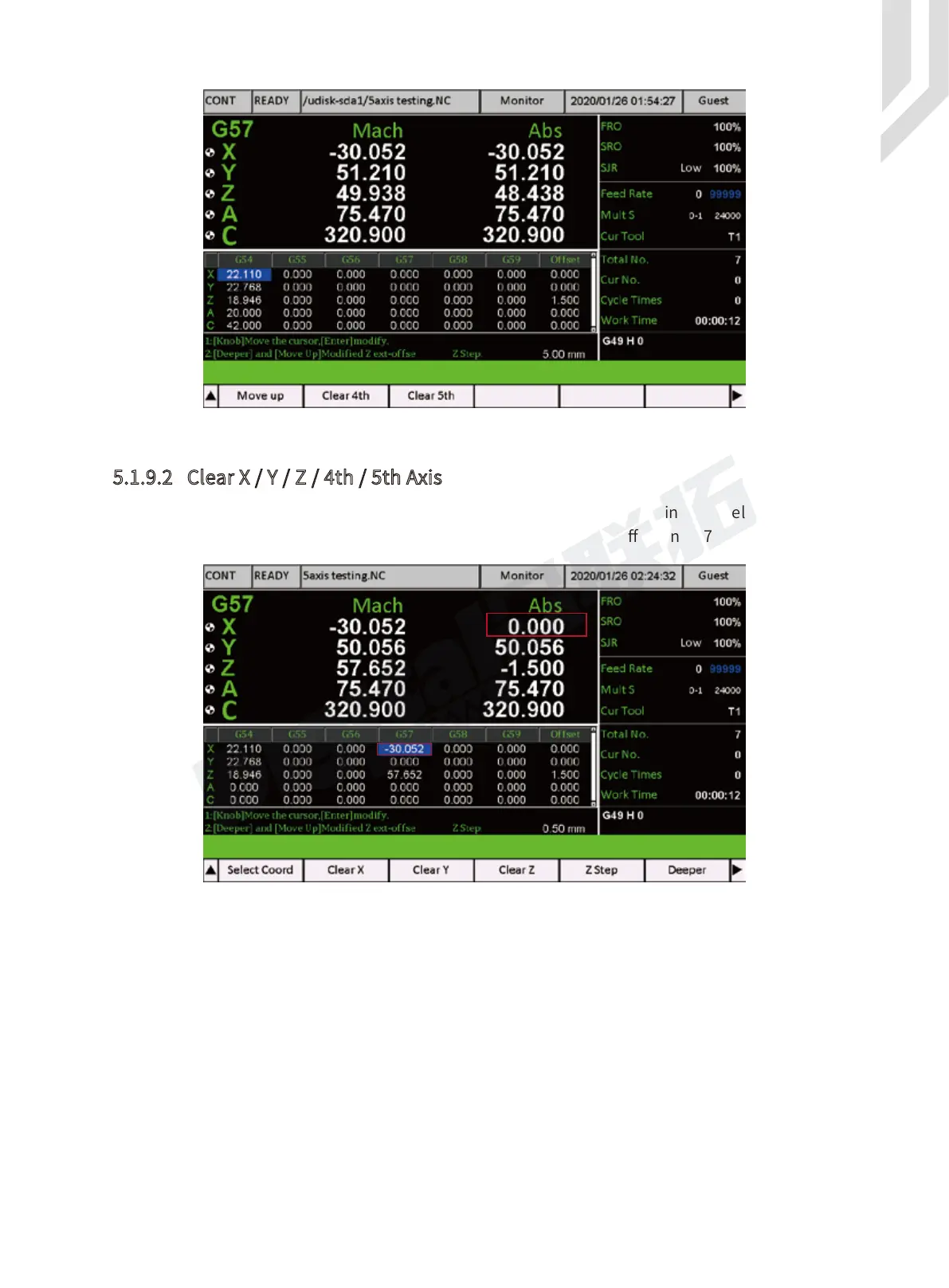
When we move the cursor to any block of the coordinate, this coordinate is selected. Then
we press “ Clear X ”, then the X axis value is cleared, and the X axis offset in G57 is created.
Here we took X axis for example.
If the users want to clear other axis, just press the according function key.
Figure 5-85 Select the Coordinate to G57
Figure 5-86 Clear X in Coordinate 57



 To Next Page