Digital Dream Standalone Motion Controller DDCS-Expert Users ManualPage-46
There are many Parameters related to the Simulation function:
In order to make the Simulation function active, we must set #244 to “ Yes ”;
And if the setting of #245 is “ Line ”, the system response can be quicker than Statue and 3D.
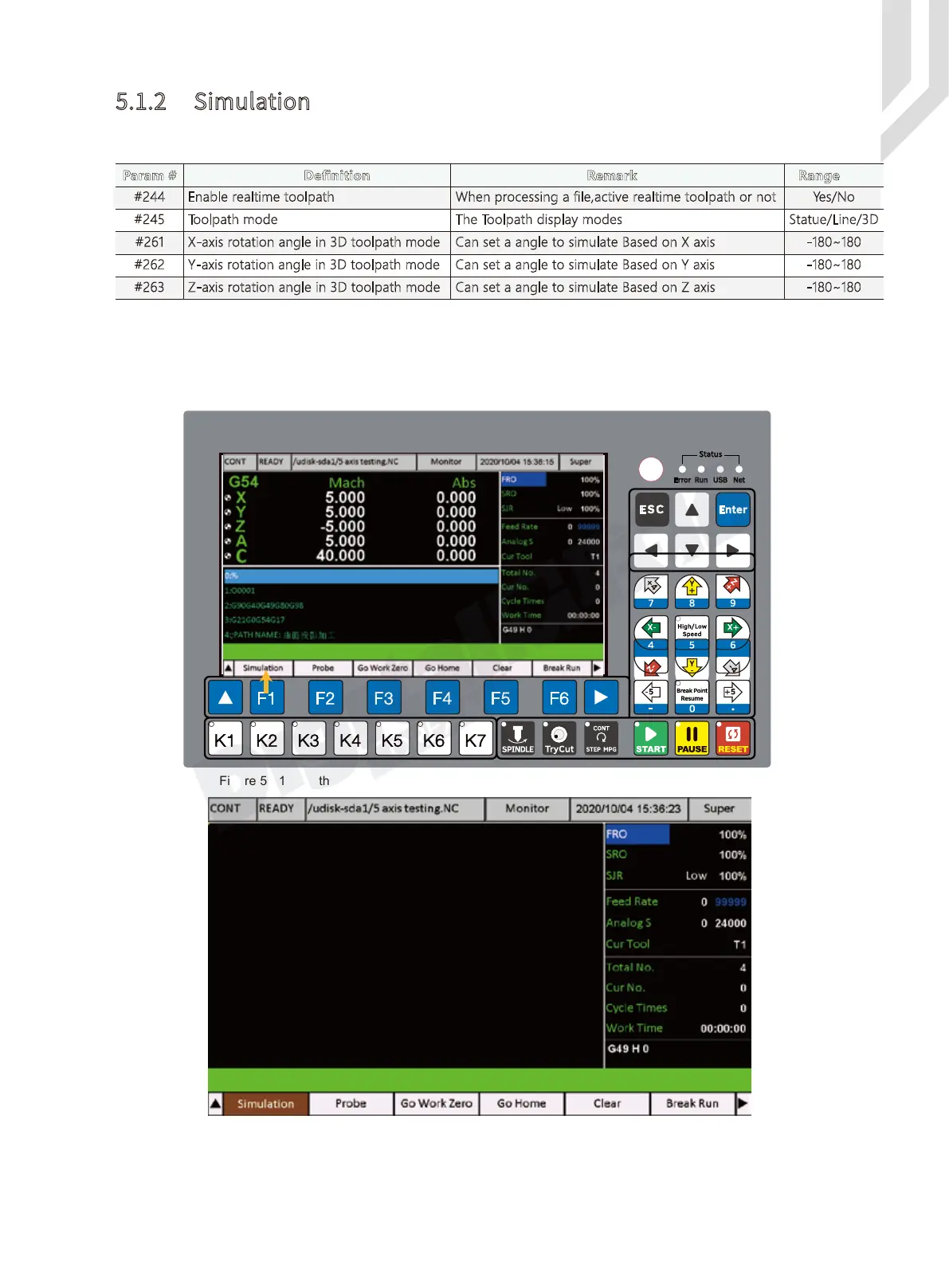
In the Monitor Page and Press F1, go to First Sub-Page of Monitor :
5.1.2 Simulation
Param # Definition Remark Range
Yes/No#244 Enable realtime toolpath When processing a file,active realtime toolpath or not
The Toolpath display modes
Can set a angle to simulate Based on X axis
Can set a angle to simulate Based on Y axis
Can set a angle to simulate Based on Z axis
Statue/Line/3D#245
Toolpath mode
-180~180#261
X-axis rotation angle in 3D toolpath mode
-180~180#262 Y-axis rotation angle in 3D toolpath mode
-180~180#263 Z-axis rotation angle in 3D toolpath mode
Figure 5-41 In the First Sub-page of Monitor and press F1 to go to the Simulation Page
Figure 5-42 Simulation Page



 To Next Page