Digital Dream Standalone Motion Controller DDCS-Expert Users ManualPage-44
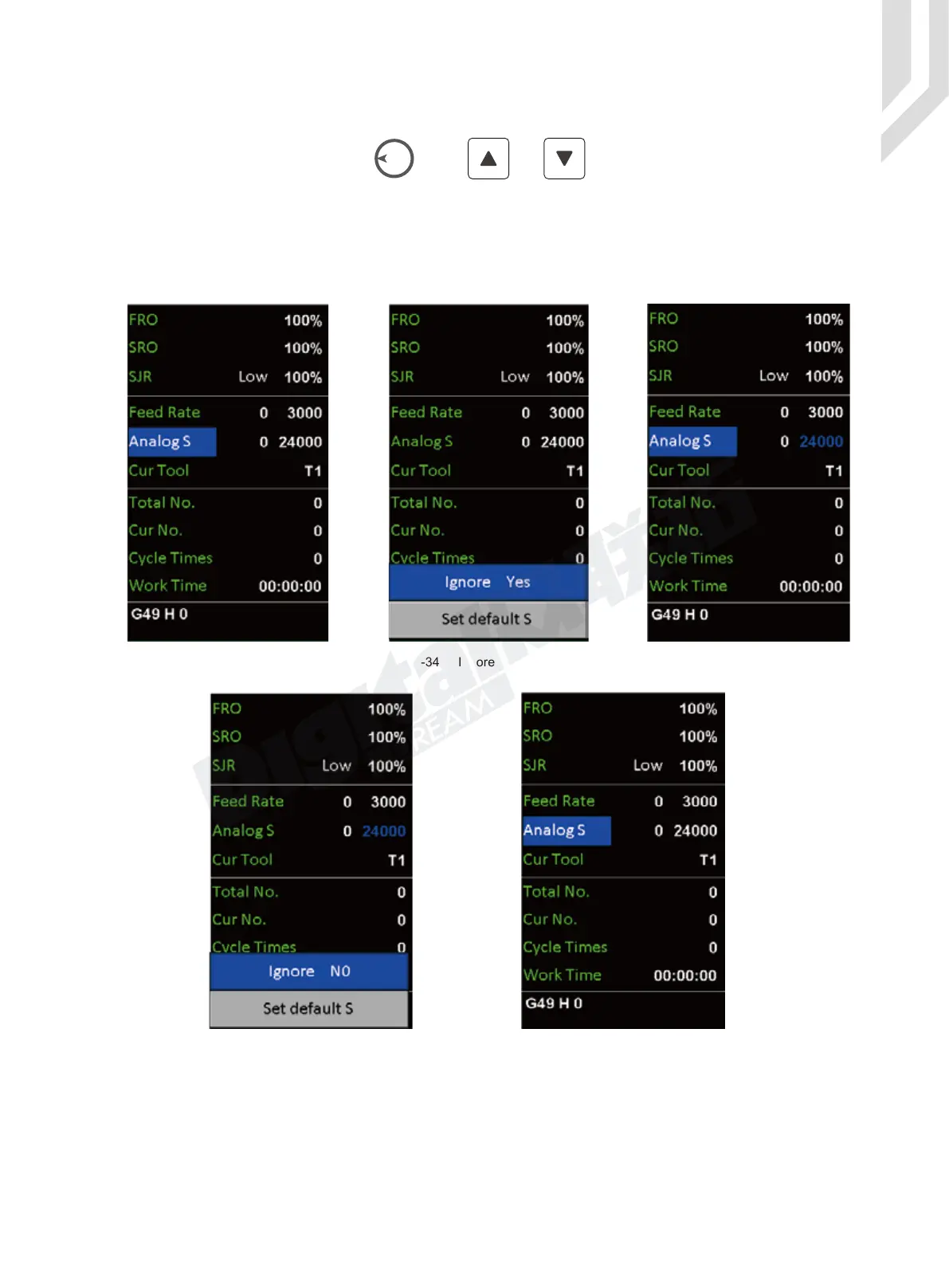
By the Rotary button(Knob) or the and keys,we can shift among the differ-
ent colums to “ Analog S ”. We press the Enter button,a small windown pop up from the bottom.
The “ Ignore S Yes ”, means Ignore the S command from the G-code, then the system will process
by the S command we set here; The “ Ignore S No ” means the system ignore the Analog Spindle
speed we set, control system will process by the S command from G-code file.
Here we only take the exmpale of “ Analog S ” when the spindle mode is in Analog, to set the
example:
Figure 5-33 Shift to Analog S Column Figure 5-34 Ingore S from G-code file Figure 5-35 Analog S value is active
S
Figure 5-36 Ingore Analog S Value Figure 5-37 S command from G-code file is active
S



 To Next Page