Digital Dream Standalone Motion Controller DDCS-Expert Users Manual
Page-73
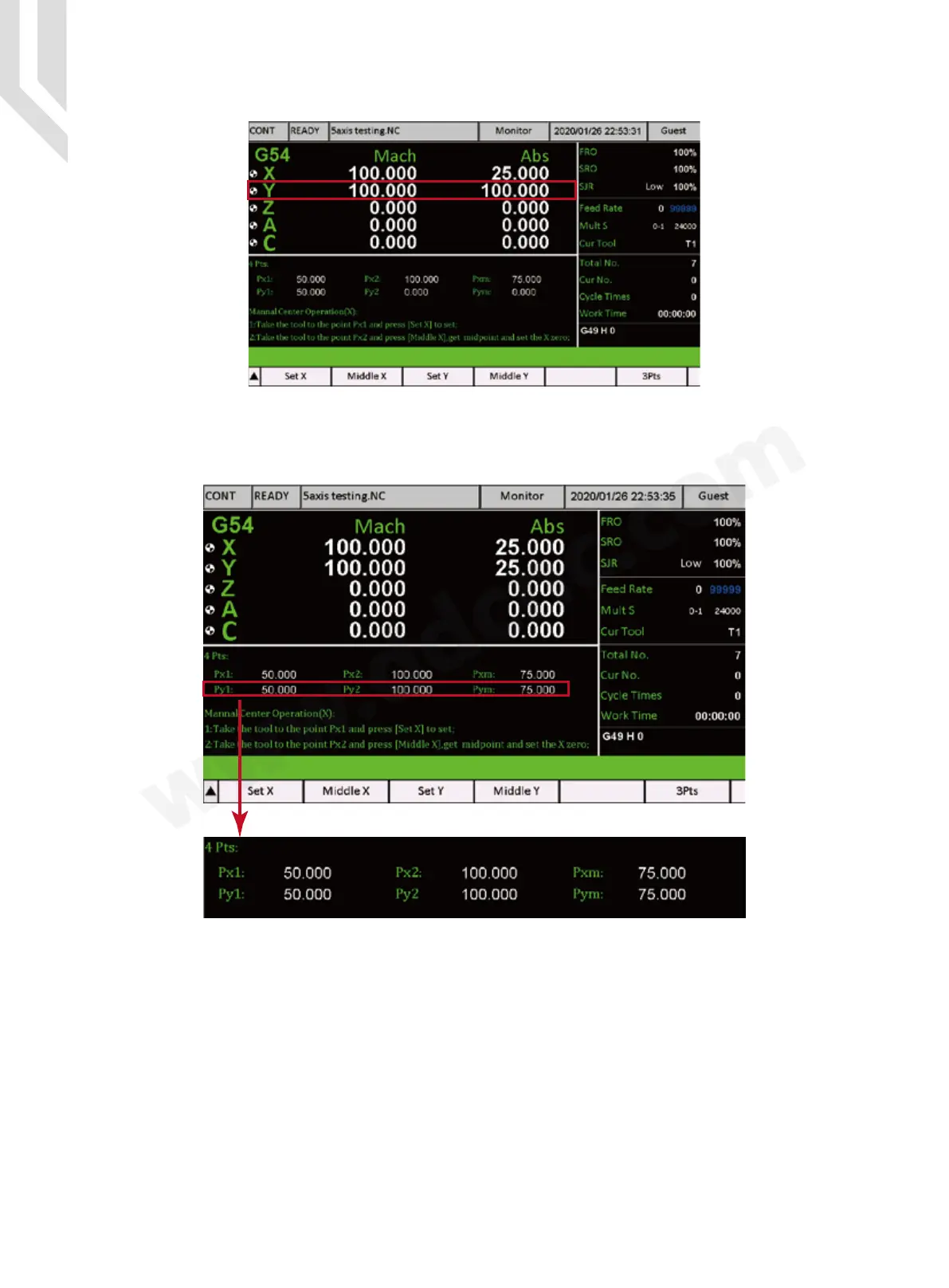
Step 3: Move the Y axis to Y = 100 :
Step 4: Press the “ Middle Y ” key ( F4 ), the system will record the second point, and calcu-
late the Middle point, and set this middle point position as the Zero.
Px1 = First point Position in X Axis in Mechanical Coordinate;
Py1 = First point Position in Y Axis in Mechanical Coordinate;
Px2 = The second point Position in X Axis in Mechanical Coordinate;
Py2 = The second point Position in Y Axis in Mechanical Coordinate;
Pxm = The Middle Point Position in X Axis in Mechanical Coordinate;
Pym = The Middle Point Position in Y Axis in Mechanical Coordinate.
Figure 5-103 Y=100
Figure 5-104 Find Middle point in Y axis



 To Next Page