DOBOT CR5 User Guide 2 Overview
Issue V3.5.3.1 (2020-05-09) User Guide Copyright © Yuejiang Technology Co., Ltd
19
automatically when the robot arm hit an obstacle.
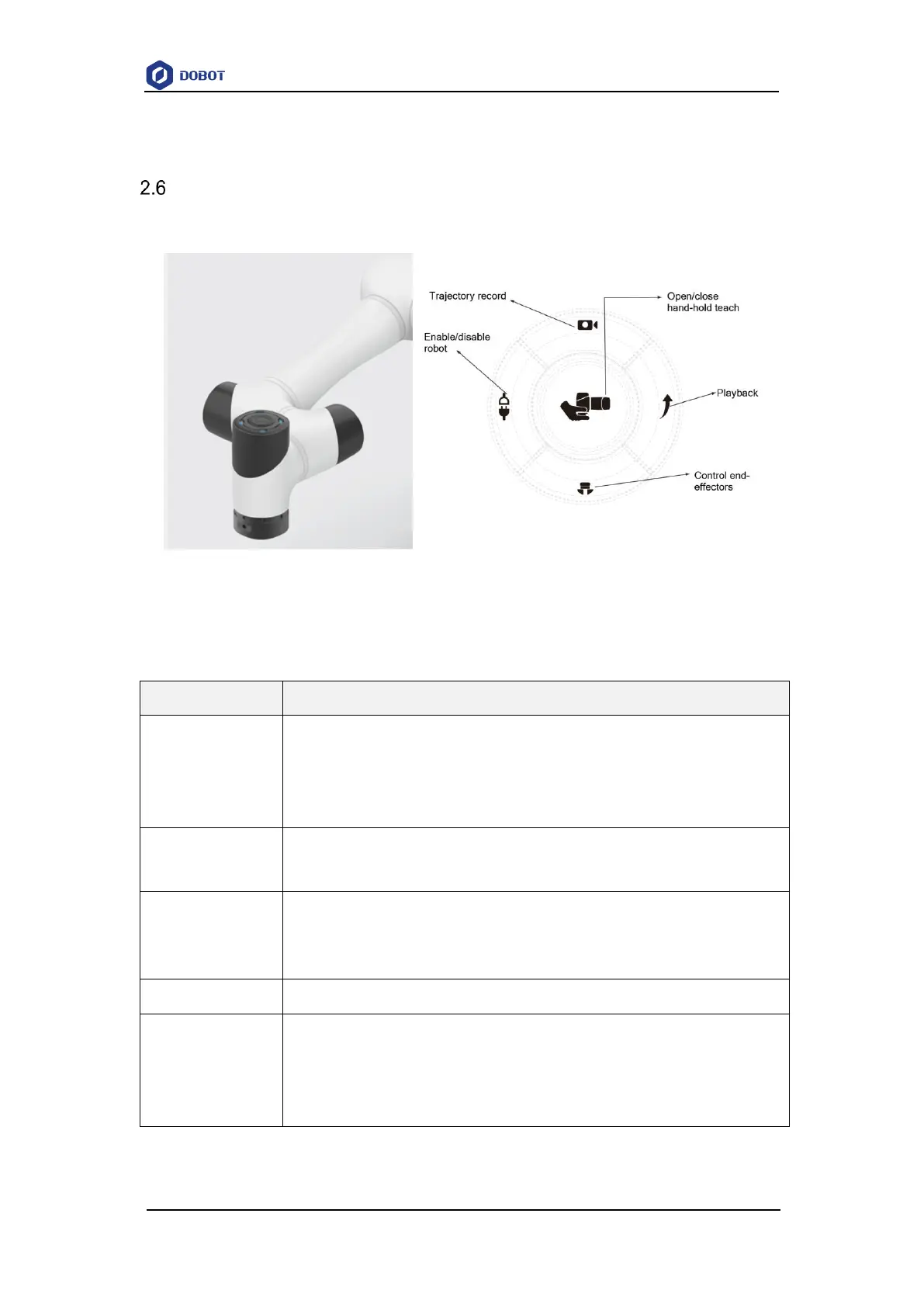
Key Description on Robot
There are function keys and LED indicator on the robot for user to manually control robot.
Figure 2.19 Keys on robot
Table 2.5 Key description
Open/close hand-hold
teach
Long press and then release: Open hand-hold teach, and the LED indicator turns
blue and blinks
Short press and then release: Close hand-hold teach, and the LED indicator turns
green
Long press and release: Open trajectory record, and the LED indicator turns yellow
Short press and release: Close trajectory record, and the LED indicator turns green
Long press and then release: Open playback, and the LED indicator turns yellow
and blinks
Short press and then release: Close playback, and the LED indicator turns green
Short press and then release: Open or close end-effectors
Long press 3s and then release: Enable robot., the LED indicator turns green from blue
and blinks
Long press 6s and then release: Disable robot, the LED indicator turns blue from green
and blink.
NOTE



 To Next Page