DOBOT CR5 User Guide 3 Electrical Specifications
Issue V3.5.3.1 (2020-05-09) User Guide Copyright © Yuejiang Technology Co., Ltd
26
Interface Board
External Interface Board Description
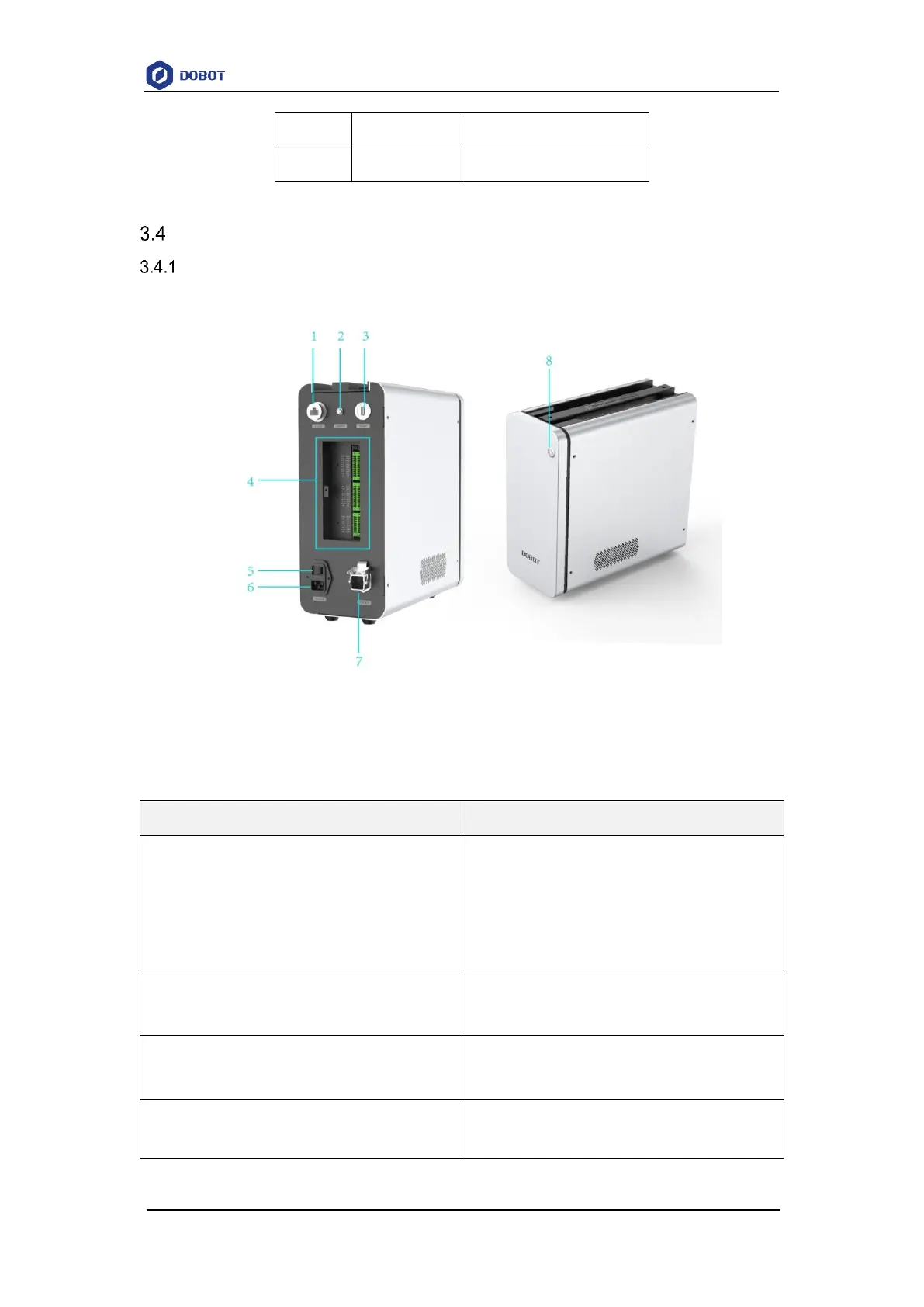
Figure 3.4 shows the interface board of the CC series controller. Table 3.6 lists the description.
Figure 3.4 Interface board of the controller
Table 3.6 Interface description
LAN interface
For connecting to external network equipment (Used
for debugging). The network segment of the external
device should be set to 192.168.5.X, and the default
network segment of the machine is network segment 5.
Emergency stop interface
For connecting to emergency stop switch
USB interface
For connecting to WiFi module
I/O interface. For details, please see 3.1 Controller I/O
Interface Description



 To Next Page