DOBOT CR5 User Guide 3 Electrical Specifications
Issue V3.5.3.1 (2020-05-09) User Guide Copyright © Yuejiang Technology Co., Ltd
30
3.4.4.1 Introduction
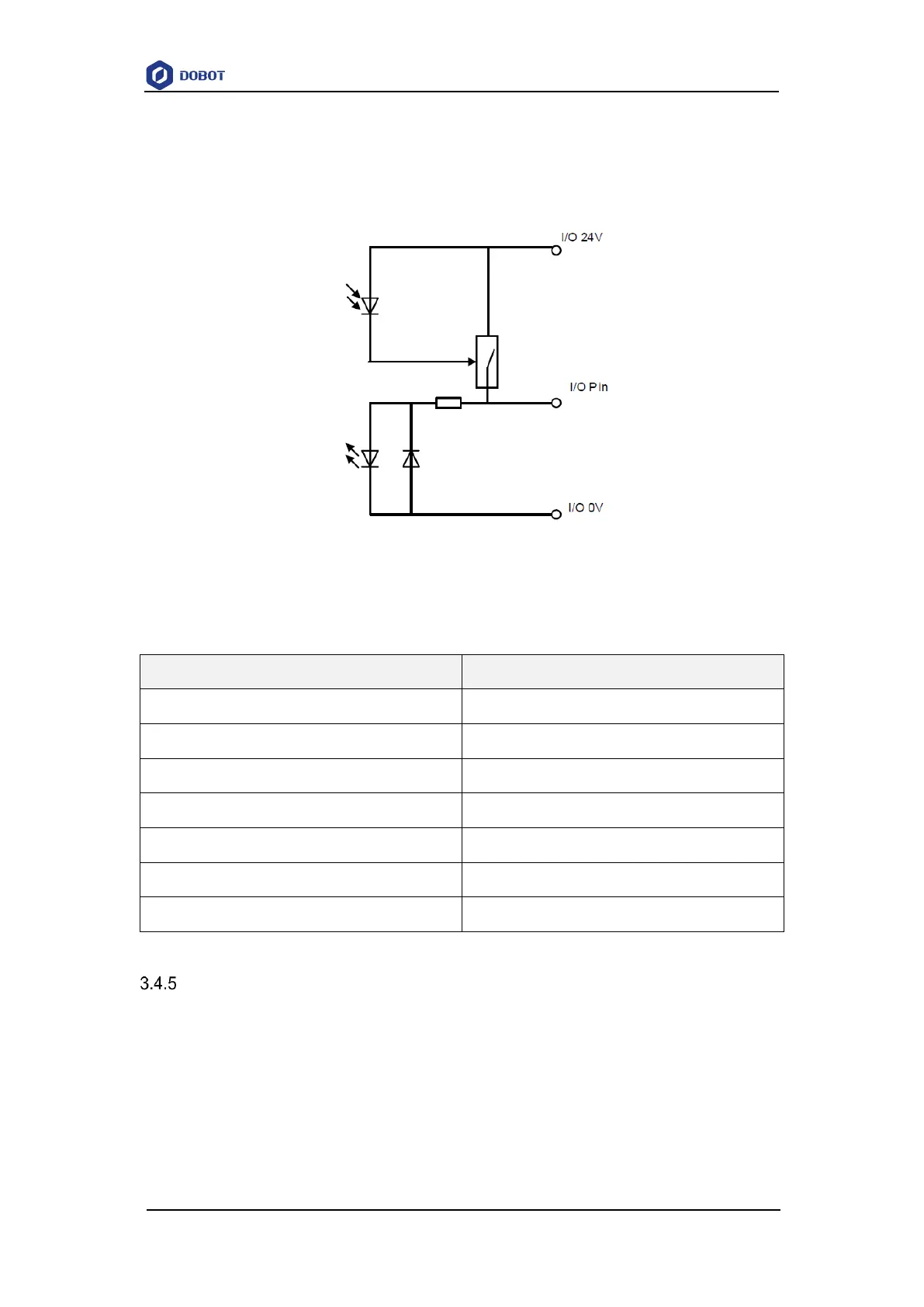
The multiplex digital input/ digital output interface can be powered by the internal or external
power supply. Figure 3.7 shows the simple digital output circuit and Table 3.9 lists the technical
specifications.
Figure 3.7 Simple digital output circuit
Table 3.9 Technical specifications
Load current of single channel
Analog Input
3.4.5.1 Introduction
An analog input can be set to a current input or voltage input by the DIP switch for measuring
current or voltage. A controller uses 2-channel DIP switches to control 2 channel analog inputs.
Each channel can be controlled separately. Figure 3.8 shows the simple analog input circuit. V
indicates the voltage input and I indicates the current input. The default is voltage input. If you need
to change, please contact our technical support.



 To Next Page