Contextual help of the web interface – 114
•
•
•
•
•
c Configure the SNMP V3 settings:
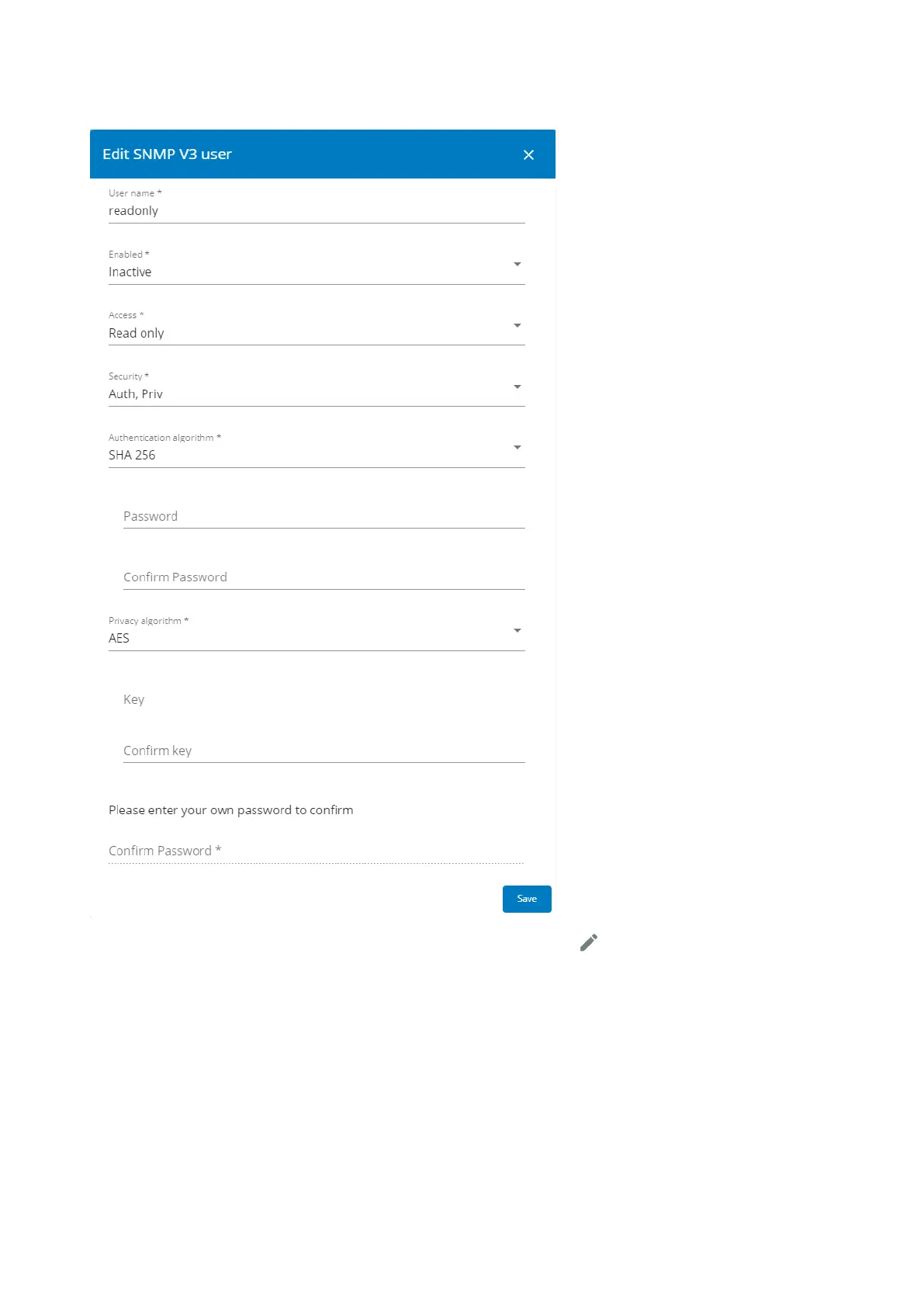
1.Click the edit icon on either Read Only or Read/Write account to access settings:
2. Edit the user name.
3. Select Activein the Enabled drop-down list to activate the account.
4. Select access level.
Read only—The user does not use authentication and privacy to access SNMP variables.
Read/Write—The user must use authentication, but not privacy, to access SNMP variables.
5. Select the communication security mechanism.
Auth, Priv—Communication with authentication and privacy.
Auth, No Priv—Communication with authentication and without privacy.
No Auth, No Priv—Communication without authentication and privacy.



 To Next Page