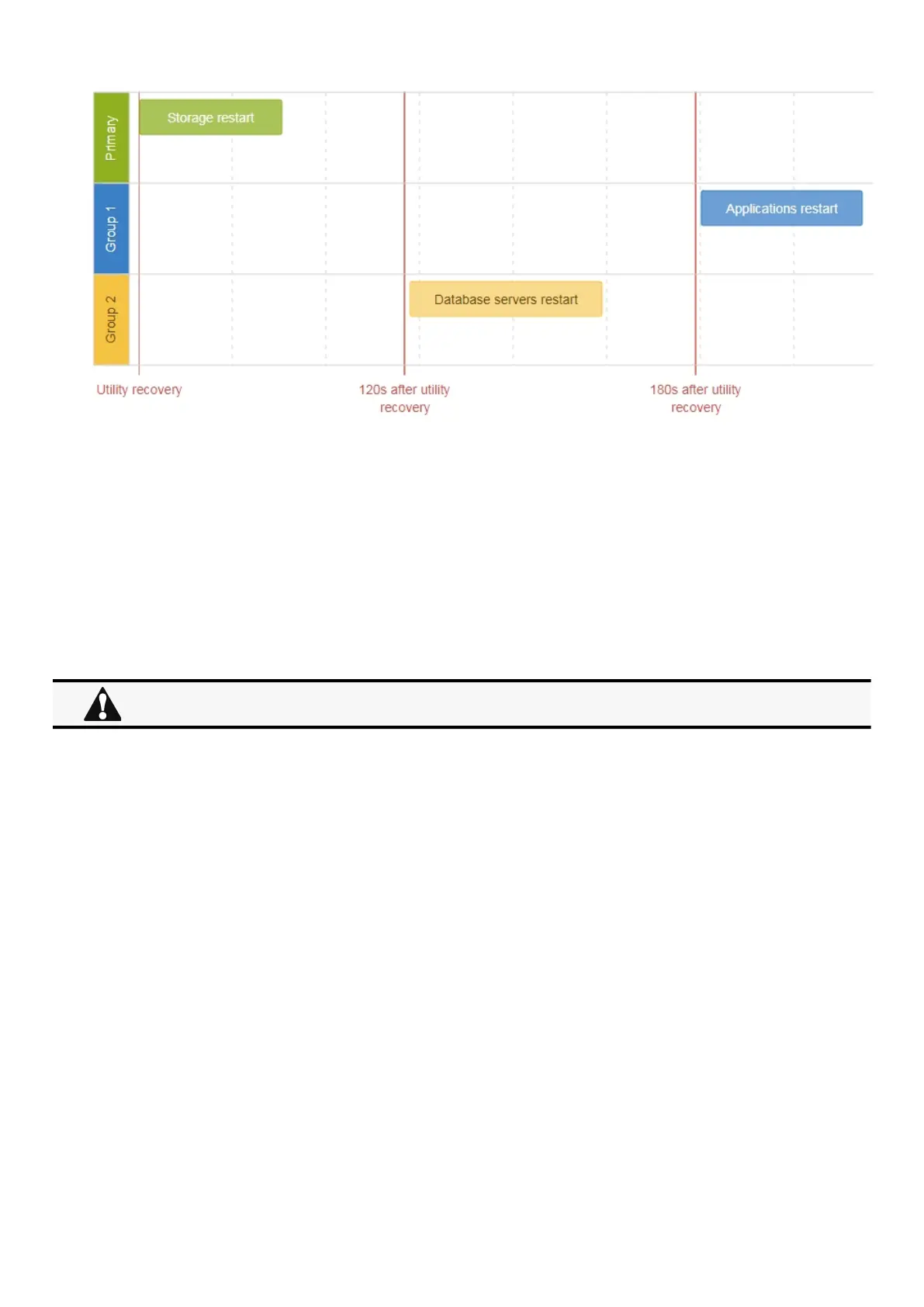
Powering down/up applications (examples)
Servicing the Network Management Module – 188
•
•
•
4.3.3.2 Step 1: Installation setup
4.3.3.2.1 Objective
Use load segmentation provided by the UPS to independently control the power supply of each IT equipment categories
(Applications, Database servers, Storage).
This will allow to restart sequentially the IT equipment on utility recovery.
4.3.3.2.2 Resulting setup
UPS provides outlets (Group 1 and Group 2) and a primary output.
Connections to UPS can be done as described below:
Group 1: Applications
Group 2: Database servers
Primary: Storage
4.3.3.3 Step 2: Power outage policy settings
4.3.3.3.1 Objective
Use load segment restart settings to define restart sequencing.
4.3.3.3.2 Resulting setup
1. Navigate toContextual help>>>Protection>>>Shutdown on power outagepage and to the When utility comes backsection.
When utility recovers, primary starts immediately.



 To Next Page