Servicing the EMP – 224
•
•
•
•
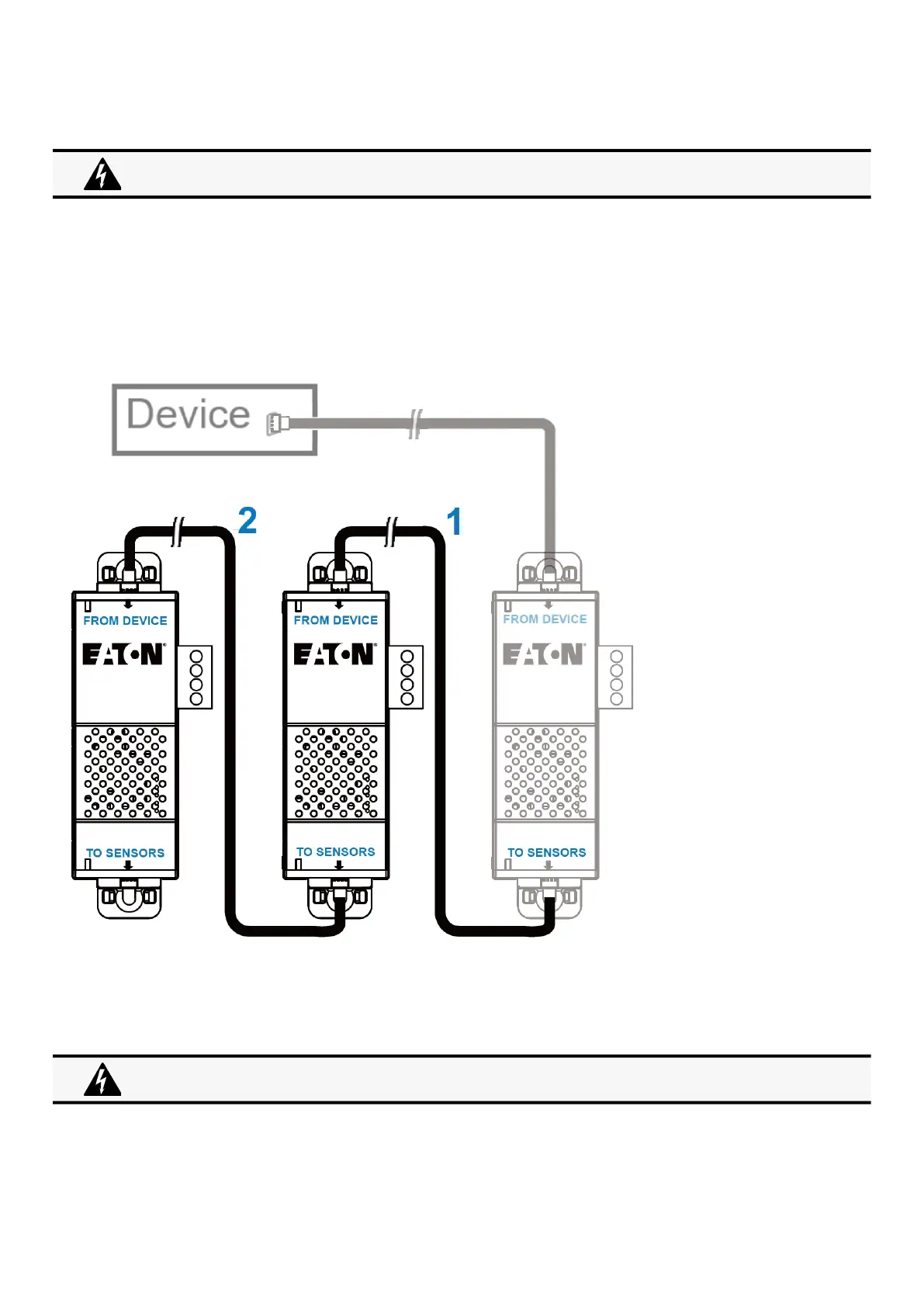
6.3.4 Daisy chaining EMPs
6.3.4.1 Material needed:
First EMP connected to the device (refer to previous section)
Additional EMPs
2 x Ethernet cable (not supplied).
Device
6.3.4.2 Connection steps
STEP 1 –Connect the Ethernet cable to the "TO SENSORS" port of the first EMP, and to the "FROM DEVICE" port of the second
EMP.
STEP 2 –Connect the Ethernet cable to the "TO SENSORS" port of the second EMP, and to the "FROM DEVICE" port of the third
EMP.
Address must be defined before EMP power-up; otherwise, the changes will not be applied.
Do not set Modbus address to 0;otherwise, the EMP will not be detected.
Up to 3 EMP can be daisy chained on one device.



 To Next Page