Configuring user permissions through profiles
Securing the Network Management Module – 218
[R5] NIST SP 800-88, Guidelines for Media Sanitization, September 2006:http://ws680.nist.gov/publication/get_pdf.cfm?
pub_id=50819
[R6] Cybersecurity Best Practices for Modern Vehicles - NHTSA:https://www.nhtsa.gov/staticfiles/nvs/pdf/
812333_CybersecurityForModernVehicles.pdf
[R7] A Summary of Cybersecurity Best Practices - Homeland Security:https://www.hsdl.org/?view&did=806518
[R8] Characterization of Potential Security Threats in Modern Automobiles - NHTSA:https://www.nhtsa.gov/DOT/NHTSA/NVS/
Crash%20Avoidance/Technical%20Publications/2014/812074_Characterization_PotentialThreatsAutos(1).pdf
[R9] Threat Modeling for Automotive Security Analysis:http://nvlpubs.nist.gov/nistpubs/Legacy/SP/
nistspecialpublication800-41r1.pdf
5.3 Configuring user permissions through profiles
The user profile can be defined when creating a new users or changed when modifying an existing one.
Refer to the sectionContextual help>>>Settings>>>Local usersin the settings.
5.4 Decommissioning the Network Management module
With the increased frequency of reported data breaches, it’s becoming more and more necessary for companies to implement
effective and reliable decommissioning policies and procedures.
In order to protect the data stored on retired IT equipment from falling into the wrong hands, or a data breach, we recommend to
follow below decommissioning steps:
1- Sanitize the Network Module
Sanitizationerases all the data (user name and password, certificates, keys, settings, logs...).
To sanitize the Network Module refer to theContextual help>>>Maintenance>>>Services>>>Sanitization section.
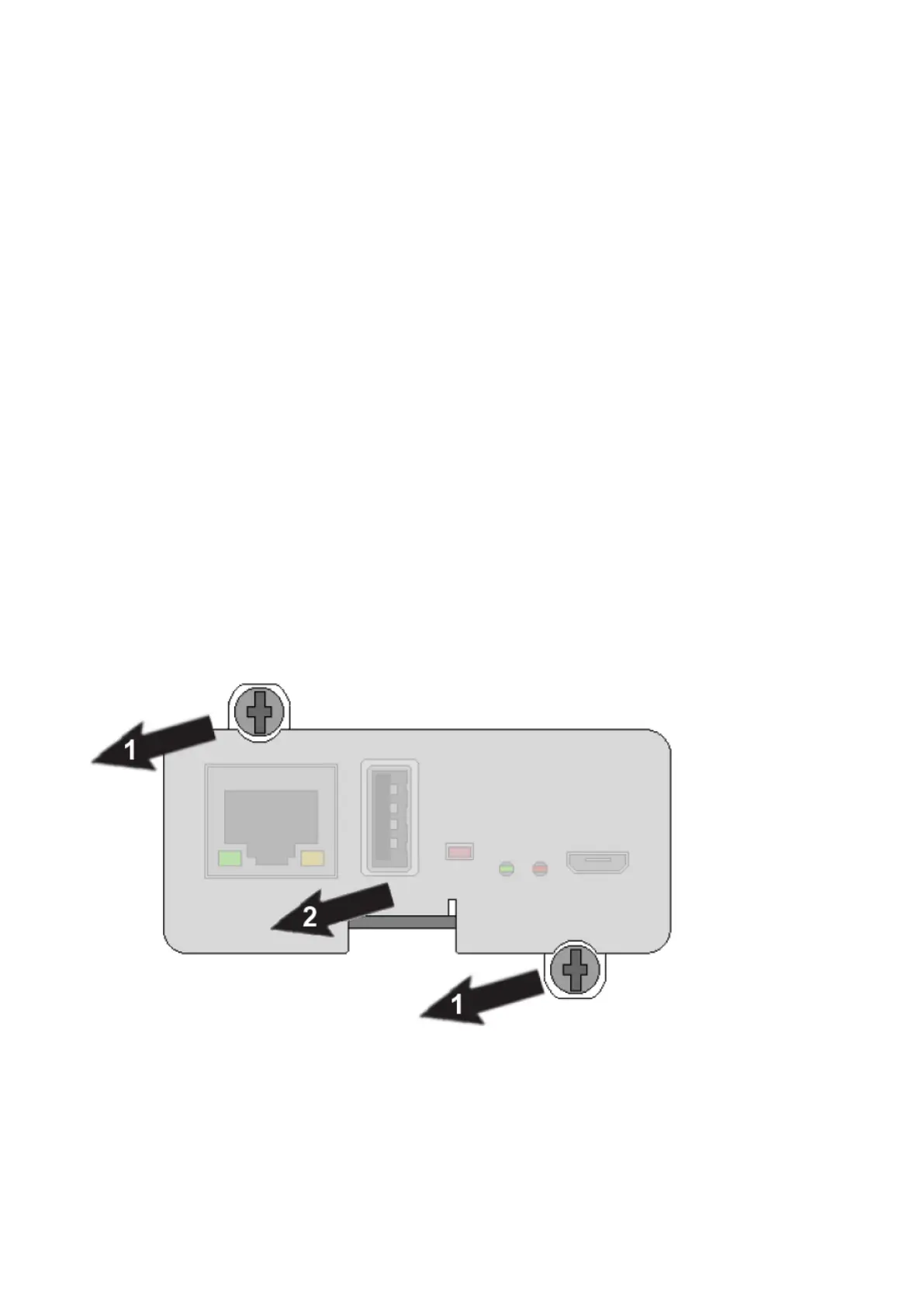
2- Unmount the Network Module from the device.
Unscrew the Network Module and remove it from the slot.



 To Next Page