Contextual help of the web interface – 57
•
•
•
•
•
•
All agents that are connected to the Network Module are displayed in tables by power sources.
Primary
Group 1
Group 2
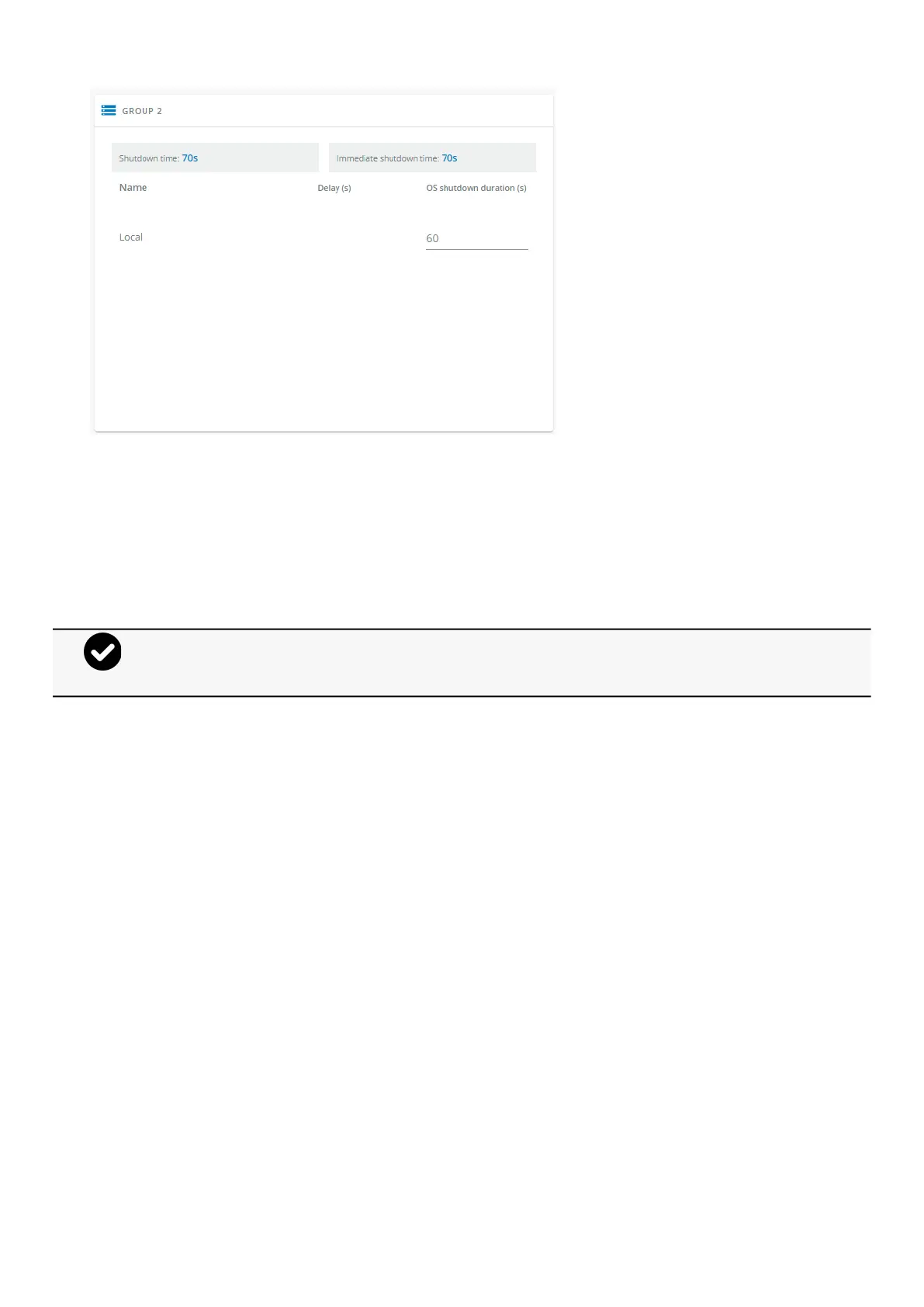
The 'local agent' settingis used for settingfor example a minimum shutdown duration, or a power down delay for a load segment
that has no registered shutdown agents.
One use case would be a load segment that powers network equipment that needs to stay on while servers and storage perform
their orderly shutdown.
The tables include the following details:
Name
Delay (in seconds)
OS shutdown duration (in seconds)
3.5.2.2 Actions
3.5.2.2.1 Set Delay
Select and directly change the setting in the table and then Save.
3.5.2.2.2 Set OS shutdown duration
Select and directly change the setting in the tableand thenSave.
3.5.2.3 Examples
Examples below show the impact of agent settings on the shutdown sequence for a shutdown or an immediate shutdown.
•
•
A shutdown time summary is calculated and displayed on the top of the table:
Shutdown time: maximum time (Delay + OS shutdown duration + 10s) calculated among all the agents.
Immediate shutdown time (OS shutdown duration + 10s)calculated among all the agents.



 To Next Page