AP, Managed AP, Repeater & Client Bridge Modes
35
Configuring Security Settings of 2.4GHz wireless network
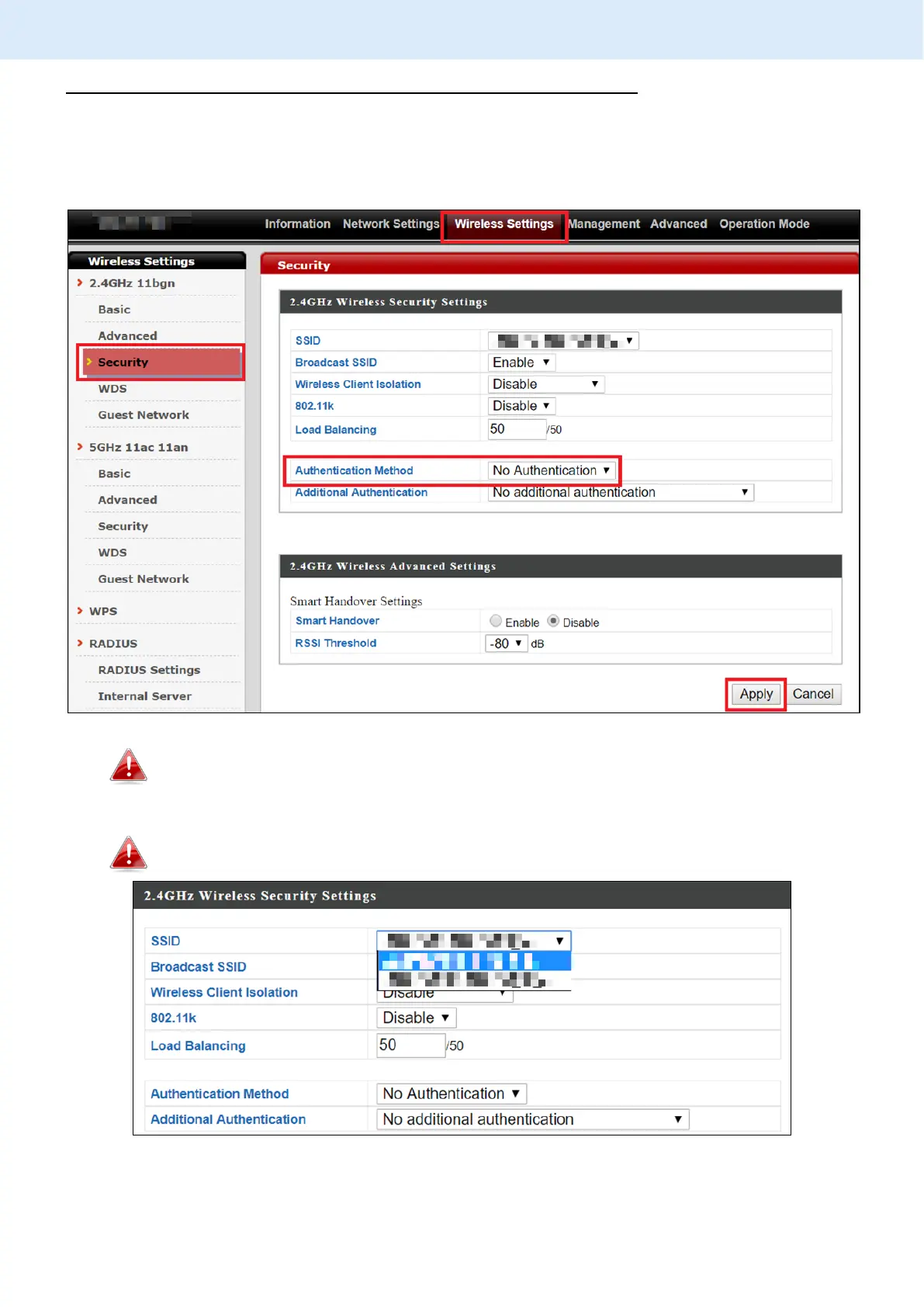
1. Go to “Wireless Settings” > “2.4GHz 11bgn” > “Security”.
2. Select an “Authentication Method”, enter or select fields where
appropriate, and click “Apply”.
For more information on authentication method, please refer to VI-3-3-3
on page 65.
If multiple SSIDs are used, specify which SSID to configure using the
“SSID” drop down menu.



 To Next Page