AP, Managed AP, Repeater & Client Bridge Modes
36
Changing SSID and Configuring Security Setting for 5GHz wireless network
Follow the steps outlined in “Changing SSID for 2.4GHz wireless network” and
“Configuring Security Setting for 2.4GHz wireless network” but choose the
5GHz option instead.
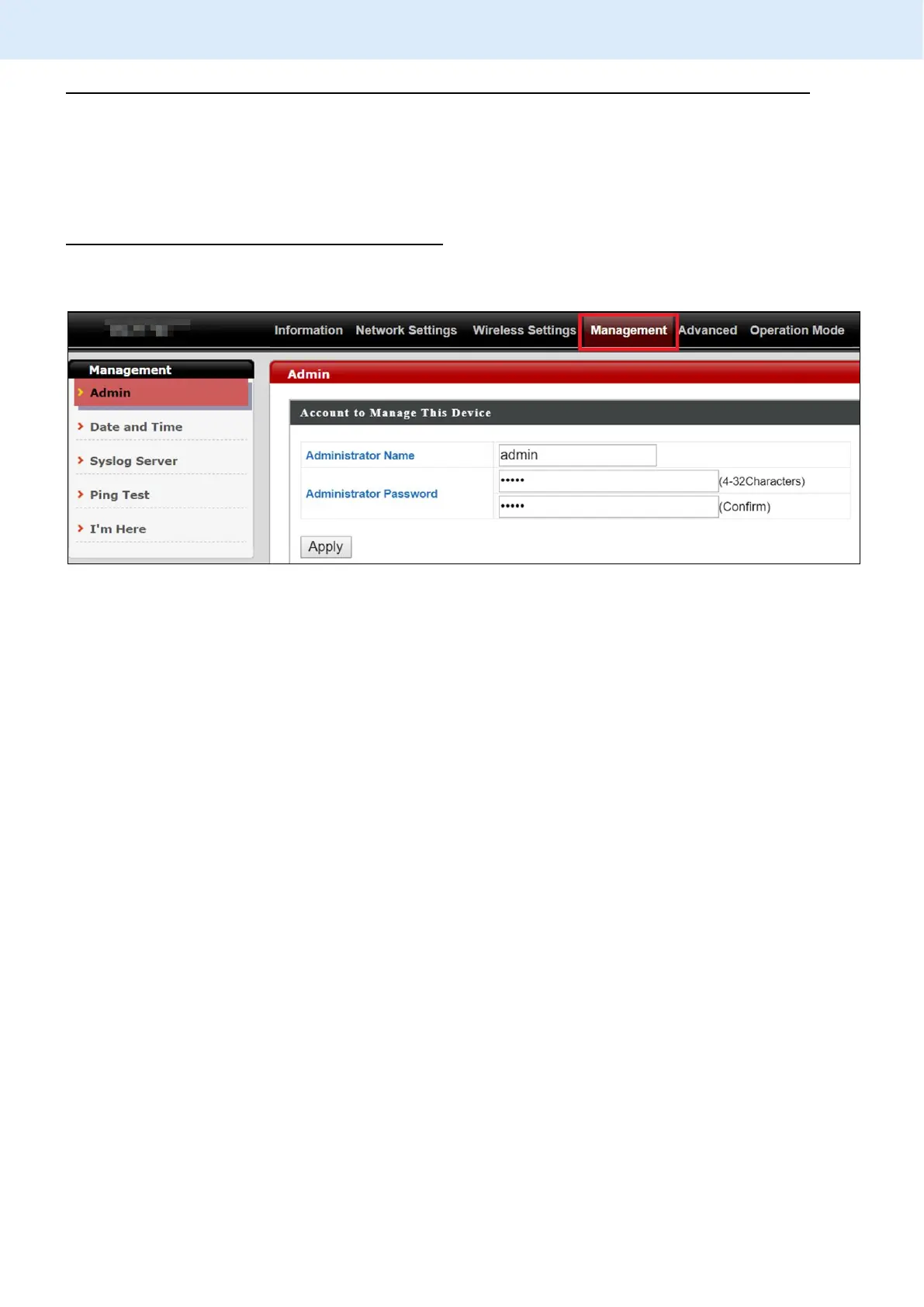
Changing Admin Name and Password
1. Go to “Management” > “Admin” as shown below:
2. Complete the “Administrator Name” and “Administrator Password”
fields and click “Apply”.



 To Next Page